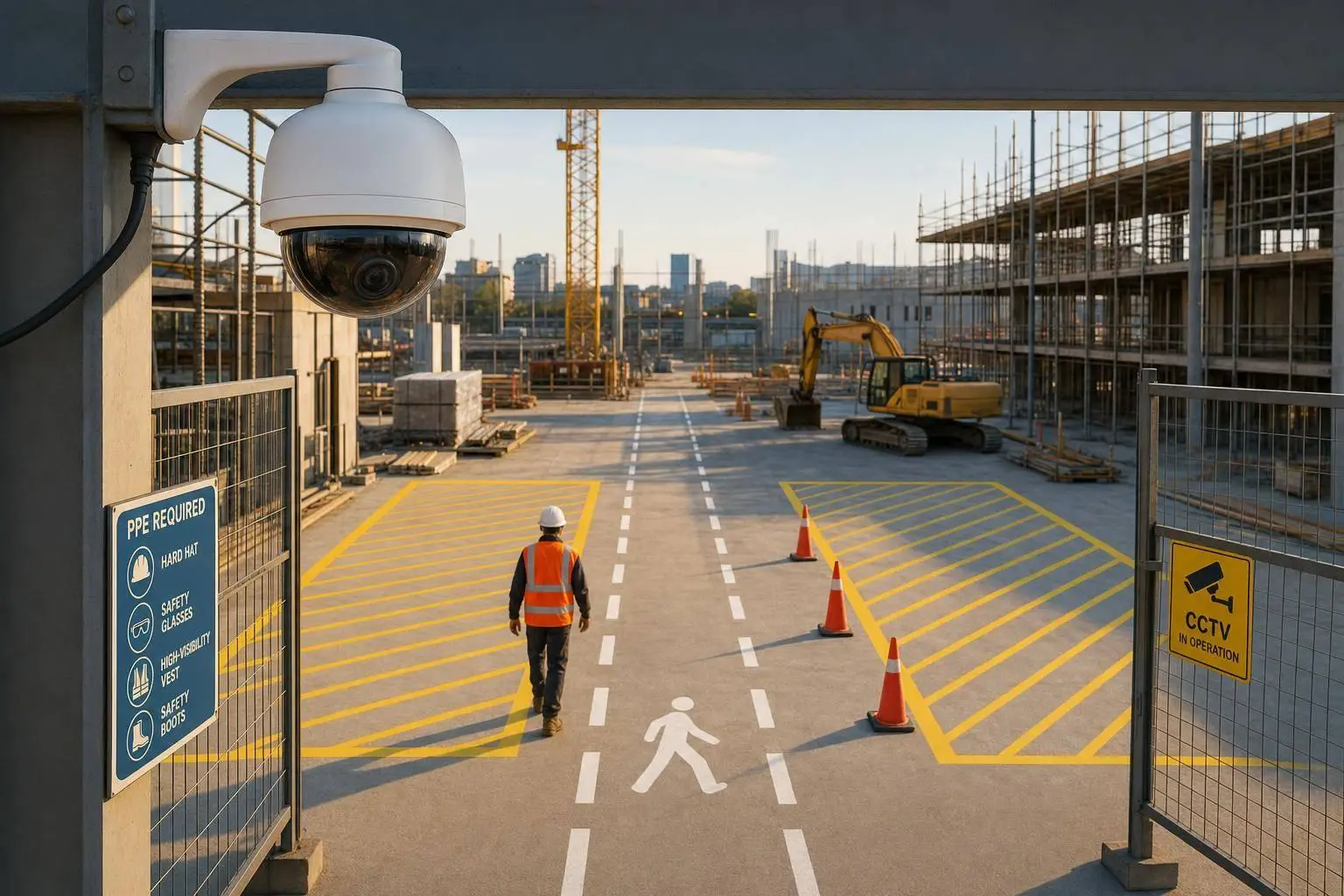
AI Video Analytics for Construction Sites

If you run a construction site in Canada, AI video analytics can help you cut injuries, spot risks faster, and track site flow with less manual checking. That matters when more than 35,000 construction workers were injured in Canada in 2024, and 872 died.
Here’s the short version: I’d use AI video analytics for four jobs first – PPE checks, restricted-zone alerts, after-hours site security, and equipment or truck movement tracking. On a moving job site, where layouts shift, crews rotate, and weather affects visibility, cameras plus computer vision can help supervisors react sooner and review incidents with time-stamped records.
What stands out most to me:
- Safety: flag missing hard hats, vests, fall protection, and unsafe entry into crane or excavation zones
- Security: detect intruders, vehicles, and theft risks after hours while cutting false alarms
- Productivity: track idle equipment, truck cycle times, congestion, and crew movement
- Workflow: send alerts to tablets, radios, or project platforms instead of leaving them inside a camera dashboard
- Privacy: keep the focus on safety, blur identities where possible, limit retention, and give workers clear notice
- Rollout: start with a 60-day pilot, tune alerts, and expand only after the system shows stable results
A few numbers help frame the case:
- Equipment theft costs the industry about $300 million to $1 billion CAD per year
- Some firms report payback in under 12 months
- One project cited in the article cut critical-injury frequency from 0.21 to 0.08 per million hours worked
- Only about 25% of Canadian OHS professionals said their organisations were using AI for health and safety as of 2025
If I were summing up the whole article in one line, it would be this: AI video analytics works best when you tie it to clear site problems, connect alerts to field action, and set firm privacy rules from day one.
Where AI Video Analytics Delivers Value
Real-Time Safety Monitoring and PPE Compliance
On construction sites, these use cases usually land in three buckets: safety, security, and productivity.
For active sites, AI video analytics can spot missing PPE and unsafe acts in real time. Many serious incidents involve missing or incorrect PPE, so these systems keep watch for hard hats, high-visibility vests, safety glasses, gloves, and boots. If something’s missing, they flag it right away.
It doesn’t stop at gear checks. Systems can also detect unsafe acts, like working at height without fall protection or riding on moving equipment. Teams can set up geofences around crane swing radii and excavation edges, then trigger an alert when someone steps into a restricted zone. That gives safety managers a chance to step in before a small problem turns into an incident.
Access Control, Perimeter Security, and Incident Review
Equipment theft costs the Canadian construction industry hundreds of millions of dollars each year, and recovery rates are often below 20%. AI-powered perimeter monitoring helps cut that risk by telling the difference between a real threat – like an intruder on foot or an unauthorized vehicle – and background noise, such as animals or passing headlights. That matters because false alarms can wear people down fast. Once trust in the system slips, response tends to slip with it.
After-hours security can do more than just spot trouble. Some systems link AI alerts with two-way audio, strobes, or sirens to deter trespassers before damage happens. Each event is timestamped and logged, which helps with incident investigations, insurance claims, near-miss reporting, and safety audits.
Equipment Use, Material Flow, and Productivity Tracking
Most site footage never gets reviewed. AI changes that by turning video into data teams can use for equipment flow, idle time, and truck turnaround. Systems can track when assets like excavators, concrete trucks, and mobile cranes enter or leave a site, flag machinery sitting idle, and measure turnaround times in loading and unloading zones.
Construction firms using AI-driven digital transformation have reported productivity gains of 14–15% and cost reductions of 4–6% per project. Workforce movement data can also be shown as heatmaps, making it easier to see high-traffic areas and idle zones. That can help teams tighten scheduling, reduce congestion, and assign equipment with more care.
These metrics matter more when they feed into site workflows instead of staying trapped inside the camera system.
The real value comes from turning site video into faster decisions on safety, access, and productivity.
sbb-itb-fd1fcab
How Construction Firms Apply AI Video Analytics
Safety Use Cases for Canadian Site Conditions
The gains show up in day-to-day site work in four main ways: proximity alerts, fall-risk detection, progress checks, and workflow routing.
On Canadian job sites, that matters a lot. Crews often deal with moving exclusion zones, narrow access paths, and constant overlap between workers and heavy equipment. Computer vision systems can draw virtual boundaries around crane swing radii, excavation edges, and energized panels. If a worker or a machine crosses that line, the system sends an alert right away.
Work-at-height monitoring adds another layer of control. These systems can spot improper harness tie-offs, workers climbing scaffolding without fall protection, and missing fall protection in real time.
On one major infrastructure project, 18 fixed cameras monitored crane radii and excavation edges. After an eight-week tuning period, the setup identified between 40 and 60 valid near-miss alerts per month. Over 12 months, the critical-injury frequency fell from 0.21 to 0.08 per million hours worked.
Progress Tracking, Quality Control, and Schedule Management
AI can compare live video against project plans to catch deviations, misaligned components, or structural defects before they turn into rework or claims. If a bottleneck starts to form, the system can flag it early, before it snowballs into a schedule issue.
Time-lapse footage and timestamped video clips also give teams a visual audit trail for project records. That record can cut rework by showing clear proof of what was built, when it was built, and how the work was done.
Those findings only help if teams can respond in the moment.
Connecting Alerts to Site Workflows
An alert sitting inside a camera dashboard is just noise. The point is to push it into the tools crews already use. AI systems should send alerts into the project management platforms already in place on site, where a supervisor can turn a detected hazard into a formal observation with video attached.
For field response, alerts can go straight to supervisor tablets, radios, or worker wristbands that vibrate when proximity limits are crossed. On a Hydro-Québec substation project near Montréal, researchers from Concordia University and Mitacs combined computer vision with Real-Time Location Systems (RTLS) so workers got vibration alerts when they moved too close to mobile equipment.
Weekly trend reports help EHS teams shift from reactive policing to coaching based on patterns on site. As one industry voice put it:
"Issues from the previous week can become talking points for Monday morning huddles and toolbox talks, driving actual behavioural change through existing communication channels." – Association of Builders and Contractors Carolinas (ABCC)
Generative AI tools can also draft Job Safety Analyses (JSAs), AI-powered safety compliance tools, and toolbox talk content based on recent incidents on that site. That can cut admin work for safety officers.
Digital Fractal Technologies Inc can build the custom integrations that link alerts, dashboards, and field workflows. From there, system design, data flow, and governance become the next set of choices.
How AI Protects Construction Workers
Implementation, Privacy, and System Design
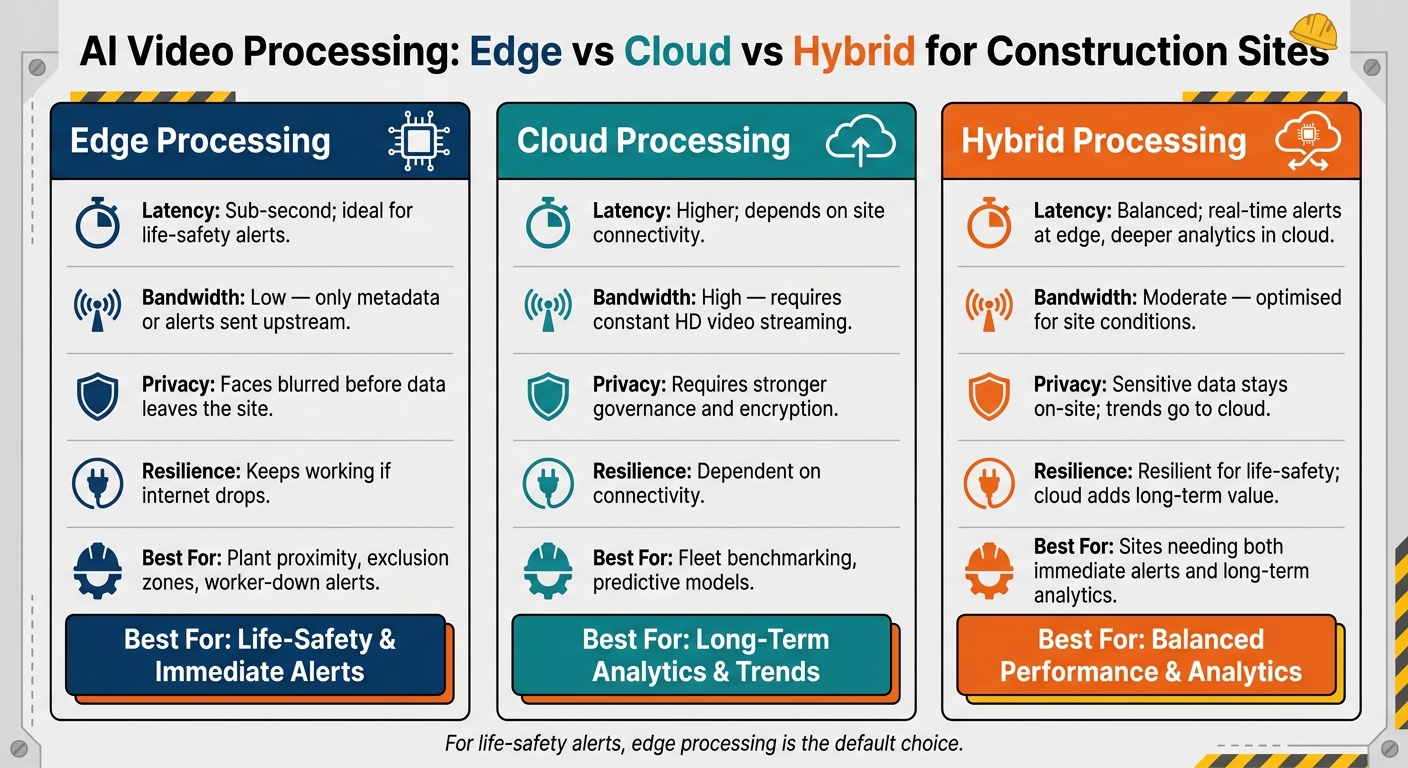
Edge vs Cloud vs Hybrid AI Video Processing for Construction Sites
Infrastructure, Edge-Cloud Architecture, and Data Retention
Once alerts are tied into site workflows, the next step is practical: where cameras go, how footage gets processed, and how long data stays around.
Camera choice depends on the hazard and on how the site shifts over time. In most cases, a mixed setup works best. That can include fixed cameras on poles or gantries for permanent high-risk areas like crane radii and excavation edges, 360-degree cameras for routine site walkthroughs, and vehicle-mounted cameras for collision avoidance. If a site doesn’t have fixed network service, cameras with built-in 4G LTE can help teams get up and running fast.
EllisDon, one of Canada’s largest general contractors, already uses 360-degree photo walkthroughs to build a searchable site archive. AI then scans that record for issues such as missing guardrails or PPE non-compliance.
Where you process video matters just as much as where you install the cameras. Here are the main trade-offs:
| Feature | Edge Processing | Cloud Processing | Hybrid |
|---|---|---|---|
| Latency | Sub-second; ideal for life-safety alerts | Higher; depends on site connectivity | Balanced; real-time alerts at the edge, deeper analytics in the cloud |
| Bandwidth | Low; only metadata or alerts sent upstream | High; requires constant HD video streaming | Moderate; optimised for site conditions |
| Privacy | Faces can be blurred before data leaves the site | Requires stronger governance and encryption | Sensitive data stays on-site; trends go to the cloud |
| Resilience | Keeps working if internet drops | Dependent on connectivity | Resilient for life-safety; cloud adds long-term value |
| Best for | Plant proximity, exclusion zones, worker-down alerts | Fleet benchmarking, predictive models | Sites that need both immediate alerts and long-term analytics |
For life-safety use cases like plant-on-person proximity and exclusion-zone breaches, real-time inference at the edge is the default choice. A common setup is simple: keep raw video for a short period, hold anonymised metadata longer, and make sure cloud data is stored on Canadian servers.
Pilot Rollout, Training, and Governance
The best rollouts don’t start with cameras everywhere. They start small, with control.
A disciplined sequence tends to work better than a site-wide launch. Begin with the three highest-risk hazards, run a 60-day silent pilot, and switch on live alerts only after false positives drop below two per camera per shift. That threshold matters. If alerts fire too often, crews stop trusting them. And once trust is gone, it’s hard to get back.
When alerts do go live, send them to supervisor tablets or radios instead of pushing them straight to workers. That keeps review with supervisors and avoids flooding crews with notices they can’t act on in the moment. Supervisors and foremen also need hands-on training so they can read alerts properly and use them in a fair, useful way.
On Canadian sites, language matters more than many teams expect. If crews are bilingual or multilingual, training material and alert interfaces should be available in English and French at a minimum, with more languages added where needed.
Before the pilot starts, assign people from EHS, IT security, legal, site leadership, and the joint health and safety committee. Those ground rules should be locked in before the program moves past the pilot stage.
Privacy, Ethics, and Worker Communication in Canada
After the technical setup is picked, governance decides whether the system can work on a Canadian site at all.
Canada’s workplace AI privacy picture is a patchwork of PIPEDA, provincial privacy laws, employment law, and OHS rules. Right now, there isn’t a dedicated legal framework for AI in the Canadian workplace.
Across that mix, one idea stays the same: use footage for safety risk reduction and near-miss detection, not for productivity surveillance or arbitrary discipline. That’s the line. Cross it, and worker trust can fall apart fast.
Face and body blurring at the edge, before video is transmitted, is one of the clearest ways to cut privacy exposure. If anyone reviews identity, that review should be logged with the model name or version, input data hash, verbatim AI output, and the timestamped name of the human reviewer.
Workers also need clear notice. Signage at site entrances should explain what data is being collected and who to contact. But a sign alone isn’t enough. Teams should also get a written policy in plain language that states exactly what the footage is used for, and what it is not used for.
Bringing worker representatives or joint health and safety committee members into decisions about camera placement and wearable device selection before rollout is one of the best ways to build buy-in that lasts.
How to Measure Results and Scale the Program
Safety, Productivity, and Cost Metrics
After rollout, use the same alerts and logs to see if the system is cutting risk and rework. The point isn’t to gather more data for the sake of it. It’s to check whether site conditions are getting better in ways you can measure.
Track safety metrics like PPE compliance, near-miss frequency, exclusion-zone breaches, and corrective-action closure time. Then look at day-to-day site performance: equipment idle time, truck cycle time, schedule variance, and time spent on manual inspections.
For leadership teams, the big questions are simple: Does it pay back? Does it help prevent incidents? Does it cut theft? Equipment theft is estimated to cost the industry between $300 million and $1 billion each year, with average incident costs at $30,000. Many general contractors report payback in under 12 months, driven by avoided incidents and theft.
If the numbers move in the right direction, roll out the same reporting and integration model across more sites.
Choosing a Partner and Scaling with Custom Software
When picking a partner, focus on what happens in rough site conditions, not just in a polished demo. Look for detection accuracy in low light and bad weather, low false-positive rates, and native API integrations with project management platforms.
As the program expands, most teams need more than alerts alone. That’s where custom dashboards, automated reporting, and workflow integrations start to matter. Digital Fractal Technologies Inc., an Alberta-based firm specialising in custom software development and AI consulting, supports custom AI video analytics, dashboards, and integrations for the Canadian construction and heavy industry sectors.
"AI is good for providing useful context. Don’t put blind faith in it." – David Dunham, Regional Safety Adviser, BC Construction Safety Alliance
That line gets to the heart of scaling this well. Keep human review in place, tune the rules over time, and set clear limits on automated decisions.
Key Takeaways for Construction Leaders
Use the results above to decide when the program is ready for a broader rollout. AI video analytics works best when it’s tied to specific, measurable problems, like PPE compliance, exclusion zone enforcement, and after-hours security, instead of being used as a broad monitoring layer. A phased rollout, strong governance, and clear worker communication often make the difference between a program that lasts and one that stalls.
The tech is moving fast. As of 2025, only about 25% of Canadian OHS professionals say their organisations currently use AI for health and safety. That leaves early movers with a clear edge as they build the data history that can support better insurance terms over time. Firms that start now, measure consistently, and scale with care will be in the best position to strengthen their safety record.
FAQs
How accurate are AI site alerts in bad weather?
AI video analytics can stay highly accurate even in poor weather and low light. They use machine learning to cut down false positives, so the system is less likely to mistake environmental noise for an actual threat.
That matters on busy sites, where a camera might otherwise flag wildlife, passing vehicles, or flapping objects as hazards. Instead, the system can separate what’s normal from what needs attention.
They can also pair live site data with historical weather patterns to predict weather-related risks. That gives managers a chance to adjust schedules ahead of time instead of scrambling after conditions change.
What should a 60-day pilot include?
A successful 60-day pilot should begin with a tight scope. Keep the focus on the top three site hazards, such as crane swings, excavation edges, or plant proximity.
It should also include a silent run-in. During this phase, the system operates without sending alerts to site operations, which gives the team time to tune the AI models. The target is clear: fewer than two false positives per camera per shift.
How can sites use AI video without harming worker privacy?
Sites can use AI video analytics and still protect worker privacy by masking or redacting personal identities. That way, teams can spot safety issues without putting people under a microscope. Video footage and analysis should also be stored securely and managed in line with local privacy laws and worker rights.
How these systems are used matters just as much as the tech itself. When teams use them for early safety alerts and shared jobsite improvement – instead of surveillance or punishment – they’re far more likely to earn worker trust. Digital Fractal Technologies Inc supports this approach with secure, tailored AI integrations built for construction settings.