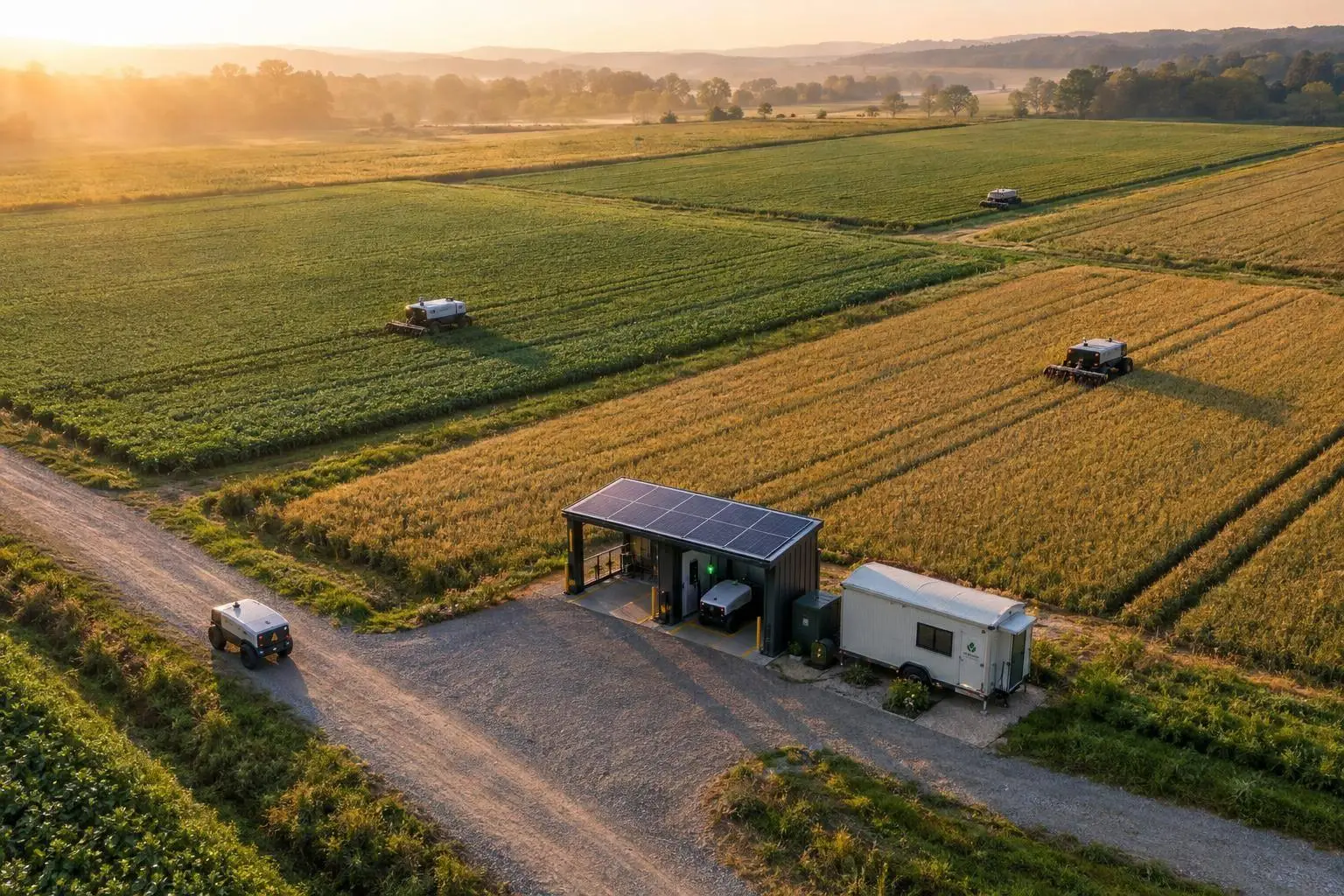
Farm Robot Scheduling: Lower Power Use Across Fleets

I’d start with one target: fewer kWh per completed hectare, with no missed work. That means cutting waiting, duplicate passes and empty trips – not keeping every robot busy.
I’d build the schedule around four steps:
- Measure waste: Log energy use, travel, waiting time and completed hectares.
- Assign work: Match robot skills, battery levels and field access to task deadlines.
- Plan charging: Book charger slots, protect safe-return reserves and keep safety controls local during connection gaps.
- Test before expanding: Compare similar work cycles, check work quality and subtract software, integration and charging costs from savings.
I’d track energy use in kWh separately from <u>peak power demand</u> in kW. Staggered charging can lower peak demand without cutting total energy use. For example, a drop from 10 to 9 kWh/ha is a 10% energy reduction – but it only counts if the work is complete and safety limits hold.
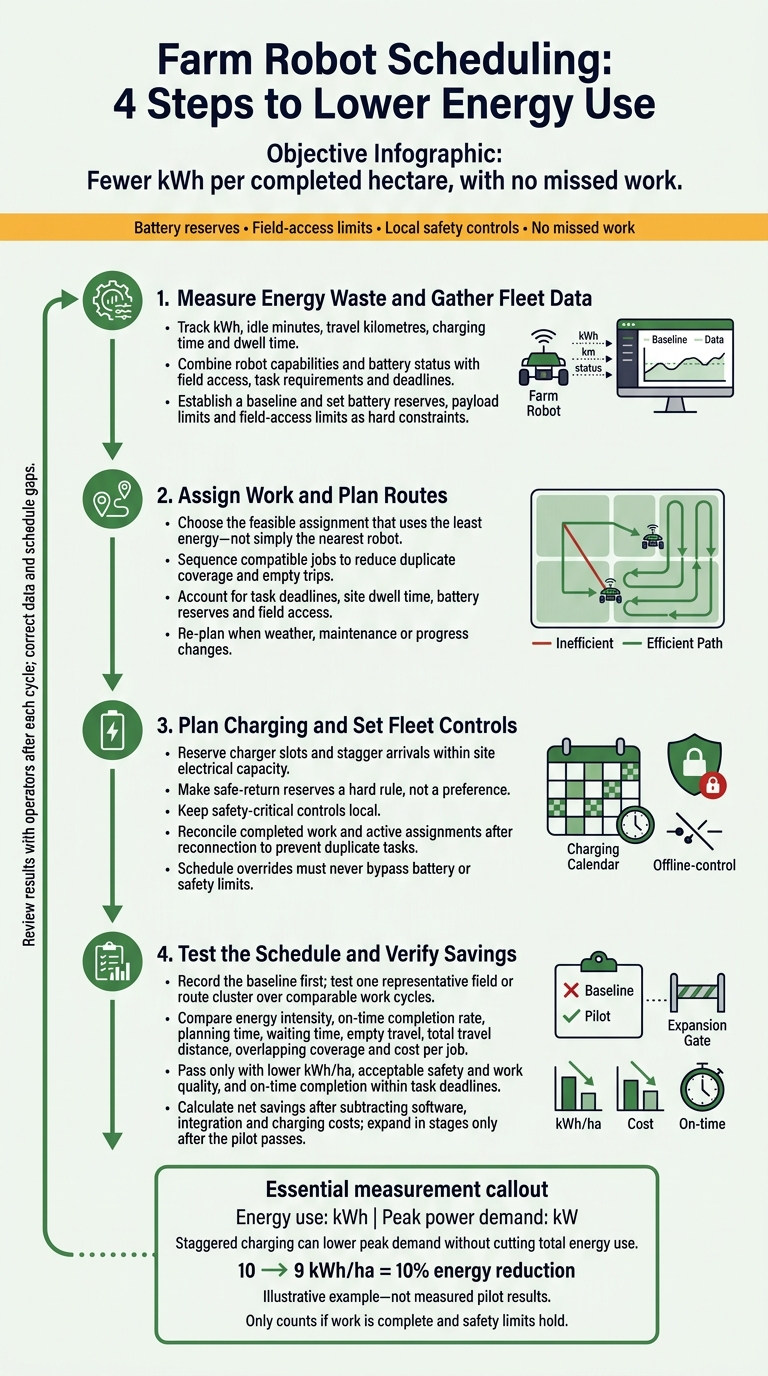
Farm Robot Scheduling: 4 Steps to Lower Energy Use
Step 1: Measure Energy Waste and Gather Fleet Data
Track Energy Used for Work, Waiting and Travel
Build a baseline using timestamped task logs, GPS tracks and energy readings. Track kWh, idle minutes, travel kilometres, charging time and dwell time. Group records by task, payload and field conditions, and measure dwell time at gates, depots and chargers. Fix errors and address gaps in historical records.
| Waste source | Telemetry indicator | Scheduling response |
|---|---|---|
| Empty trips | High non-productive kilometres | Group nearby stops into a sequence; add battery and load constraints |
| Queues | Long waits at gates or chargers | Allow for site dwell time |
| Unnecessary acceleration | Energy spikes in telemetry | Re-optimise routes using live field data |
Use the baseline to rank tasks and routes by expected energy cost.
Gather Robot, Field and Task Records
Bring robot, field and task records together through connected systems. Record GPS tracks and task progress even when offline. Keep the details the scheduler needs:
- Robots: capabilities, availability for work based on maintenance, battery or fuel status, and assignment status.
- Fields: access points and environmental requirements.
- Tasks: service requests, job assignments, work-order status and compliance records that affect scheduling.
Sync records when the connection returns, then validate the data using digitised forms and real-time monitoring.
Use these records to assign tasks and plan routes.
Set Battery Reserves and Field Access Limits
Treat battery reserves, payload limits and field-access limits as hard constraints. Set reserves using equipment specifications and operating conditions. Allow enough energy for the task, return route and safety buffer. Record charger compatibility, and estimate charging time from battery and charger specifications, accounting for temperature limits. Check those estimates against operating logs.
Set field access rules for wet soil and other limiting conditions to avoid wasted travel and failed trips. Leave restricted routes out of the schedule. Update energy estimates as conditions change, including battery performance in cold weather. Use kilometres for distances, hectares for areas and °C for temperatures. Store timestamps consistently so crews and the scheduler work from the same service window.
Apply these limits when assigning work in the next step.
sbb-itb-fd1fcab
Precision Agriculture Lecture 12 | Multi-Robot Coordination & Farm Fleets
Step 2: Assign Work and Plan Routes
Bring work orders, telematics, field conditions and battery status into one scheduling view. Use it to assign robots, sequence routes, dispatch work and update plans as conditions change.
Match Robots to Tasks, Battery Levels and Deadlines
Choose the feasible assignment that uses the least energy – not simply the nearest robot. Check robot capabilities, task prerequisites and service windows before comparing energy use and completion time.
Group jobs only if the robot can finish the full sequence within battery reserve limits. Factor in site-specific dwell times, too. Without them, even a workable route can miss its deadline.
Reduce Duplicate Coverage and Empty Trips
Sequence compatible jobs to reduce overlapping passes and empty kilometres. Adjust the stop order to cut unnecessary travel, while keeping battery safety limits and field access hours in the plan.
Revise Routes as Conditions Change
Re-plan when weather, maintenance alerts or missed progress targets make a route inefficient. Use frequent automated re-optimisation to adjust fleet routes without rebuilding every route from scratch.
Once routing is stable, set charging slots and fleet controls around the same schedule.
Step 3: Plan Charging and Set Fleet Controls
Reserve Charging Slots and Set Battery Buffers
Once routes are set, plan charging around the same work windows. Reserve slots for each robot based on its expected charging time. Stagger arrivals to stay within the site’s electrical capacity, and protect slots for time-critical fieldwork. Account for charger congestion, late returns and extra travel. Use charging windows only when battery reserve limits and work windows allow.
Make safe-return reserves a hard rule, not a preference. Allow for cold weather, site conditions and uncertain travel times. Before assigning another shift, check battery health. Use battery-management data and equipment logs to flag reduced capacity or maintenance needs.
Connect Fleet Data and Set Offline Rules
Connect robot APIs, battery and charger data, and weather feeds to the scheduling dashboard. Use role-based access, log changes and flag outdated readings.
Keep safety-critical controls local. Define when a disconnected robot may finish approved work, stop safely or wait for approval. Once it reconnects, reconcile completed work and active assignments before issuing new jobs. This prevents the same task from being assigned twice.
Set Alerts and Approval Rules
Send alerts that tell staff what needs attention: low batteries, failed charging, duplicate assignments, missed time windows and equipment log anomalies. Each alert should identify the robot and the issue.
Require approval for changes to work priorities or access restrictions. Schedule overrides must never bypass battery or safety limits. Log who approved each change and why.
Step 4: Test the Schedule and Verify Savings
Once routing and charging rules are in place, test them on one representative field or route cluster. Record the baseline first, then run the revised schedule over comparable cycles to check for less idle time, overlap and empty travel.
Set pass/fail criteria before the pilot starts: lower kWh/ha, acceptable safety and work quality, and on-time completion within task deadlines. Test edge cases in a sandbox before starting live work.
Compare Baseline and Pilot Results
Compare the same task types, accounting for weather, terrain and battery condition. This helps separate schedule-related changes in idle time, overlap and travel from other factors. Measure energy use the same way in both periods, and use completed hectares for all intensity measures.
Enter measured values in the table before calculating changes.
| Metric | Baseline | Pilot result | Change to calculate |
|---|---|---|---|
| Energy intensity, kWh/ha | Measured kWh ÷ completed ha | Same calculation | Percentage reduction |
| On-time completion rate | On-time tasks ÷ tasks due | Same calculation | Percentage-point change |
| Planning time | Average minutes per schedule | Same calculation | Minutes reduced |
| Waiting time | Logged idle or waiting time | Same measurement | Minutes reduced |
| Empty travel, km | Logged non-working travel | Same measurement | Kilometres reduced |
| Total travel distance, km | Logged total travel distance | Same measurement | Kilometres reduced |
| Overlapping coverage | Measured overlap area or time | Same measurement | Reduction |
| Cost per job | Measured cost per job | Same calculation | Cost reduced |
If the completed area differs between periods, normalise travel and energy use per hectare. Lower energy use only counts if coverage is complete and no work is missed.
Calculate Costs and Check Readiness to Expand
Convert lower energy use, less waiting and fewer empty trips into CA$ savings. Then subtract software, integration and charging costs to calculate net savings. Use a consistent format for totals.
For example, CA$1,250.00.
Expand in stages once the pilot meets its pass/fail criteria and has been checked against edge cases, including battery limits, terrain and site dwell times.
Conclusion: Cut Waiting, Overlap and Extra Trips
Use clean fleet data, route sequencing and battery rules to reduce waiting, overlap and extra trips. Keep the next cycle in line with field conditions and battery limits.
Review results with operators after each cycle. Log schedule gaps, correct missing timestamps or location data, and use those corrections to build the next schedule.
Add more robots or fields only when these reviews confirm lower energy use under normal field conditions, with no missed deadlines or drop in work quality. Keep safety controls active during connectivity gaps, and train operators to handle exceptions before expanding.
FAQs
How much fleet data do I need before optimising schedules?
Aim to collect a full year of historical data to track seasonal shifts, field conditions and work cycles.
Before automating schedules, record the time spent scheduling manually, last-minute changes and overtime percentages. Use Canadian metric units and the YYYY-MM-DD date format throughout.
Initial setup typically takes four to eight weeks. During this period, standardize job titles, certifications and resource availability so the system has reliable inputs.
Can cloud scheduling work with my existing farm robots?
Yes, cloud scheduling can work with your existing farm robots without replacing your core hardware. Digital Fractal Technologies Inc develops custom software, including API wrappers and modular connectors, to link cloud scheduling with legacy or proprietary equipment.
Edge gateways translate communication protocols and standardize data. They help keep control local when connectivity drops while syncing fleet plans, battery levels and workload data to the cloud.
How should I prioritize tasks when batteries run low?
Your scheduling software should use real-time battery monitoring and field conditions to reassign or defer tasks as power levels drop. It should weigh task urgency, available resources and power needs to put urgent work first, maintain safe energy reserves and prevent mid-task shutdowns.
Digital Fractal Technologies Inc develops these systems to cut energy waste and keep fleets running efficiently.