
Best Data Catalog Tools for Enterprise Teams in 2026

The right data catalog depends almost entirely on your primary governance driver. Governance-first enterprises standardized on compliance workflows belong in platforms like Collibra. Analyst-productivity teams get more traction from discovery-first tools like Alation. Cloud-native stacks on Snowflake or dbt should look at active-metadata platforms like Atlan. Engineering-led teams with the bandwidth to own their metadata infrastructure have strong open-source options in DataHub and Apache Atlas. Organizations running heterogeneous, legacy-heavy estates need the broadest connector coverage, which points toward Informatica IDMC.
The global data catalog market is rapidly growing, indicating how fast enterprises are moving from ad-hoc data discovery to structured metadata management. Gartner Peer Insights, GDPR compliance pressure, and the rise of AI-readiness programs are all accelerating that shift. Vendor profiles and a full comparison matrix follow below.
Quick category shortlist:
- Governance and compliance: Collibra, Ataccama, erwin Data Catalog
- Analyst discovery and productivity: Alation, Select Star, Castor
- Cloud-native active metadata: Atlan, Microsoft Purview, AWS Glue Data Catalog
- Open-source engineering-led: DataHub (Acryl DataHub), Apache Atlas, Amundsen
- Broad connector enterprise platforms: Informatica IDMC/EDC, Talend Data Catalog, data.world
Table of Contents
- What do the best data catalog tools look like side by side?
- Vendor profiles: what each tool actually does
- How to choose the right data catalog for your organization
- What do deployment and costs actually look like?
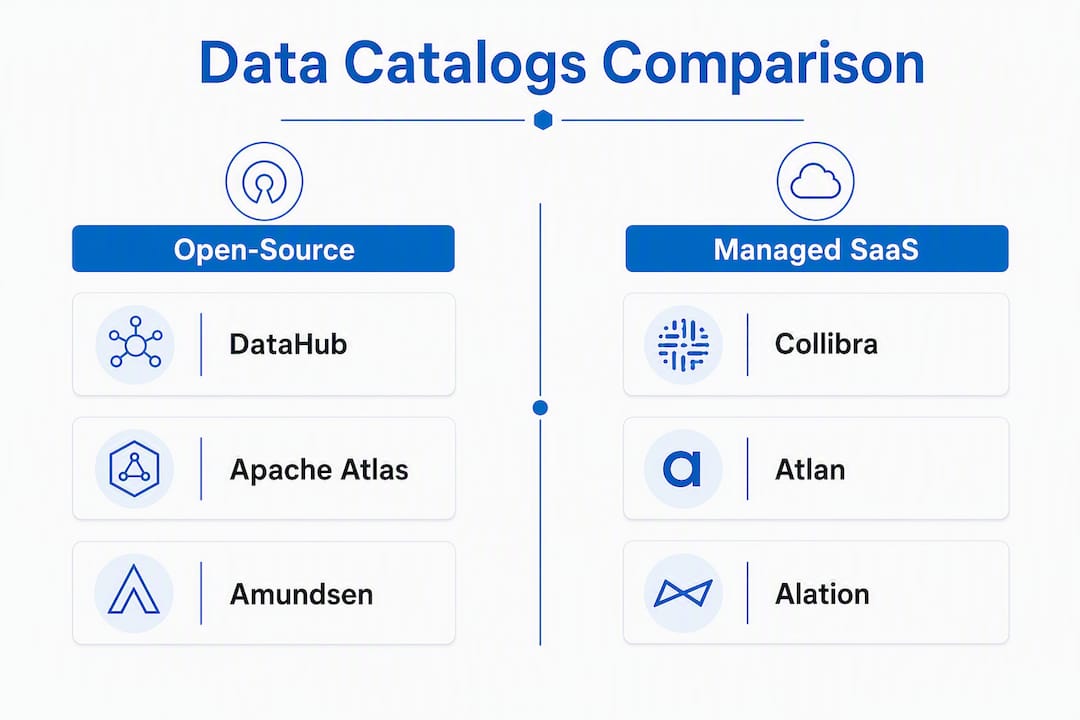
- Open-source vs. managed SaaS: which path fits your team?
- What practitioners know about matching tools to operating models
- Key Takeaways
- The catalog market is moving faster than most selection processes
- Digitalfractal can cut your catalog time-to-value significantly
- Useful sources for deeper research
What do the best data catalog tools look like side by side?
The table below maps the 17 most-cited catalog products across the dimensions that matter most in an enterprise evaluation. Pricing models are described by shape, not by list price, since most enterprise contracts are negotiated.
| Tool | Best For | Deployment | Key Integrations | Governance Capabilities | Open-Source / SaaS | Pricing Shape | Typical Timeline |
|---|---|---|---|---|---|---|---|
| Alation | Search-driven discovery, analyst adoption | Cloud / hybrid | Snowflake, Databricks, Tableau, dbt | Business glossary, stewardship, policy | Managed SaaS | Enterprise contract | 2–4 months |
| Collibra | Regulated enterprise compliance | Cloud / on-prem | Informatica, Tableau, AWS, Azure | Configurable stewardship workflows, policy automation | Managed SaaS | Enterprise contract | 5–12 months |
| Atlan | Cloud-native stacks (Snowflake, dbt, Databricks) | Cloud-native SaaS | dbt, Snowflake, Databricks, Looker | Active metadata, lineage, governance | Managed SaaS | Seat / enterprise | ~3 months |
| Informatica IDMC/EDC | Heterogeneous, legacy-heavy estates | Cloud / on-prem / hybrid | 600+ certified connectors | Broad governance, data quality | Managed SaaS | Enterprise contract | 6–12 months |
| Alteryx Connect | Analytics teams in Alteryx ecosystems | Cloud / on-prem | Alteryx Designer, Tableau | Discovery, basic lineage | Managed SaaS | Bundled with Alteryx | 2–4 months |
| Amundsen | Lightweight engineering-led discovery | Self-hosted | Hive, Redshift, BigQuery, Snowflake | Basic lineage, tagging | Open-source | Free (engineering cost) | 1–3 months |
| Apache Atlas | Hadoop/Big Data on-prem governance | Self-hosted | Hadoop, Hive, HBase, Kafka | Governance primitives, classification | Open-source | Free (engineering cost) | 3–6 months |
| AWS Glue Data Catalog | AWS-centric serverless platforms | AWS cloud-native | S3, Redshift, Athena, Glue ETL | Basic governance, IAM integration | Managed SaaS | Consumption-based | Weeks to 2 months |
| DataHub (Acryl DataHub) | Engineering teams, extensible metadata graphs | Self-hosted / managed | Kafka, Airflow, dbt, Snowflake | Lineage, tagging, ownership | Open-source + managed | Free OSS / enterprise | 2–5 months |
| data.world | Knowledge-graph business-to-data mapping | Cloud SaaS | Tableau, Power BI, dbt, Snowflake | Governance, data contracts | Managed SaaS | Seat / enterprise | 2–4 months |
| Microsoft Purview | Azure / Microsoft 365 enterprises | Azure cloud-native | Azure Data Factory, Synapse, Power BI | Sensitivity labeling, compliance | Managed SaaS | Consumption + seat | 1–3 months |
| Select Star | Analyst-facing lineage in BI workflows | Cloud SaaS | Snowflake, BigQuery, Looker, Tableau | Basic lineage, usage tracking | Managed SaaS | Seat-based | Weeks to 2 months |
| Coalesce Catalog | Transformation and modeling teams | Cloud SaaS | dbt, Snowflake, data warehouses | Transformation lineage, governance | Managed SaaS | Seat-based | 1–2 months |
| Castor | Lightweight analyst metadata visibility | Cloud SaaS | Snowflake, BigQuery, Redshift, dbt | Metadata visibility, basic governance | Managed SaaS | Seat-based | Weeks to 1 month |
| Ataccama | Integrated data quality and governance | Cloud / on-prem | Snowflake, Azure, AWS, Databricks | Data quality rules, governance controls | Managed SaaS | Enterprise contract | 3–6 months |
| erwin Data Catalog | Enterprise lineage and modeling | Cloud / on-prem | ERwin modeling tools, SQL databases | Lineage, data modeling governance | Managed SaaS | Enterprise contract | 4–8 months |
| Talend Data Catalog | Teams invested in Talend integration | Cloud / on-prem | Talend Data Integration, AWS, Azure | Metadata-driven pipeline governance | Managed SaaS | Enterprise contract | 3–6 months |
A note on pricing and total cost of ownership
Most enterprise catalog contracts are negotiated annually and priced by seat count, metadata volume, or a combination of both. AWS Glue Data Catalog is the clearest exception: you pay for what you scan. Open-source tools like Amundsen, Apache Atlas, and DataHub carry no license fee, but that does not mean they are cheap. Engineering teams must budget ongoing maintenance, custom connectors, and plugin work that can easily exceed a mid-market SaaS subscription once you factor in developer salaries. That hidden cost is what practitioners call the “engineering tax.”
Vendor profiles: what each tool actually does
Alation
Alation built its reputation on behavioral intelligence. The platform watches how analysts actually search for and use datasets, then surfaces those signals as trust indicators alongside search results. Natural-language search is a genuine differentiator, not a checkbox feature. On Gartner Peer Insights, Alation scores approximately 4.6/5, with reviewers consistently citing search quality and analyst adoption as its strongest points.
- Best for: Organizations where analyst productivity and self-service discovery are the primary goals
- Strengths: Behavioral intelligence, natural-language search, business glossary, stewardship workflows
- Limitations: Governance workflow depth is lighter than Collibra; enterprise pricing can be significant
- Typical timeline: 2–4 months for a cloud deployment
- Pricing: Enterprise contract, seat-based
Collibra
Where Alation leads with discovery, Collibra leads with control. Its configurable stewardship workflows, policy modeling, and data contracts make it the default choice for regulated industries: financial services, healthcare, and any organization where GDPR or CCPA compliance is a board-level concern. Gartner Peer Insights rates Collibra at approximately 4.4–4.5/5, with governance capabilities as the clear strength.
- Best for: Compliance-heavy enterprises needing formal stewardship and policy automation
- Strengths: Configurable workflows, policy modeling, data contracts, broad integration ecosystem
- Limitations: Steeper implementation curve; 5–12 months is realistic for full rollouts
- Pricing: Enterprise contract
The collibra vs alation decision almost always comes down to one question: does your organization need governance to drive adoption, or adoption to drive governance? They are not the same problem.
Atlan
Atlan is the clearest example of what “active metadata” means in practice. Rather than requiring manual curation, it automates metadata propagation across dbt, Snowflake, and Databricks, which is why Atlan reports median deployments of approximately three months with high adoption rates. If your stack is cloud-native and modern, Atlan’s time-to-value advantage over legacy platforms is real and measurable.
- Strengths: — Active metadata automation, fast rollout, self-service setup, Gartner-recognized
Informatica IDMC / Enterprise Data Catalog (EDC)
Informatica’s catalog sits inside a broader data management platform, which is both its strength and its complexity. With over 600 certified connectors, it handles heterogeneous estates that would break lighter tools. If you have Oracle, SAP, mainframe sources, and cloud warehouses all in the same environment, Informatica is usually the only catalog that connects to all of them without custom engineering.
- Best for: Large enterprises with legacy, on-prem, and cloud sources mixed together
- Strengths: Connector breadth, data quality integration, hybrid deployment, enterprise support
- Limitations: Complex to configure; implementation typically runs 6–12 months; licensing is expensive
- Pricing: Enterprise contract
Alteryx Connect
Alteryx Connect is a catalog component, not a standalone product. It makes sense if your team already runs Alteryx for data prep and analytics, because the integration is tight and the learning curve is minimal. Outside the Alteryx ecosystem, it is not a competitive choice against purpose-built catalogs.
- Best for: Analytics teams already using Alteryx Designer and Server
- Strengths: Native Alteryx workflow integration, data discovery tied to analytic pipelines
- Limitations: Narrow ecosystem fit; limited governance depth; not suitable as a standalone catalog
- Pricing: Bundled with Alteryx licensing
Amundsen
Born at Lyft and open-sourced in 2019, Amundsen is a lightweight discovery tool that prioritizes dataset findability over governance depth. Setup is relatively fast for an open-source project, and the UX is clean enough that non-engineers can use it. The tradeoff is that lineage is basic and governance features are minimal.
- Best for: Engineering-led teams that want fast, simple discovery without a vendor contract
- Strengths: Simple UX, easy customization, active open-source community
- Limitations: Limited governance; lineage is shallow; requires engineering ownership
- Pricing: Free (engineering and hosting costs apply)
Apache Atlas
Apache Atlas is the governance backbone of the Hadoop ecosystem. If your organization runs HBase, Hive, or Kafka at scale on-prem, Atlas integrates natively and provides classification, lineage, and governance primitives that other tools would need connectors to replicate. Outside Hadoop environments, it is rarely the right choice.
- Best for: Organizations with large-scale Hadoop/Big Data on-prem deployments
- Strengths: Native Hadoop integration, governance primitives, classification framework
- Limitations: Heavy operational overhead; poor fit for cloud-native stacks; UI is dated
- Pricing: Free (significant engineering cost to operate)
AWS Glue Data Catalog
AWS Glue Data Catalog is the lowest-friction option for AWS-native organizations. It integrates directly with S3, Athena, Redshift, and Glue ETL jobs, and billing is consumption-based rather than seat-based. For teams that live entirely inside AWS, it is often already in use without a formal catalog decision having been made.
- Best for: AWS-centric organizations running serverless or Glue-based pipelines
- Strengths: Native AWS integration, consumption billing, minimal setup, IAM governance
- Limitations: Limited outside AWS; governance and stewardship features are basic
- Pricing: Consumption-based (pay per metadata operation)
DataHub (Acryl DataHub)
DataHub is the most mature open-source metadata graph available. The community numbers are significant: over 12,000 GitHub stars, 14,000+ Slack members, and thousands of organizations running it in production. Acryl Data offers a managed cloud version for teams that want the extensibility without the operational burden. The metadata graph model is genuinely powerful for engineering teams that want to model custom entity types and relationships.
- Best for: Engineering teams that need extensible metadata modeling and strong community support
- Strengths: Extensible graph model, large community, Kafka-native ingestion, managed option available
- Limitations: Requires engineering investment; governance UX is less polished than enterprise SaaS
- Pricing: Free OSS; enterprise managed pricing through Acryl Data
data.world
data.world takes a knowledge-graph approach that links business concepts directly to technical metadata, which makes it particularly useful for organizations trying to build a shared business vocabulary on top of their data assets. It integrates with Tableau, Power BI, dbt, and Snowflake, and its governance features include data contracts and lineage.
- Best for: Teams that need to map business context to technical metadata at scale
- Strengths: Knowledge-graph architecture, business glossary depth, data contracts
- Limitations: Less analyst-facing than Alation; governance workflows less configurable than Collibra
- Pricing: Seat-based and enterprise tiers
Microsoft Purview
Microsoft Purview is the natural catalog choice for organizations standardized on Azure and Microsoft 365. Sensitivity labeling integrates directly with Azure Information Protection, and the scanning coverage across Azure Data Factory, Synapse, and Power BI is tight. For non-Microsoft estates, coverage drops off quickly.
- Best for: — Enterprises standardized on Azure, Synapse, and Microsoft 365
Select Star
Select Star focuses on a specific problem: helping analysts understand which datasets are actually used and how they flow through BI tools. It surfaces lineage and usage context inside analyst workflows rather than requiring analysts to leave their tools to consult a separate catalog. Setup is fast, typically measured in weeks rather than months.
- Best for: Analyst teams that want lineage and discovery embedded in BI workflows
- Strengths: Usage-based lineage, BI-native discovery, fast onboarding
- Limitations: Governance features are minimal; not suited for enterprise stewardship programs
- Pricing: Seat-based
Coalesce Catalog
Coalesce Catalog pairs cataloging with data transformation and modeling workflows, which makes it a natural fit for teams that treat their dbt models and warehouse transformations as first-class governed assets. It is a narrower tool than a full enterprise catalog, but within its scope it reduces the friction between engineering and governance.
- Best for: Teams that pair cataloging with transformation and modeling workflows
- Strengths: Transformation lineage, integration with data engineering tooling, governance for modeled assets
- Limitations: Narrow scope; not a replacement for enterprise-wide catalog programs
- Pricing: Seat-based
Castor
Castor is a lightweight catalog built for analyst teams that need metadata visibility without a six-month implementation project. Setup is measured in weeks, and the interface is designed for analysts rather than data engineers. Governance depth is limited, but for teams that primarily need to know what data exists and where it came from, Castor delivers that quickly.
- Best for: Analyst teams needing fast, low-friction metadata visibility
- Strengths: Fast setup, analyst-friendly UI, basic lineage, Snowflake and BigQuery integration
- Limitations: Limited governance and stewardship; not suited for enterprise compliance programs
- Pricing: Seat-based
Ataccama
Ataccama combines data quality and governance in a single platform, which matters for enterprises where data quality failures are a compliance risk, not just an analytics inconvenience. Its cataloging capabilities are solid, and the integrated quality rules engine means you can enforce standards at the catalog layer rather than downstream.
- Best for: Enterprises that need integrated data quality controls alongside governance
- Strengths: Data quality rules, governance controls, profiling, cloud and on-prem deployment
- Limitations: Catalog discovery UX is less polished than discovery-first tools
- Pricing: Enterprise contract
erwin Data Catalog
erwin’s catalog is built around lineage and data modeling, which gives it an edge for organizations that need to trace data flows from source systems through transformations to reports. Its integration with erwin’s modeling tools makes it a strong fit for teams that already use erwin for enterprise architecture.
- Best for: Organizations needing strong lineage and enterprise data modeling capabilities
- Strengths: Enterprise lineage, modeling integration, governance tooling
- Limitations: Narrower ecosystem than Informatica; implementation can run 4–8 months
- Pricing: Enterprise contract
Talend Data Catalog
Talend Data Catalog is tightly integrated with Talend’s data integration suite, which makes it a natural extension for teams already running Talend pipelines. Metadata-driven pipeline governance is its core value proposition. Outside the Talend ecosystem, it competes less effectively against purpose-built catalogs.
- Best for: Teams invested in Talend Data Integration for ETL and pipeline management
- Strengths: Tight Talend integration, metadata-driven pipeline governance, lineage
- Limitations: Ecosystem dependency; less competitive as a standalone catalog
- Pricing: Enterprise contract
How to choose the right data catalog for your organization
The single most important decision is identifying your primary governance driver before you evaluate any vendor. Forcing a bottom-up discovery tool into a top-down compliance environment is one of the most common causes of catalog shelfware. Get that alignment wrong and no amount of features will save the rollout.
Decision framework by governance driver:
- Cloud-native data stack modernization — Start with active-metadata platforms. Atlan, Microsoft Purview (for Azure shops), and AWS Glue Data Catalog reduce time-to-value significantly.
Questions to ask every vendor in your RFI
- How many certified connectors do you support, and which of our specific source systems are covered out of the box?
- What is your lineage fidelity at the column level, and which pipeline types require supplemental tooling?
- How does your active metadata automation work, and what triggers metadata updates without manual intervention?
- What APIs and SDKs do you expose for custom integrations and metadata ingestion?
- How are stewardship workflows configured, and can non-technical data stewards manage them without engineering support?
- What is your performance profile at our metadata volume (number of assets, lineage edges, users)?
- What does a typical implementation look like at our scale, and what pro-services hours are included?
- How is pricing structured: by seat, by metadata volume, or by enterprise contract, and what triggers overage charges?
- What is your SLA for connector updates when a source system releases a new version?
- Can you provide reference customers in our industry with similar governance requirements?
- What does your roadmap look like for AI-assisted metadata enrichment and natural-language search?
- How do you handle sensitive data classification, and does it integrate with our existing DLP or security tooling?
Red flags to watch for
- Missing active metadata: If a vendor cannot explain how metadata stays current without manual curation, lineage will drift within months of go-live.
- Small connector ecosystem: A catalog that covers your current stack but not your planned migrations will require expensive custom connector work.
- Opaque pricing: Vendors who will not give you a pricing structure before a demo are usually hiding volume-based charges that surface after contract signature.
- No lineage automation: Many vendors require supplemental tooling for complete column-level lineage across modern pipelines. Ask specifically which pipeline types produce automated lineage and which require manual mapping.
Pro Tip: Run a connector audit before your first vendor demo. List every source system, BI tool, and pipeline orchestrator in your estate. A vendor that cannot cover 80% of that list natively is not your vendor, regardless of how good the demo looks.
What do deployment and costs actually look like?
Implementation timelines vary more than most vendors admit in their sales materials. Cloud-native catalogs with active metadata automation typically reach full rollout in approximately three months; traditional enterprise governance suites commonly take 5–12 months. The gap is driven by three factors: how much manual configuration the platform requires, how many connectors need custom work, and how much organizational change management the rollout demands.
Primary cost drivers:
- Connector count and complexity: Each custom connector adds engineering hours. A heterogeneous estate with 30+ source systems can add months to a timeline.
- Stewardship headcount: Governance-first platforms require trained data stewards. Budget at least one steward per major data domain at launch.
- Pro-services dependency: Enterprise platforms like Collibra and Informatica typically require significant vendor or partner professional services to configure correctly.
- Licensing model: Seat-based pricing scales with your user base; metadata-volume pricing scales with your data estate. Know which axis grows faster in your organization.
- Customization scope: Custom workflows, branded glossaries, and bespoke lineage parsers all add time and cost.
- Ongoing connector maintenance: Source systems release new versions. Someone has to update the connectors. For open-source tools, that someone is your team.
Practical rollout patterns that work
Pilot-first: Select one high-value domain (finance, customer data, or a specific product line) and deploy the catalog there first. Measure adoption KPIs: search queries per week, glossary terms certified, lineage coverage percentage. Use those numbers to justify the full rollout budget.

Domain-by-domain expansion: After the pilot, onboard domains sequentially rather than all at once. Each domain team gets a dedicated onboarding sprint, a named data steward, and a defined set of assets to catalog. This approach prevents the “everything is in the catalog but nothing is trusted” failure mode.
Adoption KPIs to track from day one: active users per week, search-to-discovery conversion rate, percentage of certified assets, and time-to-find for a named dataset. If those numbers are not moving after 60 days, the rollout has a problem that more features will not fix.
Open-source vs. managed SaaS: which path fits your team?
The open-source vs. managed SaaS decision is really a question about whether your organization treats metadata as a product it owns or a service it consumes.

Pro Tip: If you cannot name the engineer who will own connector maintenance 18 months from now, choose managed SaaS. Open-source catalogs do not maintain themselves, and the person who built the custom connector rarely stays forever.
| Dimension | Open-Source (DataHub, Atlas, Amundsen) | Managed SaaS (Collibra, Atlan, Alation) |
|---|---|---|
| License cost | Free | Annual contract (seat or volume) |
| Engineering overhead | High (connectors, upgrades, plugins) | Low (vendor-managed) |
| Customization | Full control | Vendor roadmap dependent |
| Vendor SLA | Community support only | Contractual SLA |
| Time to first value | Weeks to months (setup-dependent) | Days to weeks (cloud SaaS) |
| Governance features | Basic to moderate | Full stewardship and policy tooling |
| Long-term TCO | High if engineering costs are counted | Predictable; scales with contract |
| Community / ecosystem | Large (DataHub: 12,000+ GitHub stars) | Vendor-managed partner ecosystem |
Open-source makes sense when three conditions are true simultaneously: your team has dedicated platform engineers who can own the metadata infrastructure, you need to model custom entity types that no SaaS vendor supports, and you are willing to treat the catalog as a product with its own roadmap and maintenance cycle. If any of those conditions is absent, the engineering tax of open-source will exceed the cost of a managed subscription within 12–18 months.
DataHub and Apache Atlas represent different points on the open-source spectrum. DataHub’s extensible metadata graph is powerful but demands engineering investment. Apache Atlas is the right choice specifically for Hadoop ecosystems; outside that context, it is rarely worth the operational overhead. Amundsen sits in the middle: simpler to stand up, but limited in governance depth.
What practitioners know about matching tools to operating models
The catalog selection decision is fundamentally an operating-model decision. The primary governance driver determines which catalog category fits; misalignment between tool philosophy and organizational governance processes leads to poor adoption and wasted spend. Three operating models dominate enterprise catalog programs, and each maps to a different category of tool.
Top-down governance organizations have a data governance office, formal stewardship roles, and compliance mandates that require documented data lineage and certified business definitions. Collibra, Ataccama, and erwin are built for this model. Expect longer rollouts and higher change-management investment, but the governance artifacts produced are auditable and defensible.
Bottom-up adoption organizations want analysts to find and trust data faster. The governance program grows from demonstrated value rather than mandate. Alation’s behavioral intelligence and Atlan’s active metadata automation both fit this model. Adoption metrics matter more than policy compliance metrics in the first year.
Engineering-led extensibility organizations treat the catalog as infrastructure. They want to model custom metadata entities, build automated ingestion pipelines, and expose metadata via APIs to downstream tools. DataHub is the strongest fit here, with Apache Atlas as the Hadoop-specific alternative.
Practitioners who have run catalog selections across all three models consistently report the same finding: the organizations that pick a tool first and define their operating model second almost always end up with a shelfware problem within 18 months. The tool is not the strategy. The operating model is the strategy, and the tool should follow from it.
Implementation timelines are heavily influenced by how much active metadata automation a platform provides. Platforms with higher automation reduce professional services dependency and speed up time-to-value. That is why Atlan’s median three-month deployment is not just a marketing claim: it reflects a genuine architectural difference in how metadata stays current.
Practical staffing recommendations:
- Staff at least one data steward per major data domain before go-live, not after.
- Limit the pilot scope to one domain and 500–1,000 assets. Larger pilots lose focus and delay the feedback loop.
- Track adoption KPIs weekly from day one: search queries, certified assets, and active users. Flat numbers after 30 days signal an adoption problem, not a feature gap.
Key Takeaways
The best data catalog tools are the ones aligned to your governance driver: governance-first platforms for compliance, discovery-first for analyst adoption, active-metadata SaaS for cloud-native stacks, and open-source for engineering teams that can own the infrastructure.
| Point | Details |
|---|---|
| Match tool to governance driver | Compliance needs governance-first tools; analyst productivity needs discovery-first; cloud-native stacks benefit from active-metadata platforms. |
| Implementation timelines vary widely | Cloud-native catalogs deploy in approximately 3 months; enterprise governance suites typically take 5–12 months. |
| Open-source carries a hidden engineering tax | DataHub and Apache Atlas are free to license but require ongoing connector maintenance and platform engineering that adds real cost. |
| Column-level lineage is rarely automatic | Most vendors require supplemental tooling or connectors for complete column-level lineage across modern pipelines; verify this in your RFI. |
| Digitalfractal accelerates catalog ROI | Digitalfractal’s AI readiness audits and connector engineering services help enterprises move from catalog selection to pilot faster, reducing time-to-value. |
The catalog market is moving faster than most selection processes
The conventional wisdom in data catalog selection is to run a thorough RFP, score vendors on a weighted matrix, and pick the highest scorer. That process made sense when catalogs were five-year infrastructure commitments. It makes less sense in 2026, when cloud-native platforms can be deployed in weeks and the active metadata capabilities that seemed advanced two years ago are now table stakes.
What most selection guides understate is how much the catalog market has shifted toward AI readiness as a buying criterion. Organizations are not just cataloging data for analysts anymore. They are cataloging it so AI agents have reliable, governed context to work from. That changes the evaluation criteria in ways that traditional RFP scoring does not capture well: you need to know whether the catalog’s metadata model is machine-readable, whether it exposes APIs that AI orchestration layers can consume, and whether lineage is granular enough to trace which training data influenced which model output.
The tools that will matter most over the next two years are the ones that treat metadata as a live, queryable graph rather than a static inventory. Atlan, DataHub, and Microsoft Purview are ahead of the field on this. Collibra and Alation are investing in it. Some of the older enterprise platforms are not moving fast enough.
My recommendation: if your organization is planning any AI or machine learning workloads in the next 18 months, weight AI-readiness and API accessibility much higher in your evaluation than a standard RFP would suggest. The catalog you choose today will either accelerate or constrain your AI program. That is a harder constraint to reverse than a licensing decision.
Digitalfractal can cut your catalog time-to-value significantly
Selecting the right catalog is only the first problem. Getting it deployed, connected to your actual data sources, and adopted by the teams who need it is where most enterprise projects stall. Digitalfractal’s digital transformation readiness assessment gives your organization a clear picture of where you stand before you commit to a vendor, so you are not discovering integration gaps six months into a contract.
Digitalfractal’s consulting work covers the three stages where catalog projects most often lose momentum: the AI readiness audit that maps your data estate and identifies which governance gaps matter most, the connector engineering that gets your legacy and cloud sources actually ingesting into the catalog, and the adoption playbook that turns a deployed tool into one your analysts use every day. For enterprises that need to move from selection to pilot in 90 days, that combination of audit, engineering, and coaching is faster than building the same capability internally. Use the digital transformation roadmap generator to map your catalog rollout against your broader platform modernization, and reach out to Digitalfractal to scope a pilot engagement.
Useful sources for deeper research
The sources below are worth bookmarking for your RFI process. Each serves a different research purpose.
| Source | Best Used For |
|---|---|
| Gartner Peer Insights: Alation vs. Collibra | Peer review scores by capability area; use to validate governance vs. discovery strength profiles |
| Atlan: How to choose Collibra vs. Alation | Decision framework for governance driver alignment; implementation timeline evidence |
| Basedash: Best data catalog tools compared 2026 | Market sizing, connector coverage data, DataHub community stats |
| StackFYI: Data catalog tools 2026 | Open-source tradeoffs, engineering tax analysis, operating model guidance |
| data.world: Alation vs. Collibra comparison | Vendor positioning comparison from a catalog practitioner perspective |
| Microsoft Azure Data Catalog documentation | Microsoft Purview feature details, Azure integration coverage, pricing structure |
| Alation blog: Data catalog tools | Alation’s own feature documentation and use case guidance |
| Collibra: Data Catalog product page | Collibra governance workflow details, stewardship features, deployment options |
| Atlan: Gartner data catalog | Atlan’s Gartner positioning, active metadata feature documentation |
| DataHub GitHub repository | Community activity, connector list, open-source release cadence; use to assess project health |
| Gartner Magic Quadrant methodology | Understanding how Gartner positions vendors; useful context for interpreting analyst ratings |
A note on vendor documentation: connector lists and pricing structures change frequently. Always verify connector coverage directly in vendor documentation or through a sandbox trial before finalizing your RFI. Community repository activity (commit frequency, open issues, release cadence) is the most reliable signal of open-source project health; GitHub stars are a lagging indicator.