
Top 10 Tools for Legacy API Development

Legacy systems often lack modern API compatibility, making integration with today’s technologies challenging. Tools like MuleSoft, Apigee, and Azure API Management bridge this gap, enabling businesses to connect older systems with cloud platforms, mobile apps, and AI tools. Here’s a quick overview of the top 10 API tools for modernizing legacy systems:
- MuleSoft Anypoint Platform: Extensive connectors for legacy platforms like IBM AS/400, with enterprise-grade scalability and monitoring.
- Apigee: Wraps legacy systems in RESTful interfaces, supports multiple protocols, and offers AI-driven OpenAPI generation.
- Azure API Management: Converts SOAP to REST, uses self-hosted gateways, and provides robust traffic management.
- IBM API Connect: Integrates legacy IBM systems and supports hybrid deployments with AI-powered API creation.
- Postman: Simplifies API testing and integration with mock servers and multi-protocol support.
- TIBCO Cloud Mashery: Links modern interfaces to older systems with hybrid deployment and real-time data integration.
- Dell Boomi: Low-code platform with pre-built connectors for legacy databases and SaaS apps.
- Kong: Lightweight, high-performance gateway with custom plugins for legacy protocols.
- Talend API Services: Visual tools for API creation and deployment, ensuring compatibility with older infrastructures.
- AWS API Gateway: Serverless solution for connecting SOAP systems to REST interfaces with secure VPC Links.
Quick Comparison:
| Tool | Integration | Scalability | Customisation | Developer Support |
|---|---|---|---|---|
| MuleSoft Anypoint | Pre-built connectors for legacy | Enterprise-grade | High | Strong community and support |
| Apigee | Multi-protocol support | Optimized for traffic | Medium | Developer portal, analytics |
| Azure API Management | SOAP to REST conversion | Auto-scaling | Medium | Seamless Azure integration |
| IBM API Connect | Hybrid deployments | Enterprise-scale | Medium | Self-service portals |
| Postman | Mock servers, testing | Medium | High | Collaborative tools |
| TIBCO Cloud Mashery | Real-time data integration | High | Medium | Performance monitoring |
| Dell Boomi | Low-code, pre-built connectors | High | High | Extensive library of templates |
| Kong | Custom plugins, lightweight | Very high | Very high | Real-time analytics |
| Talend API Services | Visual API creation tools | Medium | Medium | Centralized management tools |
| AWS API Gateway | SOAP to REST, secure VPC Links | Very high | Low | CloudWatch monitoring |
When selecting a tool, consider your system’s integration needs, scalability requirements, and budget. Start with a free trial or pilot project to evaluate compatibility and performance.
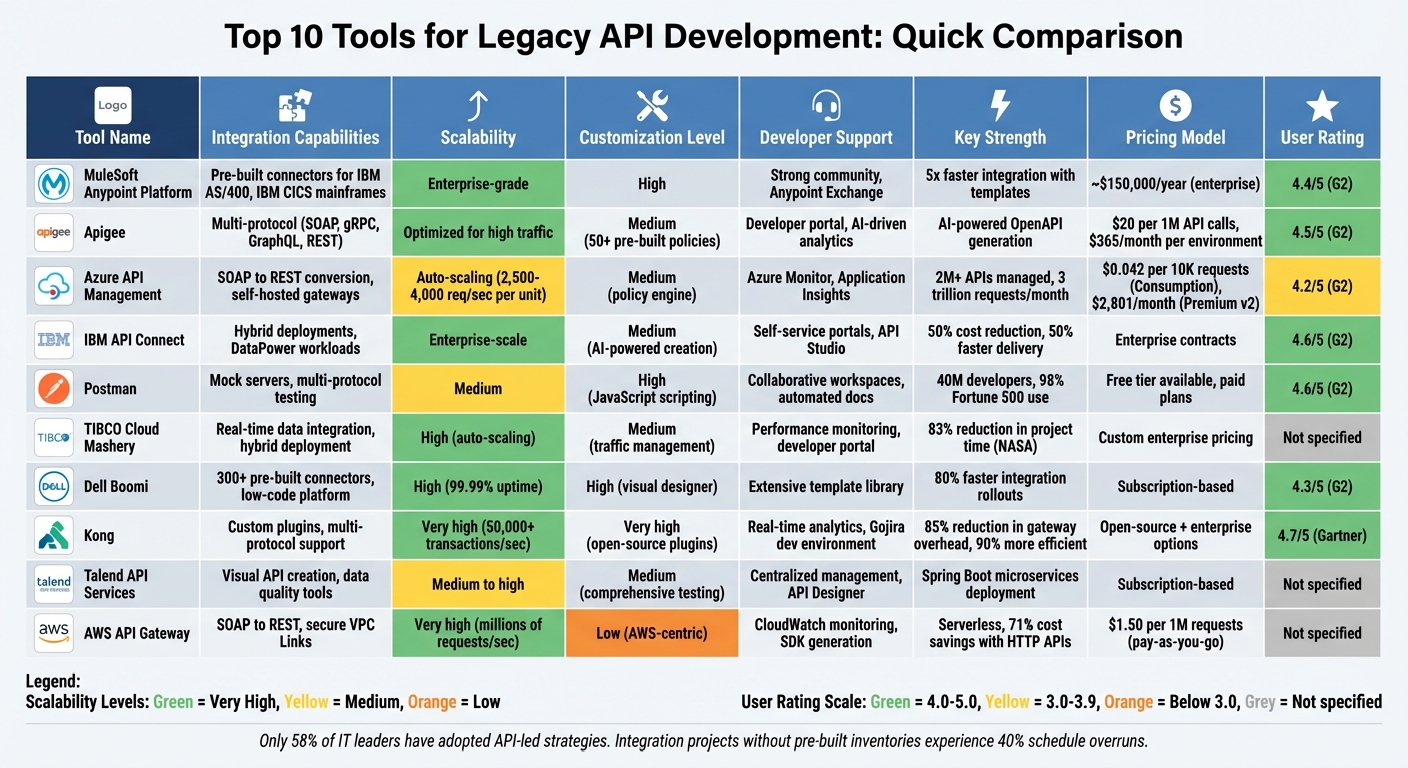
Comparison of Top 10 Legacy API Development Tools: Features, Scalability, and Pricing
1. MuleSoft Anypoint Platform
The MuleSoft Anypoint Platform provides a unified way to manage APIs across various environments, whether they’re built on MuleSoft, AWS, Azure, or Kubernetes. This approach is especially useful for integrating legacy systems that lack modern API standards. With the Flex Gateway, you can add security and monitoring to these older systems – whether they’re on-premises, in the cloud, or at the edge – without needing to relocate or rebuild them. This makes it easier to integrate legacy systems into modern workflows.
Support for Legacy System Integration
One of the platform’s standout features is its extensive connector library in Anypoint Exchange. It includes pre-built integrations for widely used legacy platforms like IBM CICS mainframes and IBM AS/400 systems. These templates can speed up the connection process by up to five times, compared to building integrations from scratch. Additionally, the platform’s automatic discovery feature identifies and catalogues existing APIs through CI/CD pipelines, simplifying the management of legacy systems without altering their original code.
Scalability and Performance
MuleSoft ensures that legacy systems can operate smoothly in modern environments by offering centralized policies for rate limiting and authentication. These features prevent slower backend systems from being overwhelmed, while maintaining reliable performance. Recognized as a Leader in the 2026 Gartner® Magic Quadrant™ for iPaaS, the platform is built to handle enterprise-level demands. Its monitoring dashboard provides real-time insights into API health and performance, enabling teams to scale and address potential issues before they affect users.
Customizability and Flexibility for API Workflows
Through its API-led connectivity model, MuleSoft helps decouple legacy applications from modern systems, making architectures more adaptable. The platform’s Anypoint Code Builder, powered by GenAI, assists developers in creating integrations and APIs faster, lowering the complexity of modernising older workflows. It also allows for programmatic management of API specifications, enabling the addition of custom tags, categories, and metadata to enhance discoverability and governance within an organisation.
Developer-Friendly Tools and Documentation
MuleSoft provides a 30-day free trial – no credit card required – so teams can explore features like Flex Gateway deployment and automated API cataloguing. While the platform has a steeper learning curve compared to simpler integration tools, its comprehensive community support and unified interface for design, management, and analytics make it a strong choice for developers.
sbb-itb-fd1fcab
2. Apigee
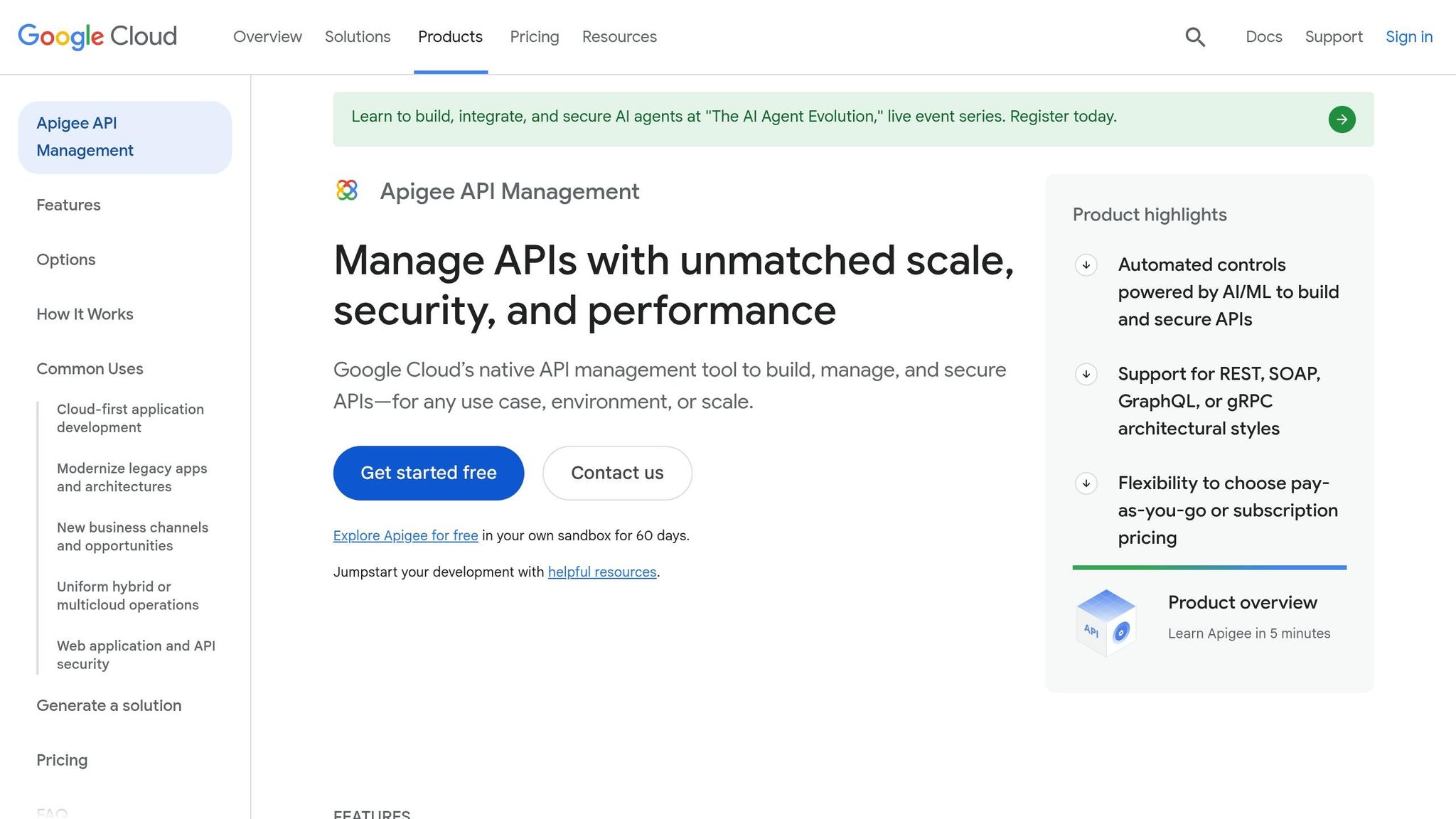
Apigee helps update outdated backends through web application development by wrapping them in RESTful interfaces, ensuring a seamless client experience. This approach allows businesses to modernize or scale their backend systems without disrupting how users interact with them. The platform supports multiple architectural styles, including SOAP, gRPC, and GraphQL, while wrapping legacy systems in modern RESTful interfaces.
Support for Legacy System Integration
Apigee simplifies integration with legacy systems through pre-built connectors for platforms like Salesforce, SAP, Cloud SQL, and BigQuery. With Apigee hybrid, you can host containerized runtime services on your Kubernetes clusters – on-premises or across other clouds – while managing everything via the Google Cloud console. Additionally, Gemini Code Assist uses AI to transform natural language into OpenAPI specifications, speeding up the modernization of older systems.
"With Apigee Integration and API Management, we’re planning to facilitate our API integration approach by connecting, securing, and managing the data and applications required to support digital experiences at ATB Financial." – Innes Holman, VP Tech Strategy & Architecture, ATB Financial
These integrations ensure dependable traffic management and smooth system operations.
Scalability and Performance
To prevent legacy systems from being overwhelmed by high traffic, Apigee offers detailed traffic management policies, including rate limiting, quotas, caching, and load balancing. These tools maintain system reliability even when demand fluctuates.
Customization and Flexibility for API Workflows
Apigee comes with over 50 pre-built policies that allow teams to define API behaviour without writing custom code. These policies cover areas like security, traffic control, and data transformation. Developers can also extend functionality using custom JavaScript. The platform supports advanced integration patterns, such as conditional routing, parallel execution, data mapping, and event-based triggers. For local development, Apigee provides a VS Code extension, enabling teams to build, test, and validate API proxies before deployment.
Developer-Friendly Tools and Documentation
Apigee offers a 60-day free trial in a sandbox environment, giving teams the chance to explore its features without upfront costs. Pricing starts at CA$20 per 1 million API calls, with environments beginning at CA$365 per month. Its API Hub consolidates API specifications from different environments into a single catalogue, helping teams manage both legacy and modern APIs in a unified way. With a G2 rating of 4.5 out of 5, users highlight its strong security features and comprehensive developer portal.
3. Microsoft Azure API Management
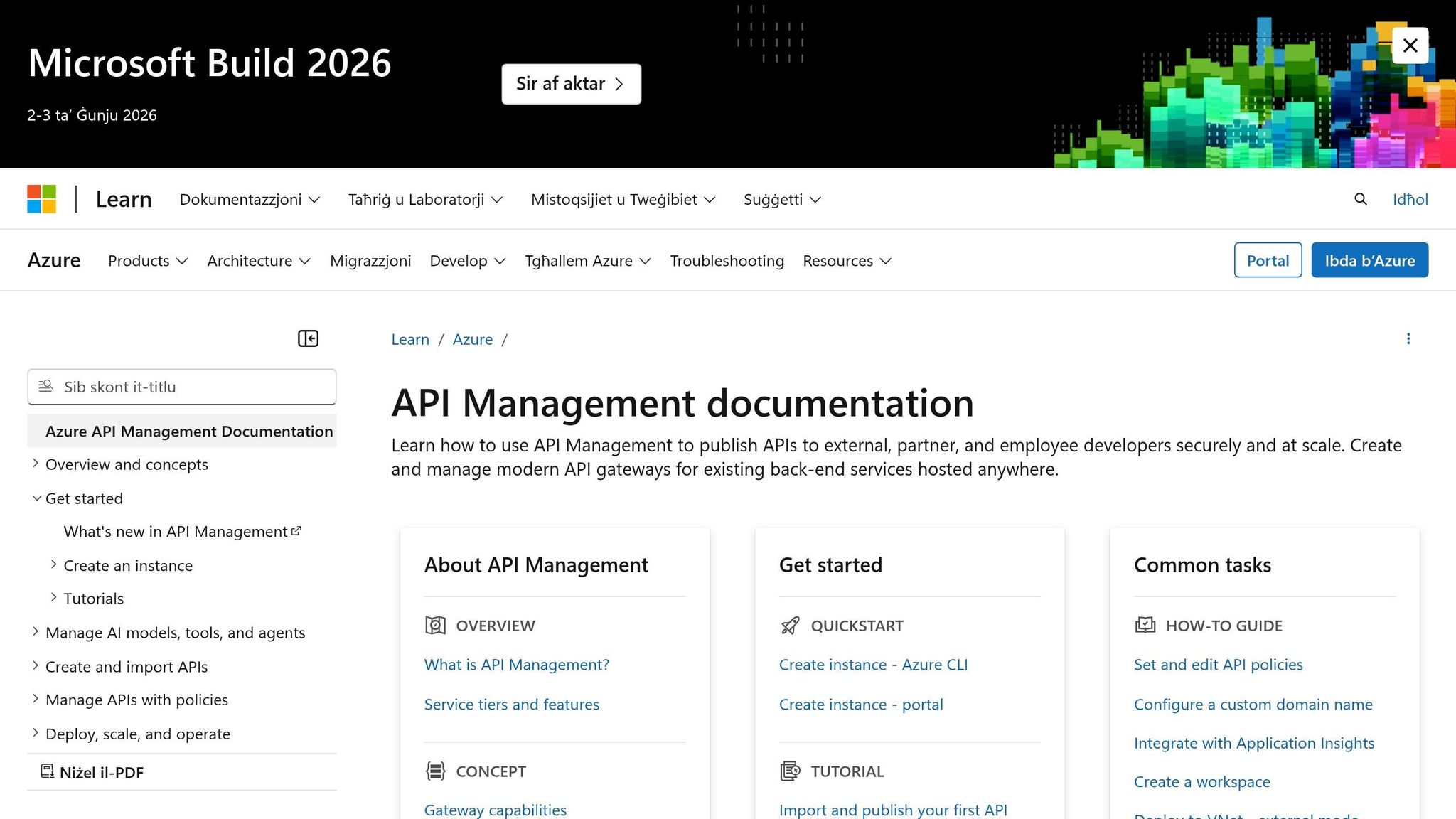
Microsoft Azure API Management acts as a bridge between modern applications and legacy systems, converting SOAP into RESTful interfaces without requiring expensive migrations. This platform manages over 2 million APIs and handles an impressive 3 trillion requests monthly for a customer base exceeding 35,000 worldwide.
Support for Legacy System Integration
Azure API Management employs self-hosted gateways – delivered as Linux-based Docker containers – that can be deployed directly alongside on-premises legacy systems. This setup keeps sensitive data on-site while allowing centralised management. Secure connections to legacy databases and services are established through Azure Virtual Networks and ExpressRoute, ensuring data bypasses the public internet entirely.
To protect older systems from modern traffic surges, the platform includes rate limiting, throttling, and circuit breaking mechanisms. Additionally, integration with Azure Logic Apps and Azure Functions facilitates complex data transformations, such as converting XML to JSON, ensuring seamless compatibility between different systems.
One example comes from a travel e-commerce company showcased by Microsoft. They used Azure API Management to retain their existing SOAP-based HTTP services while developing a new browser-based interface. By mapping legacy services to a modern RESTful API contract, developers could work with a consistent interface as the internal team updated on-premises databases. This setup allowed them to preview the new interface for select users while maintaining the old system’s functionality.
These integration capabilities make it easier for organisations to balance modernisation efforts with operational continuity.
Scalability and Performance
Azure API Management is designed to handle the strain modern applications place on older infrastructures. It uses a scale unit architecture, where each unit represents a specific amount of compute capacity. The Standard tier supports 2,500 requests per second per unit, while the Premium tier handles 4,000. Automatic scale-out ensures reliability during traffic spikes, preventing failures.
For global users, the Premium tier offers multi-region deployment, strategically placing API gateways across multiple Azure regions. This reduces latency and ensures availability even during regional outages. Additionally, the platform supports distribution within a region through Availability Zones, adding another layer of resilience.
Caching plays a critical role in performance improvement. The platform includes up to 5 GB of internal cache and supports external Redis-compatible stores to reduce backend load and latency. For AI workflows, semantic caching is available, which helps lower costs by caching similar prompts and responses.
Customisation and Flexibility for API Workflows
The platform’s policy engine allows teams to configure authentication, rate limiting, and data transformations using XML-based settings and C#-based expressions. This eliminates the need to modify backend code. With Microsoft Copilot in Azure, developers can use natural language to design and troubleshoot complex API policies, simplifying the workflow creation process.
"APIs are used to abstract and modernise legacy backends and make them accessible from new cloud services and modern applications. APIs allow innovation without the risk, cost, and delays of migration." – Microsoft Learn
Azure API Management also supports hybrid and multi-cloud deployments. This means API runtime can operate on-premises alongside legacy systems while maintaining centralised control through Azure. This approach allows organisations to modernise step by step, creating consistent API contracts for developers while upgrading backend systems in the background.
Developer-Friendly Tools and Documentation
The platform provides a customisable developer portal and integrates with Azure Monitor and Application Insights, offering real-time insights into system performance and error rates. The Azure API Centre consolidates all APIs – legacy and modern – into a structured inventory, ensuring uniform security policies across the organisation.
A Forrester Total Economic Impact study estimated a 315% ROI for organisations adopting Azure API Management. Pricing options range from the serverless Consumption tier at CA$0.042 per 10,000 requests (after the first 1 million free) to the Premium v2 tier at approximately CA$2,801.00 per month, with additional scale-out units costing CA$1,401.00 each. Security remains a strong focus, supported by Microsoft’s team of 34,000 full-time security engineers.
4. IBM API Connect
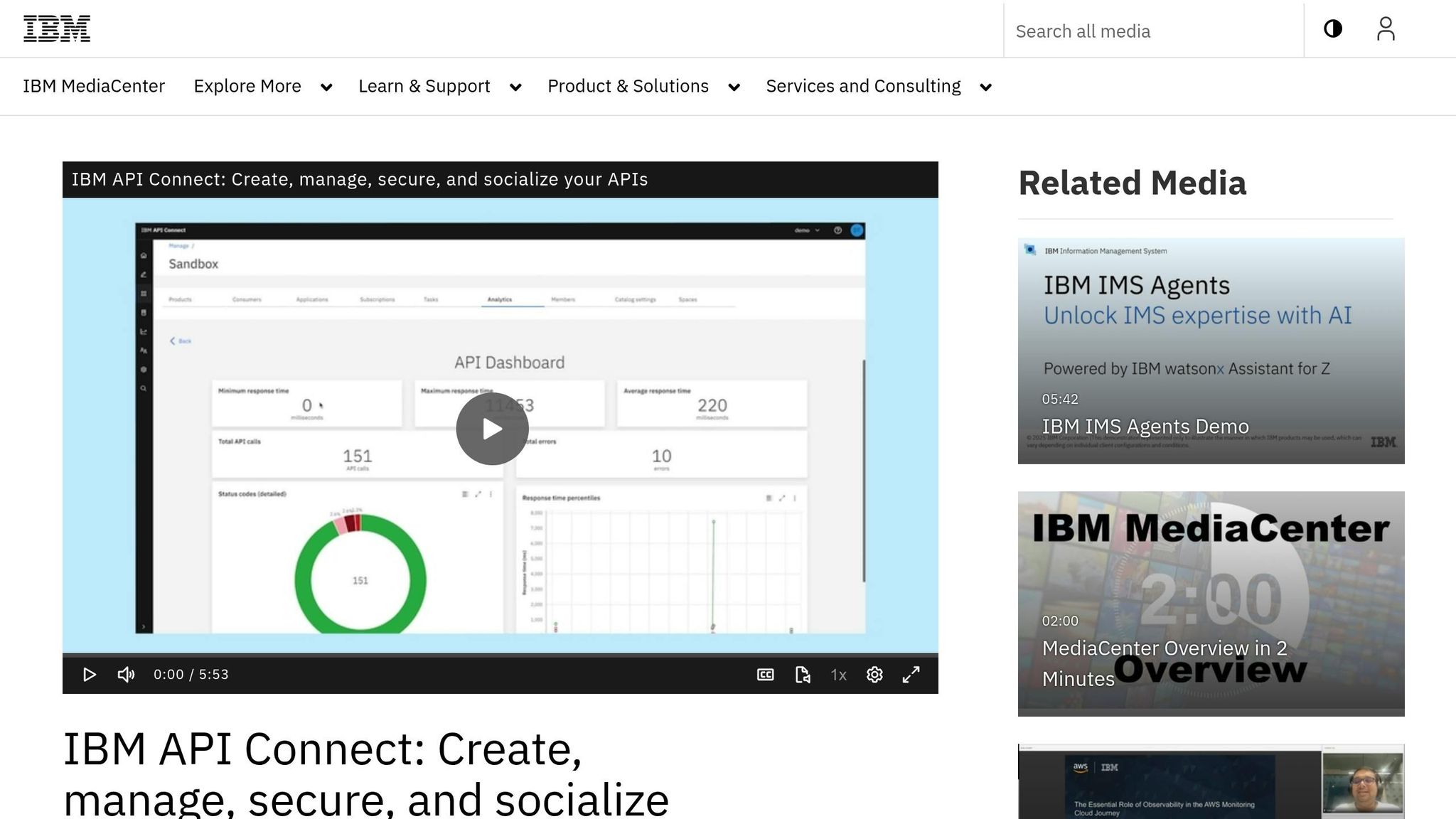
IBM API Connect offers a solution that bridges the gap between legacy systems and modern API standards like SOAP, REST, AsyncAPI, WebSockets, and GraphQL. This makes it a strong choice for enterprises transitioning from older systems. It also supports legacy IBM DataPower workloads, such as Web Service Proxies and XML Firewalls, which are still widely used in many large-scale environments.
Support for Legacy System Integration
The platform works seamlessly with IBM webMethods Hybrid Integration, enabling businesses to modernize their legacy data access through updated workflows – without requiring a complete overhaul. The DataPower Nano Gateway, designed with a zero-trust architecture, operates alongside business applications with extremely fast startup times, reducing latency in hybrid environments.
"API-led integration serves as a bridge, allowing disparate systems to interact seamlessly by exposing legacy services and data, transforming how information flows across an organization." – Deploi
A real-world example of this integration comes from IBS Bulgaria. By leveraging IBM API Connect, the company revamped its open banking platform in 2025. This transformation reduced partner integration time from months to just one week – an eightfold improvement. Additionally, the IBM CIO organisation saw a 50% cut in API costs and more than 50% faster delivery times by centralizing its API management with IBM API Connect.
This approach not only improves efficiency but also ensures smooth handling of high traffic volumes.
Scalability and Performance
IBM API Connect excels at managing high-volume traffic across hybrid, multicloud, and on-premises setups. The DataPower Nano Gateway employs declarative policy controls to maintain governance and security while minimizing latency. Its flexibility extends to deployment options, supporting Kubernetes, OpenShift, VMware, and physical appliances, making it adaptable to various infrastructure needs.
The platform’s capabilities have earned it consistent recognition. IBM has been named a Leader in the Gartner Magic Quadrant for API Management for 10 straight years and ranked first in 5 out of 6 use cases in Gartner’s 2025 Critical Capabilities for API Management report. Furthermore, The Forrester Wave (Q3 2024) also recognized IBM API Connect as a Leader, awarding it the highest score in the "Current Offering" category.
Customisability and Flexibility for API Workflows
Developers using IBM API Connect can craft custom policies with GatewayScript, a JavaScript-based language, or legacy XSLT, giving them control over API behaviour without altering backend systems. IBM API Studio provides an AI-powered workspace for authoring, testing, and governing APIs "as code", simplifying development cycles. The API Agent further enhances productivity by automating tasks and resolving errors.
One example of this adaptability is TINE, a Norwegian dairy company. In partnership with IBM and Avella, TINE developed the TINE Central Integration Competency Centre. This initiative allows project owners to request new business integrations and prioritize essential legacy connections, streamlining operations across the value chain.
Developer-Friendly Tools and Documentation
IBM API Connect doesn’t just focus on integration and performance – it also prioritizes developer experience. The platform includes a Toolkit CLI and a self-service developer portal, making it easier for both internal and external teams to discover and reuse legacy assets. Deployment options are versatile, ranging from on-premises to cloud, hybrid setups, or even a SaaS model.
"Whether you’re working with REST, AsyncAPI, WebSockets, GraphQL, SOAP – or all of the above – API Connect provides robust self-service features that support the full API lifecycle." – IBM
For organisations with complex infrastructures, IBM suggests enlisting external experts or managed IT services to navigate the risks tied to modernizing legacy systems.
5. Postman
Postman is trusted by 40 million developers and a staggering 98% of Fortune 500 companies. It brings together REST, SOAP (via WSDL), GraphQL, and gRPC in one unified interface.
Support for Legacy System Integration
Postman connects seamlessly with major API gateways like IBM API Connect, Apigee, Amazon API Gateway, and Azure API Management. This makes it a go-to tool for bridging legacy systems and simplifying API testing. Through integrations like APIMatic, Postman even converts API collections into legacy formats such as RAML and API Blueprint, ensuring older systems remain compatible. Mock servers further enhance its utility by simulating legacy responses, allowing frontend and middleware teams to keep working even when legacy systems are unstable.
Sling TV offers a real-world example of Postman’s impact. Under Pavan Thalak, VP of Software Engineering, the company leveraged Postman’s multi-protocol support to achieve a 70% improvement in deployment cycles.
"Postman is a one-stop shop for us as it supports different protocols. Being able to stay in one platform reduces friction and optimizes productivity." – Pavan Thalak, VP of Software Engineering, Sling TV
This integration-focused approach naturally contributes to smoother workflows and faster development cycles.
Developer-Friendly Tools and Documentation
Postman Collections make life easier for developers by organizing saved requests, defining data types, and structuring headers and bodies to ensure requests are valid. Its Node.js-based runtime allows for scripting before or after requests, enabling tests, data sharing between requests, and dynamic behaviours. Additionally, the Postman CLI supports running collections and enforcing governance by adding automated testing to CI/CD pipelines.
The numbers speak for themselves: organisations using Postman report a 339% return on investment, with teams achieving 36% faster development cycles and onboarding 51% faster. To top it off, Postman’s AI-powered documentation automatically generates code examples and templates for legacy endpoints, saving developers even more time.
6. TIBCO Cloud Mashery
TIBCO Cloud Mashery acts as a decoupling layer, connecting modern digital channels – like web, mobile, and IoT – with older backend systems. This setup enables organisations to upgrade their customer-facing applications without needing to revamp their entire infrastructure all at once. By bridging the gap between modern interfaces and established systems, TIBCO Cloud Mashery simplifies the integration process.
Support for Legacy System Integration
The platform works seamlessly with TIBCO Cloud Integration tools, including TIBCO BusinessWorks and TIBCO Flogo. This lets developers wrap older system logic into managed endpoints. Its hybrid deployment model – supporting on-premises, cloud, or a mix of both – ensures organisations can position API gateways close to legacy data sources for better security and performance while managing everything centrally through the cloud.
TIBCO’s impact on modernising legacy systems is clear. For instance, NASA saw an 83% reduction in project time, ABN Amro saved €11.1M, and the University of Chicago Medicine achieved a 15% to 20% reduction in cardiac arrests thanks to real-time data integration.
"We are using TIBCO to integrate and correlate all information to understand customer behaviours, manage operational situations, and prevent critical events." – Aeroporti di Roma
Scalability and Performance
TIBCO Cloud Mashery is built to handle demanding workflows with features like rate limiting, quotas, and traffic controls. It uses tools such as caching, load balancing, and an in-memory data grid to deliver real-time data access with minimal delays, even during high-traffic periods. The platform’s auto-scaling capabilities dynamically adjust resources based on traffic, and its high availability and disaster recovery measures ensure consistent reliability.
For example, Sydney Water reported a 30% to 40% boost in its Net Promoter Score after implementing TIBCO for its digital operations.
Customisability and Flexibility for API Workflows
TIBCO Cloud Mashery goes beyond basic request/reply setups by offering API choreography, which helps manage intricate workflows across multiple applications and legacy systems. With customisable gateway extension points, teams can define API products using grouped definitions, each with tailored rate limits and access policies. This flexibility makes it easier to adapt workflows to specific organisational needs.
7. Dell Boomi
Dell Boomi stands out for its low-code platform that simplifies the process of connecting modern APIs with legacy systems. Its drag-and-drop interface makes building comprehensive development solutions more accessible, even for teams with limited coding expertise. With over 300 pre-built connectors for systems like Oracle, PeopleSoft, SAP, and mainframes, Boomi can significantly cut down on development time.
Support for Legacy System Integration
A key feature of Boomi is its hybrid runtime, called the Boomi Atom. This flexible architecture can be deployed on-premises, behind firewalls, or in the cloud, ensuring sensitive legacy data remains secure while still being accessible through modern APIs. John Parker, Lead Software Engineer at Cornell University, highlighted how Boomi transformed his team’s workflow:
"Even with no Boomi training, we were soon rolling out integrations in days with Boomi that took months and months of development time on our previous platform." – John Parker, Cornell University
This capability makes Boomi a strong choice for organizations looking to modernize their legacy systems without sacrificing security or efficiency.
Scalability and Performance
Boomi delivers reliable performance with a 99.99% uptime guarantee, thanks to its multi-tenant cloud architecture. This setup ensures integrations stay synchronized, with centralised updates enhancing performance. Its AI-powered "Boomi Suggest" tool simplifies data mapping by drawing on insights from 300 million integration patterns. For example, Riverbed revamped its legacy middleware with Boomi, achieving integration rollouts up to 80% faster and reducing sales quote processing times from days to just hours.
The platform’s frequent updates – 11 times annually – are designed to cause minimal disruption. To maintain workflow stability, Boomi offers a "Boomi Assure" feature that allows teams to run regression tests and confirm updates won’t interfere with existing processes.
Customisability and Flexibility for API Workflows
Boomi’s low-code environment speeds up project timelines while still accommodating custom needs. Developers can use the Connector SDK to create tailored connectors in Java or extend REST and SOAP frameworks for specific use cases. Its unified interface combines API management, EDI/B2B management, and workflow automation, making it easier to oversee complex API workflows in one place.
8. Kong
Kong Gateway is powered by a lightweight NGINX engine, capable of handling over 50,000 transactions per second per node while using resources efficiently. This makes it a strong choice for organizations managing high-traffic legacy API workflows. Ross Sbriscia, Lead Software Engineer at UnitedHealth Group, shared his experience after migrating to Kong:
"Kong has produced an 85% reduction in gateway overhead compared to our previous proprietary solution, in addition to being 90% more resource efficient." – Ross Sbriscia, UnitedHealth Group
Support for Legacy System Integration
Kong stands out when it comes to connecting legacy systems with modern APIs. It employs the Strangler Fig Pattern, a method that allows organizations to gradually modernize by creating new APIs around existing systems and shifting traffic one function at a time. This approach avoids the risks of a complete system overhaul. Organizations can also use a digital transformation readiness checker to assess their current infrastructure before beginning the modernization process. With multi-protocol support, Kong can manage legacy SOAP web services, CLI-based applications, and modern REST, GraphQL, or gRPC APIs – all within one platform.
Developers can also take advantage of the Kong Plugin Development Kit (PDK) to build custom Lua plugins, enabling legacy systems without native APIs to integrate seamlessly. For example, the "Kronos" pattern uses Lua plugins to turn CLI-based applications into RESTful APIs. Kong’s "Pre-function" plugin adds another layer of flexibility by handling immediate transformations, such as extracting WS-Security headers before authentication plugins process them.
Scalability and Performance
Kong’s distributed architecture is designed for hybrid and multi-cloud environments. It supports decentralised deployments, including Kubernetes-native ingress and "DB-less" modes, which eliminate database latency in high-demand scenarios. Advanced traffic management features like load balancing, health checks, circuit breakers, and rate limiting ensure high availability for upstream legacy services.
Australia Post utilized these features to scale its API infrastructure effectively. Product Manager Neha Jaiswal highlighted the impact:
"With Kong, we’ve taken a big leap forward in our ability to reduce operational overhead while efficiently scaling to support the increase in traffic requests from our rapidly growing customer base." – Neha Jaiswal, Australia Post
This modernisation effort led to a 30% reduction in operational costs. Kong’s performance and scalability also allow teams to customize API workflows extensively.
Customisability and Flexibility for API Workflows
Kong bridges the gap between outdated infrastructure and modern API needs by enabling tailored solutions. Its Plugin Development Kit supports Lua-based customisations and allows developers to define specific execution logic for different legacy protocols using a strategy pattern. This ensures that legacy endpoints can adopt a consistent RESTful interface for consumers.
For modernization projects, Kong simplifies the process by enabling the creation of "Data APIs" – a dedicated layer that offers clean CRUD access to legacy databases while keeping business logic separate. This clear division of responsibilities ensures smoother migrations and supports data orchestration across any cloud, platform, or protocol.
Developer-Friendly Tools and Documentation
Kong makes life easier for developers by offering automated tools and easy configuration, significantly cutting down onboarding time. For instance, Benjamin Bertow, Senior Technical Lead at Mercedes-Benz, implemented Kong to standardize API configuration and monitoring, reducing developer onboarding from several days to just a few hours. The platform also provides "Gojira", a local development and testing environment tailored for building and debugging Kong Gateway plugins. This tool helps teams customize and extend functionality to meet their specific integration needs efficiently.
9. Talend API Services
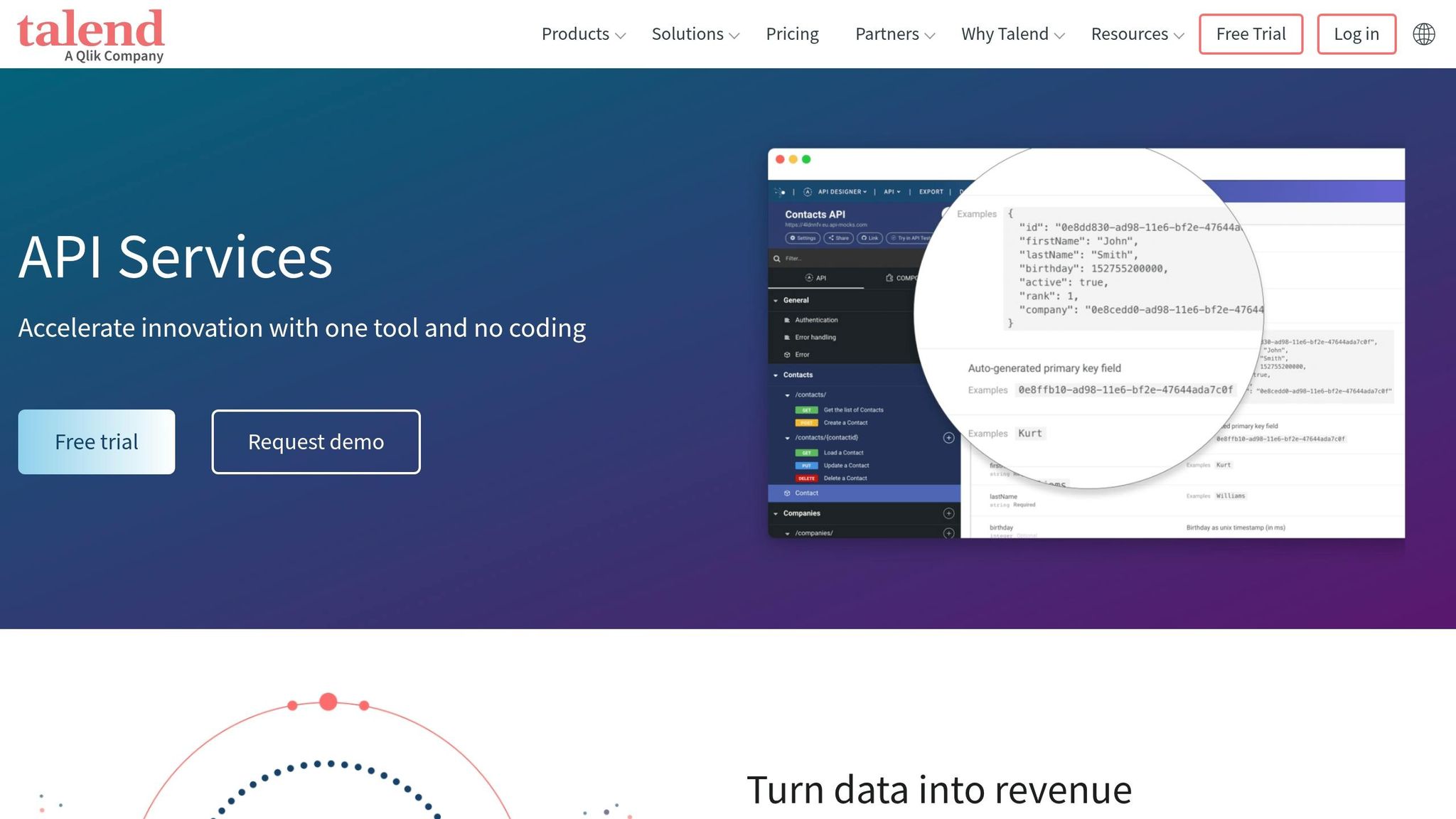
Talend API Services simplifies the process of modernizing outdated systems by managing the full API lifecycle. With Talend Studio, you get a user-friendly, visual platform to link older systems with modern interfaces – no need for extensive manual coding. This is especially helpful when dealing with legacy infrastructures that often lack proper documentation. Like other tools mentioned earlier, Talend API Services acts as a bridge between older systems and modern technologies.
Connecting Legacy Systems to Modern Environments
One of the standout features of Talend API Services is its ability to quickly connect legacy systems to modern cloud platforms. It supports rapid API creation and deployment, a critical need for organizations aiming to modernize their systems efficiently. APIs can be deployed on Talend Runtime or as lightweight microservices built on Spring Boot, making it easier to break down large, outdated systems into smaller, more manageable components. Additionally, Talend includes tools to maintain data quality and security throughout the integration process.
Flexible Tools for Custom API Workflows
Talend Cloud API Designer allows teams to create APIs tailored to specific needs. With features like API simulation using mocks and live documentation previews, teams can ensure their APIs align with project goals. This flexibility makes it easier to integrate legacy systems with modern platforms. The Talend Cloud API Tester takes it a step further by letting developers group tests and simulate real-world scenarios, from the design phase through full implementation. Meanwhile, the Talend Management Console provides a centralized space to oversee, manage, deploy, and monitor all integration tasks.
Developer-Focused Features
Talend enhances the development process by automating repetitive tasks and offering a comprehensive suite of tools. For instance, the API Tester can automatically generate test cases from an API contract, saving time and ensuring consistency across environments. Early-phase API mocking is also supported, reducing manual effort during development. To top it off, Talend enables the creation of an API portal via the API Designer, which centralizes all documentation – an essential feature for projects focused on modernizing legacy systems while ensuring new interfaces are clearly understood.
10. AWS API Gateway
AWS API Gateway is a serverless tool designed to connect older SOAP systems with modern REST interfaces. It supports two-way proxy setups, enabling you to either expose legacy SOAP servers as REST endpoints or let older SOAP clients interact with newer REST services. This is made possible by using AWS Lambda or Velocity Template Language (VTL) to handle XML-to-JSON transformations. These capabilities provide a secure and scalable way to bridge the gap between older and modern systems.
Support for Legacy System Integration
One of the standout features of API Gateway is its ability to securely integrate legacy systems without exposing them to public internet traffic. Using VPC Links, it can direct requests to private resources, such as on-premises legacy databases or services behind private Application Load Balancers (ALBs) or Network Load Balancers (NLBs). This is especially important for organisations that need to maintain tight security around sensitive infrastructure. By doing so, it enables modern API interactions while keeping legacy systems protected. The UK Driver and Vehicle Licensing Agency shared their experience with this approach, noting:
"By using Amazon API Gateway, the only thing they worry about is the code – the thing that creates the greatest value – and everything else is taken care of".
Scalability and Performance
As a managed service, API Gateway can automatically scale to handle millions of requests per second. This is crucial for legacy systems that might struggle under heavy traffic. Built-in request throttling helps shield fragile backends from sudden traffic surges. For organisations prioritising both cost and speed, HTTP APIs offer up to 71% savings and a 60% reduction in latency compared to standard REST APIs. Additionally, API caching with adjustable time-to-live (TTL) settings reduces backend load by avoiding repeated calls to legacy systems.
Customisability and Flexibility for API Workflows
API Gateway provides two main options for transforming data between modern and legacy formats. For straightforward tasks, VTL templates can handle transformations directly at the gateway, eliminating the need for extra compute resources or dealing with serverless function cold starts. For more complex needs – like managing legacy authentication headers with timestamp-based tokens or digital signatures – AWS Lambda allows full programming flexibility in languages such as Python, Node.js, and Java. The platform also supports multiple API versions and stages (e.g., alpha, beta, production), making it easier to maintain backward compatibility during phased migrations.
Developer-Friendly Tools and Documentation
API Gateway integrates seamlessly with Amazon CloudWatch, offering real-time monitoring for latency and error rates, which is especially useful when dealing with potentially unstable legacy systems. It can also generate client SDKs for various programming languages, including JavaScript, iOS, Android, Java, and Ruby, simplifying the integration process for developers. Additionally, the service supports creating a serverless developer portal for API discovery and documentation. The pricing model is pay-as-you-go, with costs starting at approximately CA$1.50 per million REST API requests, and there are no upfront fees or long-term commitments required.
Tool Comparison Table
Modernising legacy systems requires agile and secure API tools, as mentioned earlier. Below is a comparison of ten legacy API development tools, evaluated across key factors like integration, scalability, customisation, and developer support.
| Tool | Integration Capabilities | Scalability | Customisation | Developer Support |
|---|---|---|---|---|
| MuleSoft Anypoint Platform | Features a three-layer API-led connectivity model and a comprehensive connector library for on-premises and hybrid cloud environments | Enterprise-grade scalability; handles high-volume workloads | High (offers both pro-code and no-code options) | Strong community support and Anypoint Exchange |
| Apigee | Supports REST, SOAP, and GraphQL with built-in OAuth security and threat protection | Optimised for high-traffic environments with global scalability | Medium (policy-based configuration) | Includes a detailed developer portal and predictive analytics |
| Microsoft Azure API Management | Provides native hybrid cloud support and a unified developer portal for managing on-premises and cloud APIs | Auto-scaling capabilities designed for enterprise workloads | Medium (customisation for usage models and developer portals) | Integrates seamlessly with the Azure ecosystem and offers an interactive developer portal |
| IBM API Connect | Tailored for high-volume legacy workloads; integrates with IBM Cloud Paks and IBM MQ messaging systems | Supports enterprise-scale deployments effectively | Medium (AI-powered API creation tools) | Offers self-service portals and subscription management features |
| Postman | Includes mock servers for simulating API responses and automated testing suites | Medium scalability, primarily designed as a testing and collaboration tool | High (uses JavaScript-based scripting for flexibility) | Provides collaborative workspaces and automated documentation |
| TIBCO Cloud Mashery | Supports hybrid deployment with extensive connectors and templates for real-time data integration | Medium to high scalability, optimised for low-latency performance | Medium (traffic management and monitoring tools) | Developer-friendly portal with performance monitoring features |
| Dell Boomi | Low-code iPaaS with “Atom” architecture and a drag-and-drop interface for legacy database and SaaS app integration | Medium to high scalability, with flexible deployment options | High (visual designer and pre-built templates) | Offers robust customer service and a vast library of templates |
| Kong | Plugin-based open-source architecture with support for mTLS, JWT, and traffic control for distributed systems | Very high scalability with low-latency performance | Very high (extensive open-source plugin ecosystem) | Includes real-time analytics and user-friendly support |
| Talend API Services | Provides data quality and security tools for transforming legacy data accurately | Medium to high scalability with agile deployment options | Medium (comprehensive testing tools) | Offers documentation focused on testing and data quality |
| AWS API Gateway | Fully managed service integrated with AWS ecosystem tools like Lambda and IAM; supports VPC Links for private legacy resources | Very high scalability, handling millions of requests per second with automatic scaling | Low (AWS-centric configuration options) | Includes CloudWatch monitoring and seamless AWS integration |
When selecting an API tool, pricing and market ratings can provide additional guidance. Costs vary significantly, ranging from free tiers and pay-as-you-go pricing (e.g., AWS API Gateway at CA$1.50 per million requests) to enterprise-level contracts like MuleSoft, which starts at approximately CA$150,000 per year.
It’s worth noting that only 58% of IT leaders have adopted API-led strategies for their integration architecture. Additionally, integration projects without pre-built inventories of undocumented legacy connections often experience schedule overruns averaging 40%.
For those seeking open-source flexibility, Kong stands out with a 4.7/5 rating on Gartner. Other noteworthy ratings include 4.6/5 for IBM API Connect and Postman on G2, 4.4/5 for MuleSoft Anypoint Platform, 4.3/5 for Dell Boomi, and 4.2/5 for Microsoft Azure API Management.
Conclusion
Choosing the right legacy API tool requires a careful balance of functionality, scalability, and cost. Each tool has its own strengths, whether it’s modernizing mainframes, connecting on-premise databases to the cloud, or handling high-volume integrations.
Start by auditing your legacy systems to pinpoint integration points, data formats, and security protocols. With that foundation, set clear goals – whether you’re aiming for better analytics, streamlined operations, or cloud migration. A small-scale pilot project can help you test performance and security before committing to a full rollout across your organisation.
When evaluating tools, think beyond the technical specs. Consider long-term factors like your team’s expertise and the total cost of ownership. For instance, low-code platforms like Dell Boomi are great for quick deployment, while developer-focused tools like Kong offer more customisation options. Pricing models also vary – AWS API Gateway charges on a pay-as-you-go basis, while some enterprise-grade platforms may require custom, higher-cost contracts.
The API landscape is evolving fast. Rajanish GJ, Head of Engineering at DigitalAPI, explains:
"APIs are no longer just technical connectors – they’re the gateways to modern business, powering products, partners, and customer experiences."
With 93% of CTOs expecting API investments to increase or remain steady in 2023, selecting a tool that fits your current ecosystem and future growth plans is more important than ever. The right solution will bridge the gap between your legacy systems and the demands of modern business.
Take advantage of free trials to test shortlisted tools for your specific needs. The ideal platform should integrate smoothly with your existing infrastructure while offering the flexibility to grow as your API requirements expand.
At Digital Fractal Technologies Inc., we specialise in connecting legacy systems with modern API frameworks. Reach out to us today to see how our tailored solutions can drive your digital transformation forward.
FAQs
How do I choose the right tool for my legacy systems?
To find the right tool for your needs, start by assessing your system’s compatibility, integration requirements, and potential for growth. Prioritise tools that offer features such as middleware, API gateways, AI-driven analysis, and hybrid deployment options. Make sure the tool provides robust security measures, governance capabilities, and supports long-term growth. Additionally, ease of use and strong developer support are key factors to consider. By concentrating on these elements, you can successfully update your legacy systems and ensure they align with your business objectives.
Should I wrap legacy services or rebuild them?
Choosing whether to wrap legacy services or rebuild them hinges on the state of your system and your business objectives. Wrapping legacy systems with APIs can be a smart move for gradual updates. This approach reduces risks and allows you to retain the value of your existing infrastructure. On the other hand, rebuilding becomes essential when the system is outdated, poses security risks, or no longer meets modern requirements. To decide, carefully assess aspects like the system’s complexity, its ability to scale, and your long-term plans.
How can I keep legacy backends safe under high API traffic?
To shield legacy backends from overwhelming API traffic, it’s crucial to implement smart API management strategies. Techniques like throttling and rate limiting can control the flow of requests, ensuring systems aren’t overloaded. Security measures also play a key role in protecting sensitive data and backend operations.
Using tools like API gateways adds another layer of protection. These gateways help monitor traffic, enforce policies, and maintain system stability by preventing excessive loads. Additionally, adopting strong API lifecycle management ensures proper governance and security practices, keeping legacy systems resilient and scalable, even during periods of high demand.