
Yard Management Automation: A Practical Guide for Logistics Teams

Yard management automation uses software and AI to control the physical movement of trucks, trailers, and containers through a facility, from gate arrival to dock assignment to gate-out. A Yard Management System (YMS) handles planning, direction, and scheduling of every asset in the yard, sitting between your WMS and TMS as the layer that manages what actually happens on the pavement.
Three immediate benefits logistics teams see first:
- Lower dwell time: automated slot assignment and dock scheduling cut the time trailers sit idle waiting for a door
- Faster gate processing: AI-driven check-in replaces manual paperwork, processing carriers in minutes instead of a longer manual process
- Better dock utilization: live yard maps and predictive scheduling fill dock doors more evenly across a shift
Your next step in the next 7–30 days: run a 1–2 day yard data scan to baseline your current dwell time, gate processing time, and trailer turn time. If you want a structured starting point, Digitalfractal’s AI Readiness Audit maps exactly where automation will close the biggest gaps before you commit to a platform.
Key Takeaways
Yard management automation delivers measurable results only when instrumentation, data quality, and integration readiness are confirmed before a pilot begins.
| Point | Details |
|---|---|
| Start with a baseline | Measure dwell time and gate processing time for two weeks before touching any software. |
| Instrument the gate first | Gate and dock approach coverage gives you 70–80% of visibility value at the lowest initial cost. |
| Integrate WMS and TMS early | YMS value depends on near-real-time event handoffs; legacy API gaps are the most common pilot delay. |
| Use configurable AI levels | Start in Advisory mode and move to Automated only after crews trust the recommendations. |
| Digitalfractal’s audit de-risks the pilot | A vendor-neutral AI Readiness Audit surfaces data and integration gaps before they stall your deployment. |
Table of Contents
- What does a yard management system actually automate?
- How automated yard control actually works
- What KPIs justify the investment?
- How data flows through a YMS architecture
- A realistic implementation roadmap
- How to choose a YMS vendor
- What validated YMS success looks like in production
- When does an AI readiness audit make sense for yard automation?
- The part vendors won’t tell you upfront
- Digitalfractal cuts the risk out of your first 90 days
- Sources
What does a yard management system actually automate?
A YMS sits at a specific layer in your tech stack that neither your WMS nor your TMS was designed to own. Your WMS manages inventory inside the building. Your TMS handles routing and carrier contracts. Neither one tracks where trailer 4821 is parked right now, whether dock door 14 has been clear for 40 minutes, or which spotter truck should move a reefer unit before it misses its appointment window.
Project44 defines a YMS as a tool that supports planning, direction, and control of scheduling, movement, parking, inspection, and reassignment of trucks, trailers, and containers, with tight integration to WMS and TMS as the baseline expectation. That integration is not optional. Without it, a YMS becomes an island of data that your warehouse team ignores.
The typical data flow runs in one direction: gate events feed the YMS, the YMS feeds dock scheduling, and dock scheduling feeds the WMS labor plan and the TMS appointment window. Events flow back out to carriers through self-service portals.
Core YMS modules you should expect from any mature platform:
- Gate management (inbound/outbound check-in, carrier ID, seal verification)
- Appointment scheduling and carrier self-service portal
- Live yard map with real-time asset locations
- Slot and yard zone management
- Move orchestration and spotter dispatch
- Inspection workflows and exception holds
- Gate-out validation and seal confirmation
- Audit logs and event history
The key distinction from a WMS or TMS is physical yard flow. A WMS knows a pallet is on a trailer. A YMS knows which trailer, where that trailer is parked, how long it has been there, and what move task is needed next. That specificity is what makes yard automation worth the integration effort.
How automated yard control actually works
The features above only deliver value when the right technologies feed them live data. Here is what that instrumentation layer looks like in practice.
Gate and identification technologies:
- Telematics/ELD/GPS: carrier-side location data that gives you predicted arrival times before a truck reaches your gate
- RFID: passive tags on trailers read by fixed readers at gate lanes and dock approaches, giving you sub-second identification without driver action
- Computer vision / AI video analytics: cameras at gates and dock approaches read license plates, trailer numbers, and seal conditions automatically. Terminal Industries’ Smart Yard uses this approach and reports that AI-driven gate automation can substantially reduce manual gate processing time, with vendor-reported figures a significant reduction
- RTLS (Real-Time Location Systems): BLE beacons or UWB anchors mounted in the yard give you continuous trailer position updates accurate to a few meters
AI and ML functions that run on top of that data:
- ETA prediction from telematics feeds, used to pre-stage dock assignments before a carrier arrives
- Congestion detection from yard map data, triggering re-routing of spotter moves
- Automated move task generation based on dock schedules and trailer dwell thresholds
- Dock assignment optimization that balances door utilization against labor availability
- Anomaly detection for trailers that have not moved in a configurable window
KSAP’s YMS AI layer illustrates how this works in production: the system predicts dock delays, suggests optimal dock assignments, and auto-generates move tasks. Critically, it offers configurable automation levels, moving from Advisory (the system recommends, a human approves) through Assistive to fully Automated, with a complete audit trail at every level. That configurability matters. Facilities that skip it and go straight to full automation often create trust problems with yard crews who feel bypassed.
Pro Tip: *Instrument the gate and the two or three highest-traffic dock approach lanes first.
What KPIs justify the investment?
Before you can build a business case, you need a baseline. These are the metrics that move when yard automation is working.
Primary KPIs:
- Dwell time: total time a trailer spends on your property from gate-in to gate-out. Industry averages vary widely by facility type, but every hour of unnecessary dwell is a detention liability
- Gate processing time: minutes from truck arrival to cleared entry. Manual processes routinely run 15–25 minutes; automated gates can cut this to under 5
- Trailer turn time: time from unload/load complete to gate-out. Slow turns tie up dock doors and delay outbound loads
- Door utilization: percentage of scheduled dock hours actually used. Low utilization usually signals appointment scheduling problems
- Moves per hour: spotter productivity metric that reveals whether move orchestration is keeping pace with dock demand
- Detention and demurrage costs avoided: research from the American Transportation Research Institute documents substantial financial and safety impacts from truck driver detention, making this one of the clearest dollar-value line items in any YMS business case
- Labor minutes per move: total spotter and dock labor per trailer move, which drops when dispatch is automated
- On-time SLA adherence: percentage of appointments met within the agreed window
Business case line items to estimate:
- Labor savings from automated dispatch and gate processing
- Detention charges avoided by reducing dwell
- Throughput improvement from better dock utilization
- Asset utilization gains from knowing where every trailer is
- Overtime reduction from more even load distribution across shifts
FourKites’ Dynamic Yard positions live dashboards as a single source of truth for yard operations, with vendor-reported response improvements up to approximately 85% faster when teams can see yard status in real time. Attribute that figure to FourKites’ own marketing, but the directional claim illustrates faster response when teams have live yard status.
For a 90-day pilot, set targets on two or three primary KPIs only. Dwell time and gate processing time are the easiest to baseline and measure cleanly. Full-rollout targets for door utilization and detention reduction require more data history and are better set after the pilot evaluation.
Estimate your automation savings before you pitch the project. Digitalfractal’s workflow automation savings calculator lets you plug in your current labor costs, dwell averages, and detention rates to build a defensible ROI estimate.
How data flows through a YMS architecture
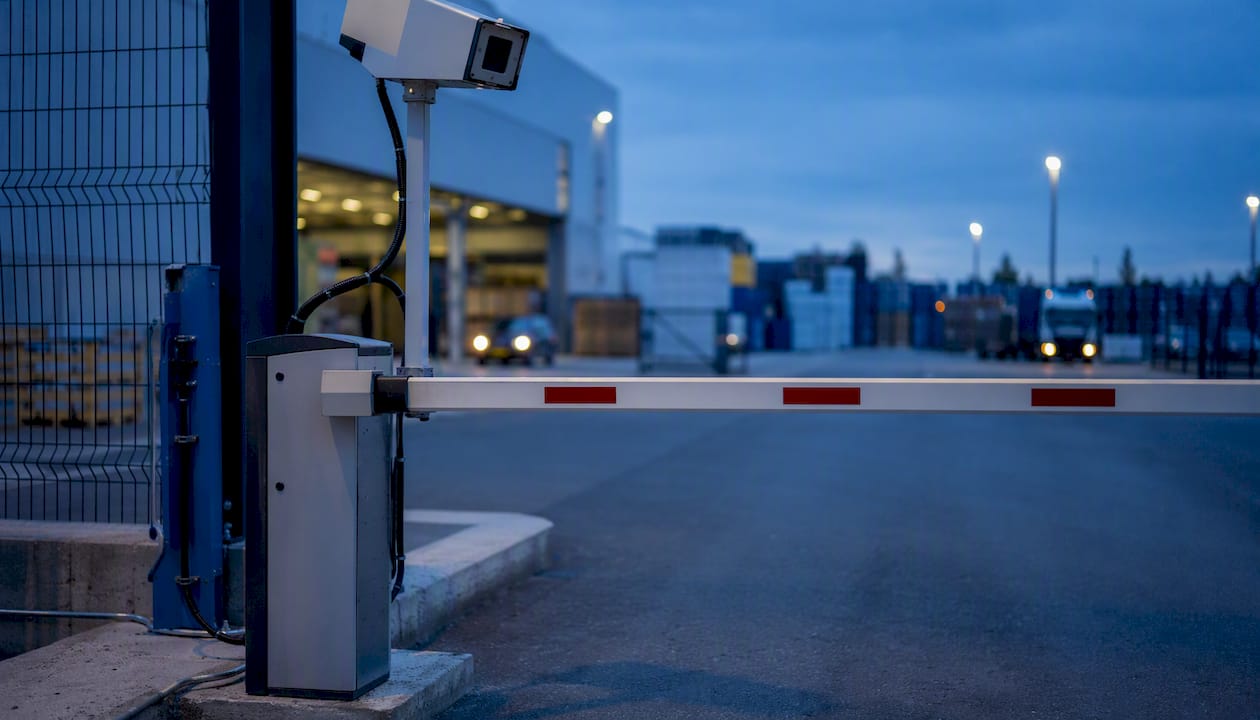
Understanding the integration architecture before you select a platform saves months of rework. Here is the canonical event sequence and the integration points that matter.
Core data flow:
- Carrier ETA from telematics API → YMS appointment module → pre-staged dock assignment
- Gate arrival event → RFID/camera read → YMS check-in → slot assignment → WMS inbound notification
- Dock-ready signal from WMS → YMS move task → spotter dispatch → dock door assignment confirmed
- Load/unload complete from WMS → YMS gate-out task → seal verification → TMS shipment status update
- AI inference layer → anomaly flags → exception queue → supervisor dashboard
Integration checklist:
| Integration Point | Protocol / Format | Latency Requirement | Notes |
|---|---|---|---|
| WMS inbound/outbound events | REST API or webhook | Near real-time (under 30 sec) | Dock-ready and load-complete events drive move tasks |
| TMS appointment data | REST API | Near real-time | Appointment changes must propagate to YMS immediately |
| Telematics / ELD feeds | REST or MQTT | 1–5 min acceptable | Used for ETA prediction, not gate control |
| RFID readers / cameras | Edge device API | Sub-second | Gate control requires low-latency local processing |
| ERP inventory / billing | Batch or REST | Nightly batch acceptable | Detention billing and asset reconciliation |
| Carrier self-service portal | HTTPS / web | Async | Appointment booking, check-in pre-registration |
Actions that must be near real-time: gate barrier control, move dispatch, and dock door assignment. Batching any of these creates bottlenecks that defeat the purpose of automation. Nightly reconciliation is fine for ERP inventory updates and detention billing.
Security and data ownership: driver check-in data contains PII (name, CDL number, carrier ID). Confirm with your vendor who owns the event logs, where they are stored, and what your data retention obligations are under applicable state privacy laws. Audit trails should be immutable and exportable. WisDOT’s yard operations research also highlights vehicle movement documentation as a safety and liability consideration, which reinforces the case for complete, timestamped event logs.
Integrating a modern YMS with older WMS or ERP systems is often the hardest part of the project. AI integration in legacy systems is a known challenge, and the API surface of a 15-year-old WMS is rarely what a YMS vendor’s integration guide assumes.
A realistic implementation roadmap
Most YMS projects fail not because the software is wrong but because the team underestimated data quality problems and carrier change management. Here is a sequence that accounts for both.
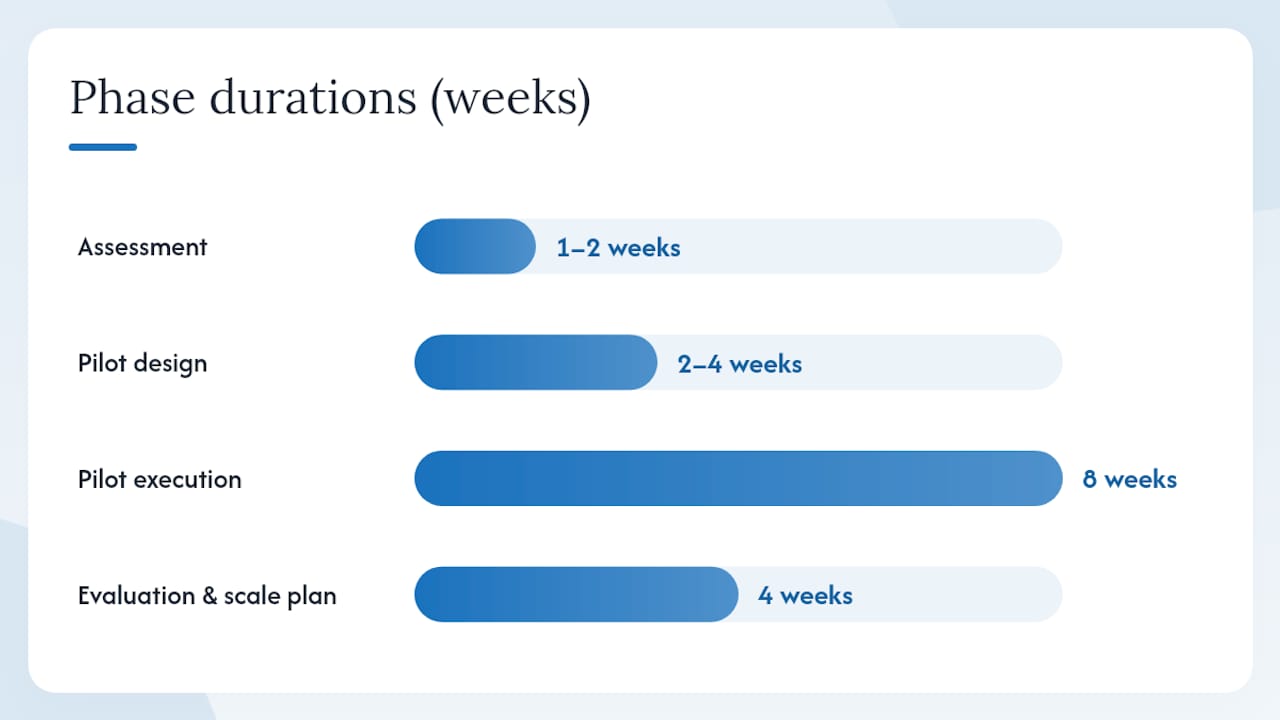
| Phase | Duration | Key Activities | Exit Criteria |
|---|---|---|---|
| Assessment | 1–2 weeks | Baseline KPI measurement, system inventory, instrumentation gap analysis | Documented baseline, integration map, pilot scope agreed |
| Pilot design | 2–4 weeks | Vendor selection or confirmation, integration spec, instrumentation procurement, carrier communication | Signed SOW, hardware ordered, carriers notified |
| Pilot execution | 8 weeks | Go-live on gate + dock scheduling, live monitoring, weekly KPI reviews | Primary KPIs trending toward targets, exception handling validated |
| Evaluation and scale plan | 4 weeks | Pilot debrief, ROI calculation, full-rollout design, phased expansion | Board-approved rollout plan, budget confirmed |
Roles that must be defined before day one:
- Operations lead: owns KPI targets and daily exception review
- IT integrator: owns API connections to WMS, TMS, and ERP
- Vendor PM: owns platform configuration and professional services delivery
- Spotter/jockey supervisor: owns move task acceptance and crew training
- Carrier liaison: owns communication to carriers about new check-in procedures
- Safety officer: reviews instrumentation placement against yard layout and vehicle movement safety guidelines
Common pitfalls:
- Poor data quality at gate: if your current gate process has inconsistent trailer numbering or seal recording, the YMS will inherit that noise. Clean it before go-live, not after.
- Skipping carrier change management: carriers who show up expecting a paper check-in and find a kiosk or camera gate will call your carrier relations team. Brief them 4–6 weeks before go-live.
- Over-automating without guardrails: start in Advisory mode. Let the system recommend moves for two weeks before you let it dispatch automatically. Yard crews who trust the system will adopt it; crews who feel overridden will work around it.
- No rollback trigger defined: agree in advance on the KPI threshold that triggers a pause. If gate processing time gets worse, not better, after two weeks, you need a defined response, not an improvised one.
How to choose a YMS vendor
Vendor selection for a YMS is harder than it looks because the integration complexity varies enormously by your existing stack. A platform that deploys in weeks for a greenfield DC can take six months at a facility with a 2008-era WMS and no API layer.
Evaluation dimensions:
- Best for (use case / facility size): some platforms are built for large distribution centers with 50+ dock doors; others serve mid-size cross-dock or intermodal yards better. Match the platform’s reference customers to your facility profile.
- Deployment model: cloud-native platforms reduce IT overhead but require reliable connectivity at the gate. On-premises or hybrid deployments add IT cost but give you more control over latency-sensitive gate operations.
- AI capabilities: look for configurable automation levels (Advisory → Assistive → Automated), explainable recommendations, and audit trails. KSAP’s AI layer is a useful reference point for what mature AI governance in a YMS looks like.
- Integrations: ask for a specific integration reference with your WMS version and your TMS. A vendor who has never integrated with your WMS is not disqualified, but the timeline and cost estimate should reflect that.
- Implementation timeline and professional services: FourKites and other enterprise platforms typically bundle professional services into the deployment. Fast ROI claims almost always assume vendor-led configuration. Ask what is included and what is billed separately.
- Pricing and TCO: most enterprise YMS platforms price on a combination of facility count, dock door count, and user seats. Get a 3-year TCO estimate that includes integration, hardware, training, and support, not just license fees.
Named platforms to evaluate (each targets a different buyer profile):
- Blue Yonder is a strong fit for large enterprises already running Blue Yonder WMS or TMS, where native integration reduces the biggest deployment risk
- Manhattan Associates suits retailers and omnichannel DCs that need tight WMS-to-yard coordination and already run Manhattan’s warehouse platform
- INFORM brings operations research-based optimization and is worth evaluating when move orchestration complexity is high (large yards, multiple zones, high move volume)
- FourKites leads with real-time visibility and is a natural fit for teams that already use FourKites for in-transit tracking and want to extend that visibility into the yard
Questions to ask every vendor in a demo:
- Show me a live integration with [your WMS version]. Who is the reference customer?
- How does your AI explain a dock assignment recommendation to a dispatcher?
- What is your SLA for location accuracy, and how do you measure it?
- Who owns the event log data, and can we export it in full at any time?
- What does carrier self-service look like on a mobile device?
Choosing the right platform is also harder than vendors make it sound. Evaluating truck and yard management software involves trade-offs that a demo rarely surfaces.
What validated YMS success looks like in production
Vendor case studies are useful directional signals, not guarantees. Here is how to read them and what to ask for.
Documented outcomes that appear consistently across vendor case studies and industry reports include: reduced average dwell time after implementing automated slot assignment and appointment scheduling; faster gate check-in times after replacing paper-based processes with RFID or camera-based identification; reduced trailer search time after deploying live yard maps; and lower detention charges after tightening appointment windows and automating carrier notifications.
Research on truck driver detention confirms that the financial and safety impacts of detention are measurable and substantial, which means detention reduction is one of the clearest ROI line items you can take to a CFO.
How to validate vendor ROI claims during a trial:
- Establish a clean baseline measurement window of at least two weeks before go-live
- Use the same measurement methodology before and after (same shift, same gate lanes, same trailer types)
- Request raw event log exports from the YMS, not just dashboard screenshots
- Run a control window: measure one gate lane on the new system and one on the old process simultaneously for the first two weeks
Operational trust signals to request from any vendor:
- Three integration references specifically for your WMS and TMS versions
- Measured KPI reports from production deployments, not pilot environments
- Professional services scope in writing, including what happens when an integration breaks post-go-live
- Uptime SLA with a defined remediation process, not just a percentage
When does an AI readiness audit make sense for yard automation?
Most YMS projects that stall do so in the first 60 days, usually because the team discovers mid-pilot that their data quality, telemetry coverage, or integration readiness is worse than assumed. An AI readiness audit runs before the pilot, not during it, and surfaces those problems while they are still cheap to fix.
What a useful audit covers for yard automation:
- Data availability and quality: are gate events, trailer IDs, and dock assignments being recorded consistently today?
- Telemetry coverage: do you have RFID, GPS, or camera coverage at the gate and dock approaches, or are you starting from zero?
- System integration inventory: what APIs does your WMS expose? What version is your TMS? Where are the gaps?
- Stakeholder readiness: do operations, IT, and carrier relations have aligned expectations on the pilot scope?
- Quick-win opportunity mapping: which two or three automations will show measurable results in 90 days?
- Security and privacy review: where does driver PII live today, and what does a YMS deployment change?
The audit produces concrete artifacts: a data map, a pilot success criteria document, an instrumentation plan, and an estimated ROI range. Those artifacts feed directly into your vendor RFP and your pilot SOW, which means the audit pays for itself in reduced scope creep.
Digitalfractal provides specialized AI integration consulting services, including AI readiness audits, workflow automation design, and pilot support for logistics operations. The firm is a consulting partner, not a YMS vendor, which means the audit output is vendor-neutral and focused on your specific integration constraints. For teams building a digital transformation roadmap for yard automation, that independence matters.
The part vendors won’t tell you upfront
The gap between a YMS demo and a YMS that actually runs your yard is almost always an instrumentation and change management problem, not a software problem. Every platform on the market can show you a beautiful live yard map in a demo.
The teams that get real results from yard automation share one habit: they instrument less and measure more in the first 90 days. Pick two gates and four dock doors. Get those right. Get the data clean. Get the crew trusting the screen. Then expand.
AI-generated move recommendations are only as good as the location data feeding them. If your yard map has trailers in the wrong slots because RFID coverage has gaps, the AI will dispatch spotters to the wrong location, and the crew will stop trusting it within a week. Guardrails are not a sign of immaturity in your automation program. They are the mechanism that keeps humans in the loop long enough to catch the data quality problems before they become operational problems.
Three things to do in the next 30–90 days:
- Baseline your current dwell time and gate processing time with two weeks of manual data collection
- Map every integration point between your WMS, TMS, and any existing telematics feeds before you talk to a YMS vendor
- Brief your top five carriers on the planned changes before go-live, not after
Change management with yard crews is the variable most implementation timelines ignore. Spotters who understand why the dispatch screen is telling them to move a specific trailer, and who have seen it be right enough times, will use it. Spotters who feel like the system is a black box will find workarounds. A 30-minute weekly review of the AI’s recommendations with the spotter supervisor during the first month costs almost nothing and prevents most of the adoption problems.
Digitalfractal cuts the risk out of your first 90 days
Logistics teams that skip the readiness phase spend the first half of their pilot fixing data quality and integration problems they could have found in a week. Digitalfractal’s AI Readiness Audit gives you a vendor-neutral assessment of your yard’s data, telemetry, and integration gaps before you sign a YMS contract, so your pilot starts on a clean foundation instead of a guessed one.
The engagement covers data availability, system integration inventory, stakeholder alignment, and a prioritized quick-win map tied to your specific facility. You get a pilot scope document, an instrumentation plan, and an ROI estimate you can take to your CFO. Digitalfractal is a consulting firm, not a YMS vendor, which means the output is yours to use with any platform you choose.
Check your digital transformation readiness or book a scoping call to see whether an audit fits your timeline.
Sources
The sources below support the claims in this guide and are worth bookmarking for vendor due diligence and technical background.
- Yard Management Software and Solutions | FourKites
- YMS AI | KSAP AI – OTMNow Powered By KSAP Technologies
- Terminal Smart Yard™ YMS | Real-Time Yard Visibility & Autonomous Operations
- Wisconsindot
- Truckingresearch