
Integrate AI Into Your Business: Audit Before You Build

Start by prioritizing one end-to-end, high-impact use case and run an AI readiness audit to verify data and integration surfaces. Favor API, agent or SaaS tools when speed matters, and reserve PaaS or custom infrastructure for cases needing deep customization or compliance control. This approach follows MIT Sloan’s guidance on strategy, the NIST AI Risk Management Framework, and Microsoft’s Cloud Adoption Framework, and it mirrors how we structure engagements at Digital Fractal.
TL;DR:
- Score candidates by impact and feasibility on five point scales, then multiply them; support deflection may score 20, while autonomous pricing can score 6.
- Before coding, verify source ownership, access controls, quality thresholds, privacy rights, and vendor data handling; poor inputs can undermine outputs and stall pilots.
- Use API calls for single request tasks, agents for workflows spanning several steps, and microservice wrappers when retries, logging, and rollback must preserve transactional integrity.
- A single prioritized use case can reach initial production rollout in 30 to 90 days if data gaps stay manageable; define rollback triggers before launch.
- Require human review for outputs that affect customer outcomes, and keep input and output audit trails plus an incident plan for model failures.
Table of Contents
- A Step-by-Step Roadmap You Can Act on Today
- How to Identify and Score High-Value, Feasible AI Use Cases
- What Data and Infrastructure Must Be Ready Before You Integrate AI
- Which Integration Pattern Fits Your Product or Process?
- Engineering Practices That Move AI From Prototype to Production
- Turning Responsible AI Principles Into Day-to-Day Tasks
- Who You Need, How Long It Takes, and What Drives Cost
- How to Measure, Monitor, and Iterate After Launch
- The Trap Most Teams Fall Into First
- How Digital Fractal Helps You Put This Roadmap Into Action
- FAQ
- Sources
A Step-by-Step Roadmap You Can Act on Today
Most AI projects stall not from bad models but from skipped groundwork. The sequence below keeps teams from building features nobody can trust or maintain.
- Identify and prioritize: pick one measurable, end-to-end process with a clear owner and KPI, typically a 1 to 2 week exercise involving a product lead and a data lead.
- Assess data and infrastructure: audit data quality, access controls, and compute options before writing code, usually takes time and involves a data engineer and security reviewer.
- Choose an integration approach: match API, agent, or microservice patterns to the use case’s latency, compliance, and customization needs.
- Prototype: build a narrow proof of concept against real data, with engineering and the business owner reviewing regularly.
- Productionize: add versioning, CI/CD, and resilience patterns before scaling past a pilot group.
- Govern and monitor: assign explainability checks, audit trails, and a retraining cadence before and after launch.
Quick wins tend to be narrow automations with existing data; long-lead projects touch multiple systems of record and need executive sponsorship from the start, not after the prototype stalls.
How to Identify and Score High-Value, Feasible AI Use Cases
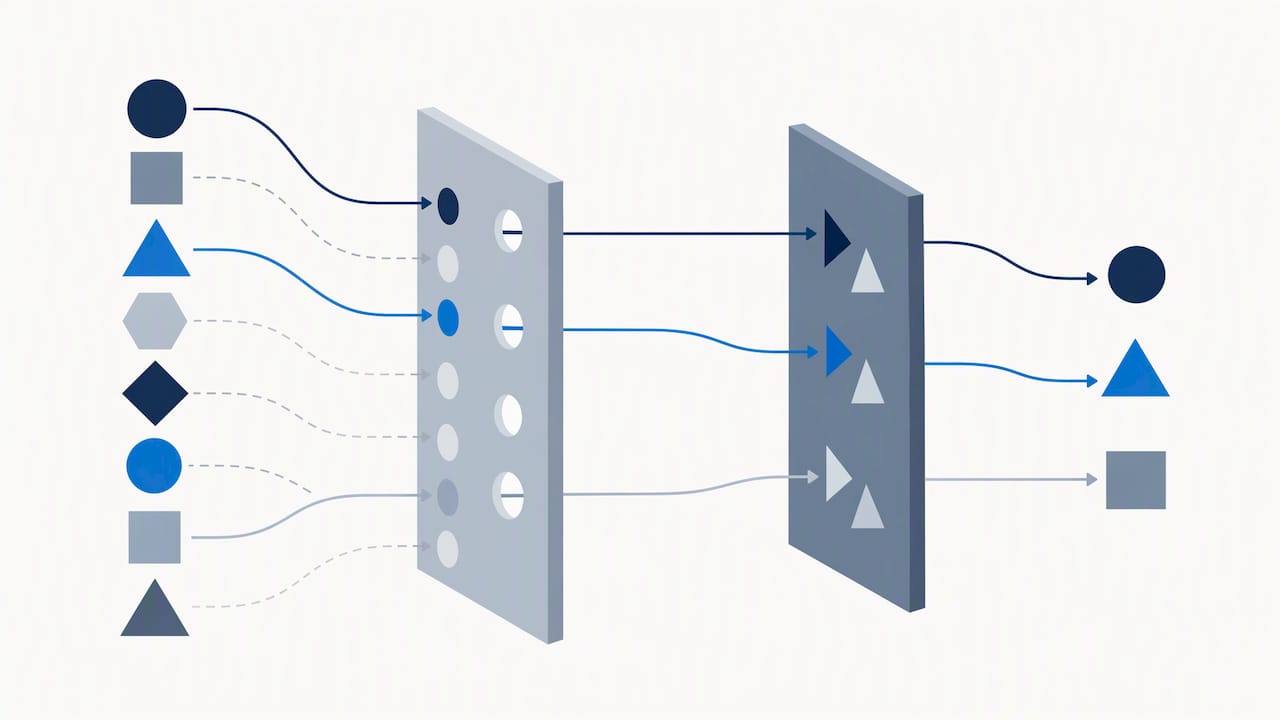
Picking the wrong first project is the most common way AI initiatives lose momentum. A simple scoring exercise prevents teams from chasing flashy ideas with no measurable payoff.
Start with value metrics tied to existing KPIs: time saved per task, error rate reduction, or direct revenue impact. Then apply feasibility filters before committing:
- Data presence: does the relevant data already exist in a usable, accessible form?
- Integration surface: can the use case connect to current systems without a rebuild?
- Compliance risk: does the process touch regulated data or decisions that require human sign-off?
- User impact: will the change disrupt a workflow people already trust?
Score each candidate on impact (1 to 5) and feasibility (1 to 5), then multiply the two. A customer support deflection feature with high data availability and low compliance risk might score 20, while a fully autonomous pricing engine with sparse historical data might score 6. A product feature like AI-assisted search inside an existing app often scores well because the data already lives in the product. A back-office automation, like invoice matching, scores well when the documents are structured and the exception rate is already tracked.
Pro Tip: Run the scoring exercise with both a technical lead and a business owner in the room; misaligned priorities surface faster than you’d expect.
What Data and Infrastructure Must Be Ready Before You Integrate AI
AI features inherit the quality of the data behind them. Skipping this step is the single biggest predictor of hallucinations, broken automations, and stalled pilots, since data governance is the foundation for agentic systems that prevents shadow AI initiatives and untrustworthy outputs.
Before writing integration code, confirm the following are in place:
- Data cataloging and lineage: know where source data lives, who owns it, and how it changes over time.
- Access controls: enforce least-privilege access so AI systems only reach the data a given workflow needs.
- Data quality measurement: set thresholds for completeness and accuracy rather than assuming clean data exists.
- Privacy and IP checks: confirm you have rights to use training or grounding data, especially third-party content.
- Vendor risk assessment: evaluate any third-party model or platform provider for data handling and incident history.
On compute, the trade-off is speed versus control. Managed SaaS and agent platforms get you to a working feature fastest, since you’re consuming a hosted model through an API. PaaS options add room for fine-tuning and custom orchestration. Self-hosted infrastructure costs more in engineering time but gives full control over data residency, which matters for regulated industries like oil and gas or logistics handling sensitive shipment data. Microsoft’s Cloud Adoption Framework frames this as a deliberate choice, not a default, and recommends organization-wide standards for fairness and accountability regardless of which option you pick.
Which Integration Pattern Fits Your Product or Process?
Choosing an integration pattern shapes how much control, latency, and maintenance burden you take on. Each pattern suits a different kind of task.
- API calls: best for discrete tasks like text generation, summarization, or classification, where a request and response round trip is enough.
- Agentic orchestration: suited to multi-step workflows where an agent needs to call tools, check state, and make decisions across a task, as described in OpenAI’s enterprise agent platform guidance on grounding agents in trusted business context.
- Microservice wrappers: useful when you need transactional integrity, so an AI call sits inside a service that handles retries, logging, and rollback independent of the model provider.
- Edge or embedded patterns: fit low-latency or offline scenarios, such as on-device inference in a mobile app.
Security follows the pattern. Scope agent permissions tightly through identity and access management, so an agent reading a CRM can’t also write to billing systems. When integrating with systems of record like CRM or ERP platforms, preserve transactional guarantees by routing writes through existing APIs rather than letting an agent modify a database directly. This keeps audit trails intact and avoids silent data corruption.
Pro Tip: Treat every agent credential like a service account: scoped, logged, and reviewed on the same schedule as your other privileged access.
Engineering Practices That Move AI From Prototype to Production
A working demo and a production feature are different projects. The gap is almost always resilience, not model quality, since practitioner guidance on AI integration points to error handling in production as the main bottleneck between the two.
- Version everything: track model versions, prompt templates, and data schema changes together so you can trace a bad output back to its cause.
- Build CI/CD for models: automate testing and deployment the same way you would for application code, including schema validation.
- Deploy gradually: use canary releases or shadow deployments to compare new model behavior against the current system before a full cutover.
- Add resilience patterns: implement exponential backoff on retries and circuit breakers so a slow or failing model call doesn’t cascade into an outage.
- Plan graceful degradation: define a fallback behavior, like a cached response or a simpler rule-based path, for when the AI service is unavailable.
- Test edge cases: build a dataset of unusual or adversarial inputs and check performance against it before every release.
- Set SLAs and rollback triggers: define acceptable latency and error rates up front, with an automatic rollback path if a canary breaches them.
Turning Responsible AI Principles Into Day-to-Day Tasks
Governance frameworks only help if they turn into checklist items a project team actually completes. The NIST AI Risk Management Framework’s Generative AI profile organizes this work into four functions, each mapped to concrete tasks:
- Govern: assign an accountable owner for the AI feature and document decision rights before launch.
- Map: identify where the model’s outputs touch decisions affecting customers or employees, and flag high-risk paths.
- Measure: define metrics for accuracy, fairness, and failure rate, and test against them before and after deployment.
- Manage: build an incident response plan specific to AI failures, including who gets notified and how quickly.
NIST’s framework also details implementation actions for procurement, covering data provenance, licensing terms, and incident response planning for any third-party model you bring in, which matters because most teams integrate a vendor’s model rather than training their own.
Operationally, add explainability checkpoints at key decision points, keep audit trails of model inputs and outputs, and require human review gates for any output that affects a customer outcome directly, such as a credit decision or a safety-related recommendation in construction or logistics.
Who You Need, How Long It Takes, and What Drives Cost
Scoping the team correctly up front avoids the most common delay: realizing midway that nobody owns data quality or production monitoring.
- Product owner: sets priority and KPI, and is the final call on scope changes.
- Data engineer: builds and maintains the pipelines feeding the model.
- ML engineer: handles model selection, fine-tuning, or prompt engineering.
- Site reliability engineer: owns uptime, monitoring, and incident response once live.
- Compliance lead: reviews data handling and sign-off gates before launch.
A realistic target for a single prioritized use case is 30 to 90 days from kickoff to an initial production rollout, assuming data readiness work doesn’t surface major gaps. Cost drivers break down into compute (usage-based API or hosting fees), data engineering effort (often the largest line item), licensing for third-party models or platforms, and integration effort tied to how many existing systems the feature touches.
How to Measure, Monitor, and Iterate After Launch
Launch is the midpoint, not the finish line. AI features degrade quietly as data shifts, so monitoring has to catch drift before users notice broken outputs.
- Track data drift: compare incoming data distributions against training or grounding data on a regular schedule.
- Monitor model accuracy: sample live outputs against ground truth where possible, not just at launch.
- Watch latency and uptime: set alerts tied to the SLAs defined during build.
- Tie back to business KPIs: confirm the original time saved or error reduction target is still holding, not just that the model is technically functioning.
Build an incident response playbook that covers vendor outages separately from your own bugs, since a third-party model provider’s downtime needs a different escalation path. Set a retraining cadence based on how fast your data changes, roll out updates through controlled releases rather than pushes, and create a feedback channel so users can flag bad outputs directly into your backlog.
Pro Tip: Log every user correction or override as training signal, not just as a support ticket.
The Trap Most Teams Fall Into First
The most common failure mode isn’t a bad model. It’s running three disconnected pilots instead of one complete process, which is exactly the pattern MIT Sloan’s research on AI strategy identifies as the top reason initiatives never reach measurable value. Scattered pilots generate demos, not outcomes, because nobody owns the full path from data to decision.
A frequent pattern: a team ships a promising prototype, then watches it produce inconsistent outputs once it touches messier production data than the clean sample it was built on. Fixing data governance, cataloging sources, tightening access, and measuring quality before scaling usually resolves it. An AI readiness audit forces this conversation early, aligning stakeholders on scope and data gaps before anyone commits engineering time, which is what shortens time to value more than any model choice does.
— Souhail
How Digital Fractal Helps You Put This Roadmap Into Action
We built the AI Readiness Audit to answer the question this roadmap raises first: what’s actually ready to build, and what needs fixing before you start. We scope your highest-value use cases, check your data quality and integration surfaces, and hand you a prioritized plan.
The audit includes:
- A review of candidate use cases scored for impact and feasibility.
- A data and systems check covering quality, access, and integration readiness.
- A prioritized implementation timeline.
From there, we carry the plan into implementation through workflow automation or AI agents built for your business, tailored to your systems rather than a generic template. If you’re ready to find out what’s achievable, request an AI Readiness Audit and we’ll walk you through what we find.
FAQ
How can AI help a business increase revenue?
AI tends to increase revenue indirectly, by reducing the time and error rate in processes that feed sales or retention, such as faster quote turnaround or more accurate demand forecasting. The size of any revenue gain depends heavily on the use case and starting data quality, so treat generic income claims with caution and measure against your own baseline KPI.
What are the four types of AI tools?
AI tools are commonly grouped by capability: tools focused on prediction and classification, tools focused on generative content creation, tools focused on computer vision, and agentic tools that orchestrate multi-step tasks across systems. Definitions vary across vendors, but this grouping covers most tools businesses integrate today.
Which jobs are most exposed to AI automation?
Roles built around repetitive, rules-based tasks, like basic data entry, routine scheduling, and simple document processing, are the most exposed to automation. Jobs requiring judgment calls, physical presence, or direct human relationship management tend to be harder to automate fully, though AI often changes how those roles work rather than replacing them outright.
How do I start using AI tools through Google’s ecosystem?
Google offers AI tools through products like Gemini for general tasks and Vertex AI for building custom integrations, accessible through a Google account or Google Cloud project. For a business integration, the more relevant step is defining your use case and data readiness first, since the platform you choose matters less than whether your data and process are ready to connect to it.
What does an AI readiness audit actually check?
An AI readiness audit reviews your candidate use cases, data quality and access controls, and existing systems to confirm what’s feasible to build and in what order. Digital Fractal’s AI Readiness Audit produces a prioritized implementation plan rather than a generic recommendation list; current prices are on our pricing page.
Sources
For strategy framing, MIT Sloan’s AI strategy guidance explains why isolated pilots fail. For governance, the NIST AI Risk Management Framework’s GAI profile maps concrete tasks to risk functions. For architecture decisions, Microsoft’s Cloud Adoption Framework and its agentic data architecture guidance cover standards and data prerequisites. For agent design, OpenAI’s enterprise platform overview addresses identity and permissioning. For engineering practice, Zapier’s integration guidance covers resilience patterns that separate prototypes from production features.
- Developing an Effective AI Strategy | MIT Sloan Executive Education
- Artificial Intelligence Risk Management Framework: Generative Artificial Intelligence Profile
- OpenAI Frontier | Enterprise platform for AI agents | OpenAI
- AI integration: How to bring AI into your workflows | Zapier