
90 Day Readiness Audit to Integrate AI with ERP for CIOs

AI can genuinely improve forecasting, procurement, and document processing inside an ERP system, but only after the underlying data is clean enough to trust. The single best first move is an AI readiness audit, not a pilot project. Companies that skip this step typically spend 90 days fixing data problems they could have found in week one, while those that audit first can move from discovery to a working pilot inside that same window, provided a human still checks every output.
TL;DR:
- Conduct a thorough AI readiness audit to identify data quality issues and establish a clean, standardized schema before attempting any AI integration with ERP.
- Prioritize AI capabilities such as predictive analytics, natural language processing, RPA, or computer vision based on your most critical manual bottlenecks, not vendor hype.
- Use the adapter pattern for initial AI deployment because it is reversible and minimizes risk to core ERP systems if the model underperforms.
- Ensure robust governance, data masking, logging, human approval gates, and privacy controls before deploying AI into production environments.
- Budget for the entire lifecycle, including data cleanup, integration build, and ongoing operation, as readiness work often consumes more resources than the implementation itself.
Table of Contents
- What Integrating AI With ERP Actually Means
- Which AI Capabilities Deliver the Most ERP Value
- Integration Architectures: Where the AI Logic Should Live
- Data Readiness: The Step Most Teams Skip
- The 90-Day Path From Audit to Working Pilot
- Governance, Security, and Model Risk Controls
- How an AI Readiness Audit Works in Practice
- Cost Considerations and Budgeting for AI Integration Projects
- Why Readiness Beats Feature Chasing
- Get an AI Readiness Audit Before You Build Anything
- Sources
- FAQ
What Integrating AI With ERP Actually Means
Integrating AI with ERP means connecting machine learning models, language models, or automation bots to the transactional core that already runs your finance, supply chain, and operations. It is not the same as buying software that has a chatbot bolted onto the login screen. Some vendors now sell AI integration with SAP and other platforms as a native feature set, embedding agents directly into modules. Others treat AI as an external layer that calls the ERP through APIs. Both count as integration; they just carry different risk profiles, which the next sections break down.
The distinction matters because AI-powered ERP solutions fail for a predictable reason: teams connect a capable model to messy, siloed data and then act surprised when it produces confidently wrong answers. That failure mode shows up so often in early enterprise AI rollouts that it deserves its own conversation before any architecture talk.
Which AI Capabilities Deliver the Most ERP Value
Four categories of AI do almost all the useful work inside an ERP system today, and they solve different problems.
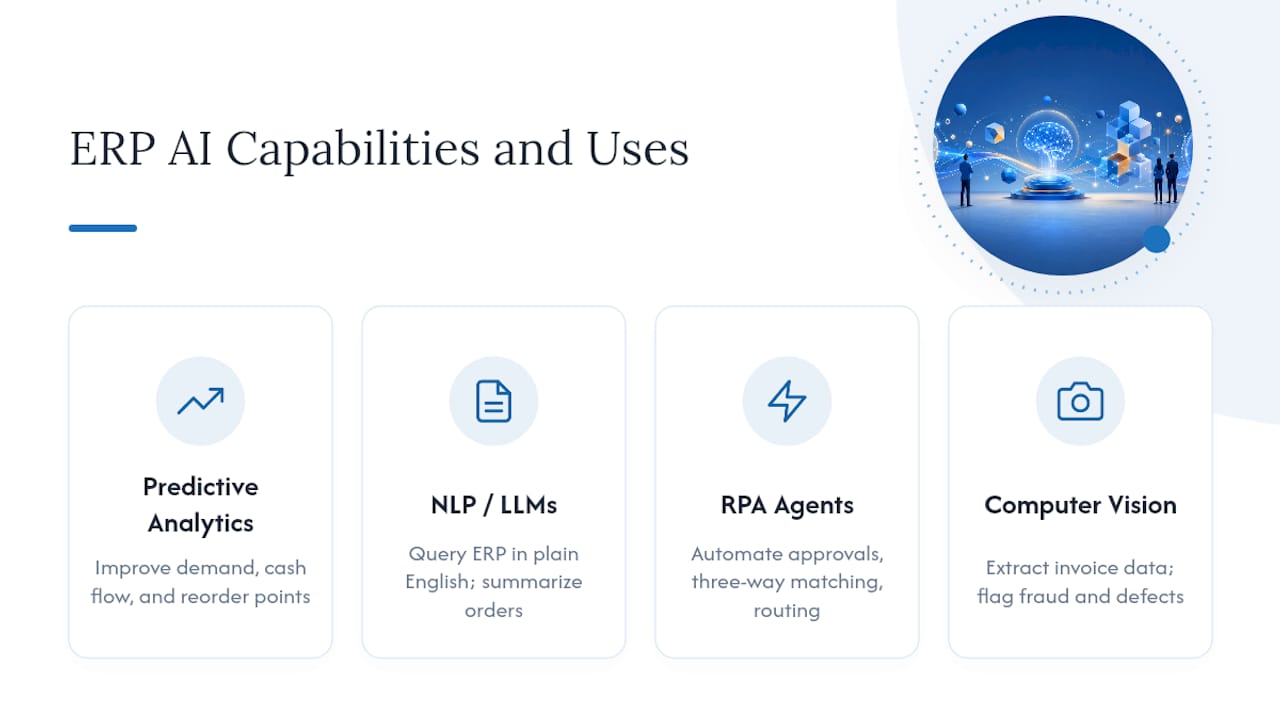
Predictive analytics and time series forecasting improve demand planning, cash flow projections, and inventory reorder points by learning from historical transaction patterns rather than static averages. This is the AI capability with the longest track record inside ERP and the lowest hallucination risk, since it produces numbers, not prose.
Natural language processing and large language models let staff query ERP data in plain English, generate summaries of purchase orders or incident logs, and draft reports that used to take an analyst half a day. IBM’s overview of AI in ERP notes this capability streamlines routine tasks while still requiring governance around what the model is allowed to see and say.
Robotic process automation and agentic workflows handle repetitive approvals, three-way invoice matching, and transaction routing that previously ate junior staff hours. This is where the benefits of AI in ERP show up fastest on a spreadsheet, because the time savings are easy to measure.
Computer vision and OCR extract data from scanned invoices, delivery receipts, and inspection photos, feeding structured fields into the ERP instead of a filing cabinet. Paired with anomaly detection models, this same capability flags fraud patterns and quality defects that a rules-based system would miss.
Prioritize based on which category maps to your worst manual bottleneck, not which one sounds most impressive in a vendor deck.
Integration Architectures: Where the AI Logic Should Live
The architecture decision that matters most is where the AI logic actually sits, and there are three practical options.
- The adapter pattern. Integration flows call an LLM at runtime without touching core ERP code. SAP Integration Suite’s AI Adapter is a working example: it lets an integration flow summarize an incident or enrich a message mid-transit, then hand the result back to the ERP. This decouples model changes from transactional logic, so a bad model update never risks the ledger.
- Orchestration pipelines. A dedicated orchestration layer, such as SAP’s GenAI Hub running on SAP AI Core, manages model selection, logging, and safety filtering before anything reaches the ERP. This is the right choice when multiple use cases need consistent auditing.
- RAG with a vector store. Retrieval-augmented generation grounds the model’s answers in your actual ERP documents and records using embeddings stored in a vector engine. SAP’s reference architecture for generative AI on BTP documents this pattern as the supported approach for keeping LLM output tied to real enterprise data instead of the model’s general training.
Embedding-based grounding is faster to deploy and cheaper to maintain than full data extraction into a separate AI platform, but it depends on your embeddings staying fresh. Full extraction gives more control at a much higher engineering cost.
Pro Tip: Start with the adapter pattern for your first use case. It is reversible. If the model underperforms, you disable one integration flow instead of unwinding a core ERP customization.
Data Readiness: The Step Most Teams Skip
Most AI-in-ERP failures trace back to one root cause: data that was never clean enough for the ERP itself, let alone a language model sitting on top of it. Typical problems include:
- Master data duplicated across regional ERP instances with no single source of truth
- Free-text fields that mix personal or financial details into notes never meant to be machine-read
- Inconsistent units, currencies, or date formats across modules
- Undocumented custom fields that carry business meaning no schema captures
Forbes Technology Council frames resolving data silos and formatting inconsistencies as a critical first step before connecting ERP to an LLM, warning that skipping it produces confidently incorrect outputs rather than obviously broken ones, which is worse.
Fixing this requires a canonical schema, a change-data-capture pipeline instead of nightly batch dumps, and data contracts that define what “clean” means for each field. Once the schema is stable, build your embedding strategy around it: decide which documents get embedded, how often embeddings refresh as records change, and which fields get masked before they ever reach a vector store. A structured data readiness assessment at this stage usually surfaces the gaps that would otherwise appear as pilot failures.
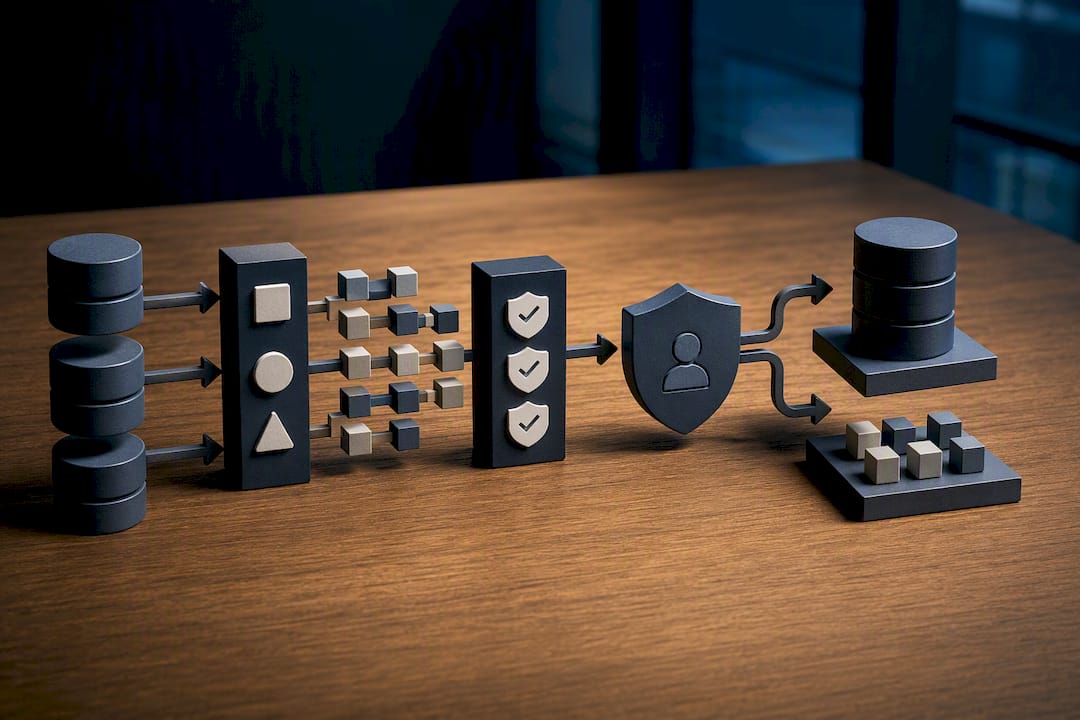
Quick readiness checklist: confirm a single master data source per entity, document every custom field’s business meaning, mask PII before embedding, and run a sample validation batch through the model before connecting live data.
The 90-Day Path From Audit to Working Pilot
A realistic rollout runs in three phases, and skipping straight to phase two is the most common way projects stall.
- Discovery and readiness audit (roughly the first three to four weeks). This produces a data quality report, an architecture recommendation, and a shortlist of use cases ranked by impact and effort. This is also where teams dealing with older ERP versions need to plan around legacy system constraints before committing to an approach.
- Pilot a single high-impact use case (weeks five through nine). Pick the use case with clear, low-friction data access and a measurable KPI, not the most ambitious one. Invoice OCR or a forecasting model on one product line is a better pilot than a company-wide agentic rollout.
- Scale and operationalize (weeks ten through twelve, and ongoing). Add governance controls, set a retraining cadence, and put cost monitoring in place before extending the pilot to more departments or regions.
Gartner projects that roughly 40% of enterprise applications will have task-specific AI agents embedded by the end of 2026, and the same reporting notes many organizations fail at building custom agentic architectures without outside help. That is an argument for a constrained pilot, not a company-wide rollout on day one.
Track pilot success with concrete KPIs: hours of manual work eliminated per week, the percentage improvement in forecast accuracy against your prior baseline, and the error rate on automated approvals versus the old manual process.
Pro Tip: Set your pilot’s success KPI before you pick the use case, not after. Teams that define “done” upfront cut scope creep dramatically compared to teams that discover their metric mid-project.
Governance, Security, and Model Risk Controls
Before any AI touches production ERP data, a short list of controls needs to be in place, not optional.
- Data masking so PII and financial identifiers never reach a model that does not need them
- Input and output filtering to catch prompt injection attempts and unsafe or off-topic responses before they reach a user
- Logging and provenance tracking so every AI-generated output can be traced back to its source data
- Human-in-the-loop approval gates for any action that touches money, inventory commitments, or customer-facing records
- A rollback plan and defined retraining cadence so a model that drifts gets caught before it causes damage
SAP’s own orchestration tutorials walk through exactly this kind of filtering and templating on SAP AI Core. If your ERP contains personal or financial records, which nearly all do, treat privacy review as a gate, not a checkbox. The one-line policy every decision-maker should demand before go-live: no AI output touches a transaction without a logged, reversible human approval step.
How an AI Readiness Audit Works in Practice
An AI Readiness Audit can serve as the entry point for this kind of project, often structured around a 90-day path from assessment to a working pilot. The audit maps data quality, integration points, and automation opportunities specific to the client’s ERP footprint rather than applying a generic checklist.
A typical anonymized flow looks like this: scanned vendor invoices get pulled through OCR, an NLP layer summarizes exceptions for the accounts payable team, and RPA routes approved invoices straight into the ledger. Before automation, a mid-sized logistics operation might spend several staff hours a day on manual invoice entry and exception handling; after automation, that same volume runs with far less manual touch and a much faster approval cycle.
The gap between what an AI vendor demo shows and what actually survives contact with a decade of inconsistent ERP data is exactly where a readiness audit earns its cost. Most failed pilots trace back to a data problem nobody diagnosed first.
Contact a consultant when the ERP spans multiple legacy instances, when compliance requirements make the masking and approval design nontrivial, or when the internal team lacks bandwidth to run a proper pilot alongside daily operations. Build in-house only when the use case is narrow, the data is already clean, and one team owns the entire workflow end to end.
Cost Considerations and Budgeting for AI Integration Projects
Budgets for AI integration with ERP break into three buckets, and teams routinely underfund the first one. Discovery and readiness work, including data cleanup, schema design, and architecture planning, typically consumes more time than the actual model integration that follows it. Skipping this bucket to save money is the single most common reason pilots run over budget later.
The second bucket covers the integration build itself: adapter development, orchestration setup, and vector store configuration if you are running a RAG pattern. Costs here scale with how many systems the AI needs to touch and how much custom logic already lives inside your ERP. A single well-scoped pilot on one business unit costs meaningfully less than a multi-region rollout attempted simultaneously.
The third bucket is easy to forget: ongoing operation. Model hosting, embedding refresh cycles, monitoring, and periodic retraining are recurring costs, not one-time expenses. Budget for them the same way you would budget for ERP maintenance contracts, because that is functionally what they are.
A readiness audit gives you a scoped estimate before you commit capital to the build phase, which is far cheaper than discovering the real cost mid-pilot. Treat the audit itself as the smallest, safest line item in the entire budget.
Why Readiness Beats Feature Chasing
Start small, measure the result against a KPI you defined before the pilot, then scale. “Built-in AI” on a vendor’s feature list rarely means production-ready for your specific data. That gap between the demo and your reality is exactly what a readiness audit is built to close.
— Souhail
Get an AI Readiness Audit Before You Build Anything
Digitalfractal is the alternative to a generic AI consultant for ERP integration: instead of a broad strategy deck, you get a scoped AI Readiness Audit that maps your actual data gaps, integration points, and automation opportunities, priced between $2,500 and $10,000 depending on scope.
The audit produces a concrete roadmap toward a working pilot inside 90 days, not a slide deck full of possibilities. From there, Digitalfractal’s AI Integration Consulting team builds the adapter, orchestration, or RAG pattern that fits your ERP footprint, and its Workflow Automation service handles the RPA layer for invoice processing, approvals, and procurement once the data foundation is solid. If your team is weighing a broader productivity case for AI investment, partner research on measured AI productivity gains is worth a look alongside your own numbers. To get started, request an audit scoping call and get a fixed-price proposal before any engineering work begins.
Sources
Technical claims here draw on SAP’s AI Adapter documentation, SAP’s BTP reference architecture, Forbes Technology Council’s readiness guidance, IBM’s ERP overview, and an academic integration model published via Procedia Computer Science.
- The First Steps To Adding AI To Your ERP
- Using the AI Adapter in SAP Integration Suite to Generate Integration Incident Summaries
- Reference architecture for Generative AI on SAP BTP
- Artificial Intelligence in ERP
FAQ
Is AI Replacing ERP?
No. AI adds forecasting, automation, and natural-language query capability on top of the ERP, but the ERP remains the system of record for transactions. Every credible architecture, including SAP’s own reference designs, treats AI as a layer that reads from and writes back to ERP data, not a replacement for it.
Which AI Is Best for ERP?
There is no single best model. Predictive analytics suits forecasting, NLP and LLMs suit reporting and query interfaces, and RPA suits repetitive approvals, so the right choice depends on which bottleneck you are solving. Grounding any LLM component with retrieval-augmented generation against your own ERP data, as described in SAP’s BTP architecture, matters more than which model brand you pick.
Can AI Replace SAP ERP?
No, and that is not what AI integration with SAP is designed to do. SAP’s own AI Adapter and orchestration tools, covered in SAP’s integration documentation, extend the platform’s capabilities rather than substitute for the ERP itself.
What Is the 10/20/70 Rule for AI?
Definitions of this rule vary across sources, and no consistent industry-standard version appears in current ERP or AI integration guidance. Rather than repeat an unverified figure, the safer framing is the one this article uses throughout: treat data readiness and governance as the majority of the work, with model selection as a smaller final piece.
How Much Does an AI Readiness Audit Cost?
Digitalfractal’s AI Readiness Audit is priced between $2,500 and $10,000 as a one-time engagement, depending on the scope of your ERP environment and data landscape. Pricing for follow-on implementation work is scoped after the audit based on the use cases it identifies.