Dock Scheduling Optimization: A Practical Guide for Canadian Operations

Dock scheduling optimization means matching truck arrivals to the labor, doors and equipment you actually have, then keeping that match true as the day changes. Start with clean appointment data and capacity rules that reflect reality. Add carrier self-service, then layer AI on top for live arrival estimates and automated re-slotting. This guide covers each step in that order, including what to measure and where projects usually fail.
TL;DR
- Optimization starts with honest capacity rules (doors, crews, equipment, load types), not with software.
- Track dwell time, on-time arrival rate, door utilization, rescheduling frequency, detention cost and avoidable overtime.
- AI earns its place when plans keep breaking: live ETAs, automatic re-slotting and exception alerts replace phone calls and spreadsheets.
- Projects tend to fail on carrier adoption, weak TMS/WMS integration and rules that ignore how the dock really runs.
- An AI readiness audit shows whether your data can support this before you build anything.
Table of Contents
- What dock scheduling optimization actually covers
- Where the waste hides on a typical dock
- Step 1: Get your data and capacity rules right
- Step 2: Set up appointments that carriers will use
- Step 3: Measure the right things
- Step 4: Where AI changes dock scheduling
- Step 5: Integrate with the systems you already run
- What a first 90 days can look like
- Common mistakes to avoid
- Perspective
- Plan your dock optimization with us
- FAQ
- Sources
What dock scheduling optimization actually covers
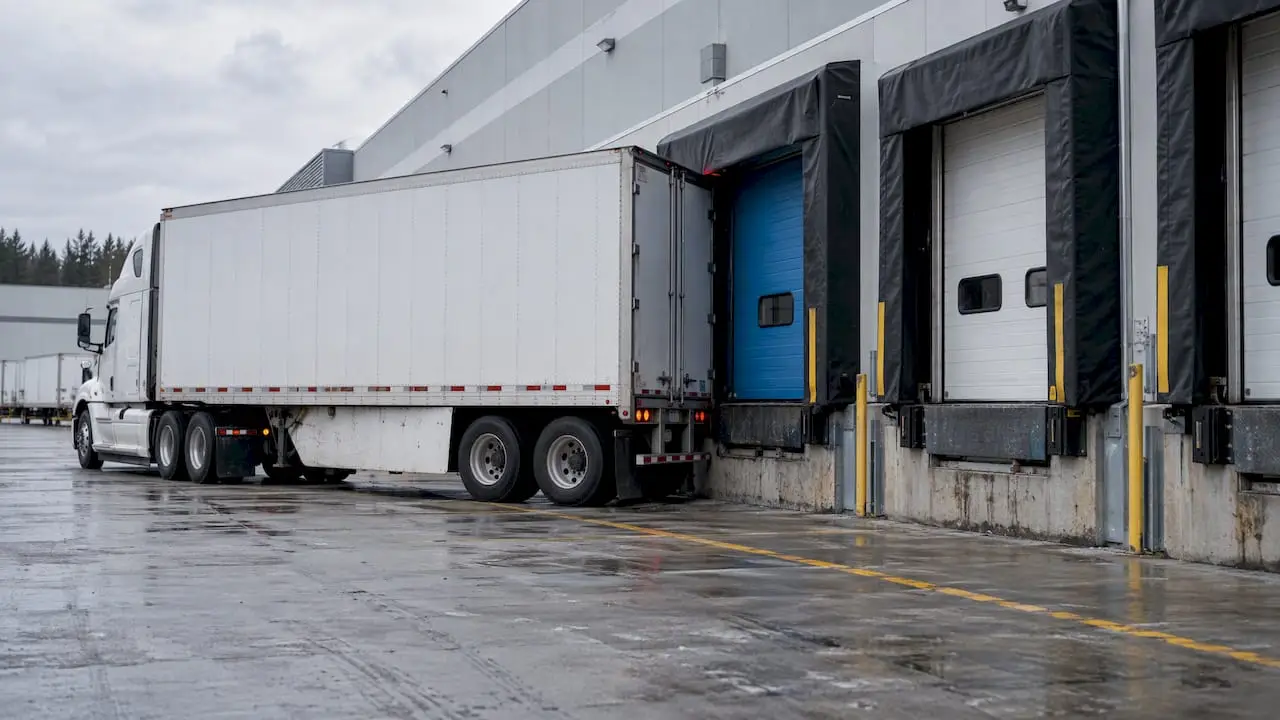
A loading dock is a queue with a fixed number of servers. Trucks arrive, wait for a door, get loaded or unloaded, and leave. When arrivals bunch up, the yard fills, drivers wait, and your crew goes from idle to overwhelmed within the same shift.
Optimization is the work of shaping that queue. It has four parts:
- Appointments. Every inbound and outbound load gets a door and a time window.
- Capacity rules. The system, or the planner, knows how many loads each door, crew and piece of equipment can handle in an hour.
- Visibility. Everyone sees the same schedule, including carriers and the receiving team.
- Adjustment. When a truck runs late or a load takes longer, the plan changes quickly and the people affected hear about it.
Most sites do the first part and stop. They book appointments, then manage everything else by phone and radio. That is why a schedule that looks fine at 6 a.m. is useless by noon.
The goal is not a perfect schedule. It is a schedule that absorbs variation without letting the dock collapse. Treat it that way and the design decisions get easier: you build buffers, you plan for no-shows, and you decide in advance which loads get priority when things slip.
Where the waste hides on a typical dock
Before you change anything, find out which problem you have. Docks usually suffer from a mix of these:
- Arrival bunching. Several carriers pick the same morning window because it suits their routes. The dock is idle at 2 p.m. and jammed at 8 a.m.
- Long dwell time. Drivers wait for a door, then wait again for unloading. Time on site is the most visible cost to carriers, and it shows up in the rates they quote you.
- Detention charges. Once a truck exceeds its agreed free time, carriers bill by the hour. Detention is a direct, countable cost, which makes it a good first target.
- Idle or overloaded labor. Staff and forklifts wait for trucks, then scramble when three arrive together, which pushes up overtime.
- Yard congestion and idling. Queuing trucks burn fuel. A Transport Canada study of terminal appointment systems found that reservation systems, extended gate hours and automation can reduce truck idling and limit greenhouse gas emissions. That study looked at port terminals, but the logic carries to any facility where trucks queue.
- Reschedule churn. In one case company studied by researchers, the actual scale of rescheduled appointments was around 45 percent. If nearly half your appointments move, a static schedule is a fiction, and the planning process has to treat change as normal.
Pull a month of gate logs, appointment records and carrier invoices. Even a rough count of late arrivals, no-shows and detention bills tells you which of these problems costs you the most.
Step 1: Get your data and capacity rules right
This is the step that decides whether everything after it works. A schedule is only as good as the assumptions behind it.
Define real door and crew capacity
Write down, by door and by shift, how long each load type actually takes. A floor-loaded container, a palletized LTL drop and a full truckload of mixed freight are different jobs. Use measured times from your own records, not the figures in the operating manual.
Then map the constraints that sit behind the door: how many people are on shift, which doors have levelers or refrigeration, which equipment is shared, and which loads need inspection or paperwork before release. Capacity rules that ignore these constraints are a known cause of failed implementations, according to a 2026 buyer’s guide from Supply Chain Research.
Classify your loads and priorities
Not every truck is equal. Perishables, production-line feeds, customer pickups with a hard cutoff and low-urgency replenishment all deserve different treatment. Set priority tiers now, so when the day goes wrong you are applying a rule, not arguing at the gate.
Keep the physical dock ready
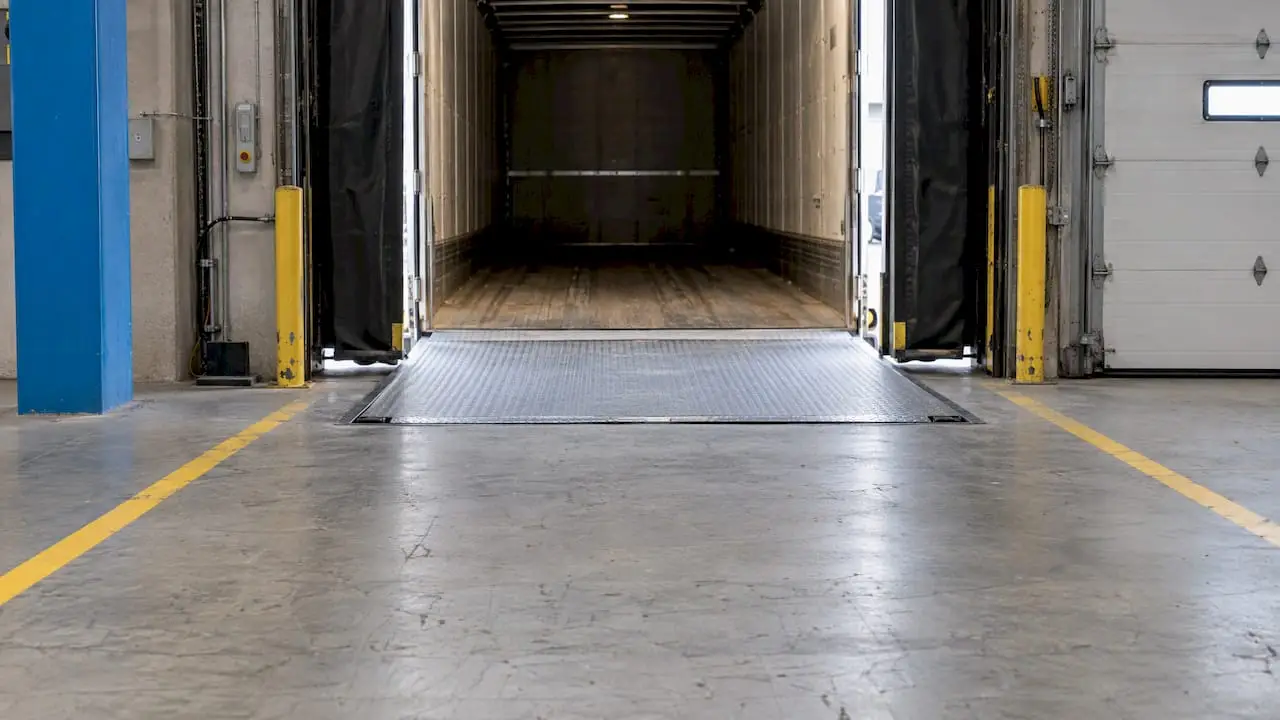
A door that is blocked, dirty or unsafe is a door that cannot take its appointment. Floors, dock plates and staging lanes need regular attention so that planned capacity is real capacity. A loading dock cleaning guide is a useful way to build that housekeeping routine into your shift planning rather than leaving it to chance.
Clean the data you will feed any system
Standardize carrier names, load types, units of measure and time zones. Make sure every shipment has a reference that matches across your TMS, WMS and ERP. If you want to know how ready your data is for automation, our guide to enterprise data readiness walks through the checks.
Step 2: Set up appointments that carriers will use
The best rule set fails if carriers ignore it. Lack of carrier adoption is one of the most common reasons dock scheduling projects underdeliver, per the same Supply Chain Research guide, which also notes that financial value comes from measurable savings such as lower detention fees and better labor use, provided carriers actively use the system.
What tends to help adoption:
- Self-service booking. A web portal or API lets carriers pick from open slots instead of phoning a coordinator. It also gives you a timestamped record of every request.
- Slots that fit their routes. Offer windows across the whole day, with clear free-time terms, so carriers are not forced into the same morning rush.
- Buffers. Leave short gaps between appointments. Minor overruns then stay minor instead of cascading through the shift.
- Enforced commitments. Define what counts as late, what happens to a missed window, and how a late truck is re-slotted. Apply it consistently, or carriers learn that appointments are optional.
- Advance notice for the receiving team. When the crew sees tomorrow’s inbound loads today, they can staff and stage accordingly.
Start with your highest-volume carriers. Two or three of them often account for most of the bunching, and a working relationship with them will teach you more than any workshop.
Step 3: Measure the right things
You cannot optimize what you do not track. A short set of measures is enough:
| Measure | What it tells you | Where to get it |
|---|---|---|
| Dwell time (gate in to gate out) | How long trucks occupy your yard and doors | Gate and door timestamps |
| On-time arrival rate | Whether appointments mean anything | Appointment vs. check-in time |
| Door utilization | Whether doors sit idle or overload by hour | Door assignment and start/finish times |
| Reschedule frequency | How stable your plan is | Appointment change log |
| No-show and late rate, by carrier | Who needs a conversation | Appointment records |
| Detention cost | Direct dollars lost to waiting | Carrier invoices |
| Avoidable overtime | Labor cost of poor spacing | Payroll and shift records |
Review these weekly at first, then monthly once they stabilize. Look at them by hour of day and by carrier, not just as averages. An average dwell time hides the 7 a.m. pile-up that creates most of the pain. Time-stamped records can also capture quality issues, such as damaged goods, alongside timeliness, so you can see whether rushed unloading is creating a different cost.
Set a baseline before any change. Without one, every improvement is an anecdote.
Step 4: Where AI changes dock scheduling
Rules-based scheduling handles the plan. AI handles the gap between the plan and what is really happening. That gap is where docks lose money.
Live arrival estimates
One research approach, intelligent dock booking, provides real-time updates of estimated time of arrival, which reduces the manual back-and-forth between transport planners and distribution centers. A model that blends GPS data, traffic, past carrier behavior and weather can flag a late truck while there is still time to move the slot.
Automated re-slotting and exception handling
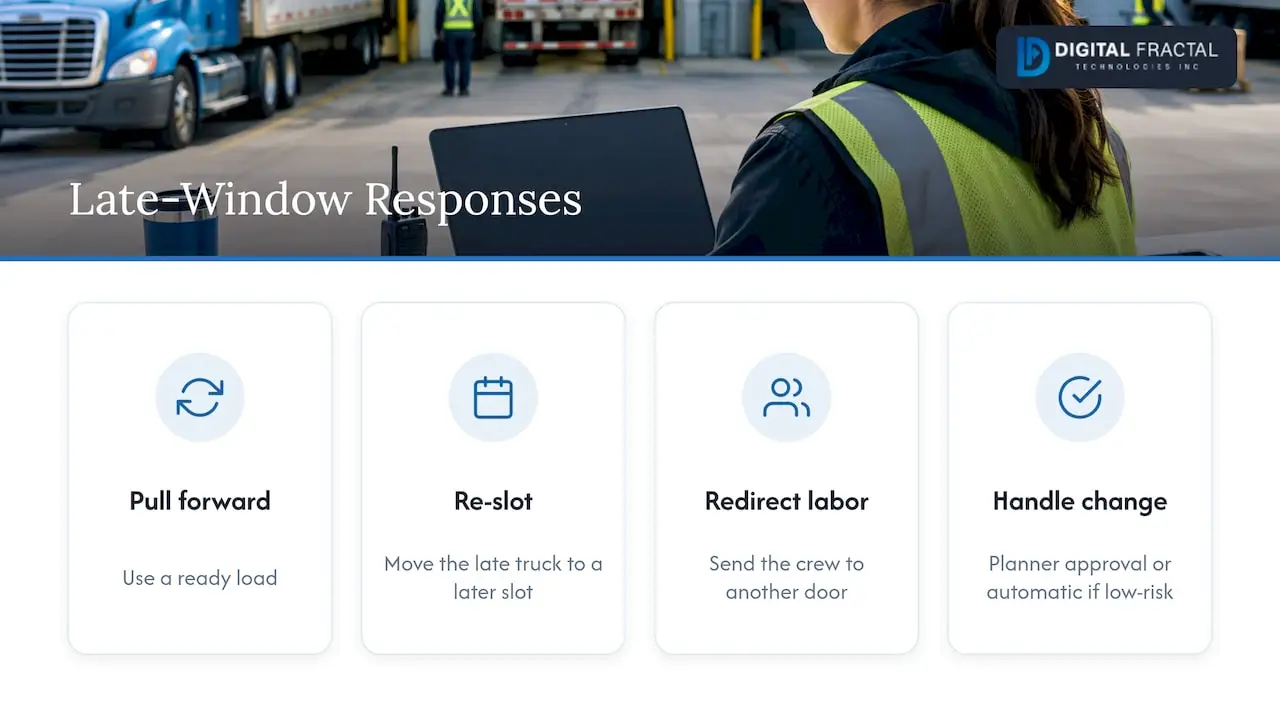
When a truck is going to miss its window, the question is what to do with the door and the crew. A scheduling agent can propose the best alternative: pull a ready load forward, move the late truck to a later slot, or redirect labor to another door. A planner approves the change or lets low-risk changes run automatically. This is the practical meaning of dock scheduling AI: fewer phone calls, faster decisions, and a schedule that keeps itself current.
Demand forecasting
Historical appointment and shipment data can predict peak days and volumes. That lets you open more slots, add labor or shift appointments before the pressure arrives, rather than reacting to it.
Computer vision on existing cameras
AI can also read the dock itself. In Quebec, CanScan developed an autonomous AI-driven system that uses existing camera network infrastructure to inspect shipping containers, speed handling and maintain tight schedules. The same idea applies at a warehouse: cameras can confirm when a truck backs in, when unloading starts and ends, and how long doors sit empty, without anyone keying in timestamps.
Joint planning with labor and routes
Dock scheduling does not live alone. If your dock plan and your shift plan disagree, one of them loses. We cover the labor side in AI workforce scheduling for warehouses, and the carrier-facing side in our overview of an AI scheduling agent for logistics companies. Linking the two is where the larger gains tend to be.
Step 5: Integrate with the systems you already run
A scheduling layer that does not talk to your TMS, WMS and ERP becomes another screen people ignore. Dock scheduling tools are generally built to connect to those systems in real time through web services and similar interfaces, including home-grown ones. The data you want flowing in both directions includes:
- From the TMS: shipment details, carrier, planned pickup and delivery times, live ETAs.
- From the WMS: expected receipts, order priorities, labor availability, door and staging status.
- From the ERP: purchase orders, customer commitments, cutoff times.
- Back to all of them: confirmed appointments, check-in and check-out times, exceptions.
If you already run transport management software, check how it exposes data before you choose anything new. Our notes on choosing truck management software and the transportation management software we build cover the options. Where systems have no clean interface, an API integration layer is often the fastest route. If you are still choosing a warehouse system, see our comparison of the best WMS software.
What a first 90 days can look like
A sensible rollout is narrow and measurable. This is a typical shape, adapted to your size and systems:
- Weeks 1 to 3: baseline and audit. Collect gate logs, appointment records and detention invoices. Identify your worst hours, doors and carriers. Assess data quality and integration points.
- Weeks 4 to 6: rules and pilot. Encode capacity rules for one site or a handful of doors. Onboard your highest-volume carriers to self-service booking.
- Weeks 7 to 9: automation. Add live ETA handling, exception alerts and suggested re-slotting. Keep a planner in the loop for approvals.
- Weeks 10 to 13: measure and extend. Compare against the baseline, tune buffers, then widen to more doors, sites or carriers.
The point of the pilot is to learn which rules survive contact with the floor. Expect to revise them.
Common mistakes to avoid
- Buying software before fixing rules. A tool will faithfully schedule against bad assumptions.
- Skipping carrier onboarding. If carriers do not book through the system, you have built an expensive calendar.
- No buffers. Back-to-back appointments turn small delays into a full-shift backlog.
- Ignoring labor. Doors and people have to be planned together.
- Measuring only averages. Look at peaks, by hour and by carrier.
- Automating everything at once. Begin with suggestions, then move low-risk decisions to automatic as trust builds.
Perspective
Most dock problems we see are not scheduling problems at heart. They are information problems. The plan exists, but the truck is late, the crew does not know, and the coordinator finds out when someone calls.
That is why we do not start with a platform. We start with the AI Readiness Audit: where your appointment data lives, how clean it is, which systems must connect, and which decisions a planner makes ten times a day that a model could prepare. Generic off-the-shelf consulting rarely gets that specific. Our approach is to tailor the solution to your workflows, systems and goals, and to aim for a visible result inside 90 days.
For a logistics operator in Canada, that usually means a scheduling agent that watches live arrivals, proposes re-slotting, and feeds your TMS and WMS, with your planners staying in control. Start small, prove it on a few doors, then extend.
Souhail
Plan your dock optimization with us
If you want to know whether your dock data and systems can support this, begin with our AI Readiness Audit, a one-off engagement priced from $2,500 to $10,000 depending on scope. It maps your data, your integration points and the automations most likely to pay off, so you can decide on a build with facts in hand. When you are ready to build, our workflow automation and AI agent work turns the findings into a working scheduling tool.
To size the prize first, try the workflow automation savings calculator.
FAQ
What is the difference between dock scheduling and dock scheduling optimization?
Dock scheduling assigns trucks a door and an arrival window. Optimization goes further: it tunes capacity rules, buffers and priorities using real data, and adjusts the plan as conditions change. The first gives you a calendar. The second gives you a dock that keeps flowing when the calendar is wrong.
Which KPIs should I track first?
Start with dwell time, on-time arrival rate and door utilization, then add reschedule frequency, detention cost and avoidable overtime. Record a baseline before you change anything. Review the numbers by hour and by carrier, because averages hide the peaks where most of the waste sits.
How does AI improve dock scheduling?
AI turns static appointments into a live plan. It estimates arrival times from real movement data, proposes new slots when trucks run late, flags exceptions early and forecasts busy periods from history. Planners keep approval over changes, and low-risk adjustments can run automatically once you trust them.
Do I need a new system, or can I use my current TMS and WMS?
Often you can build on what you have. A scheduling layer can connect to your existing TMS, WMS and ERP through web services or APIs. Weak integration is a known cause of failed projects, so an audit of your interfaces before any purchase is worthwhile.
Does better dock scheduling help with emissions?
Yes, in part. Shorter queues mean less truck idling. A Transport Canada study found that reservation appointment systems, among other measures, can reduce idling at terminals and limit greenhouse gas emissions. The exact effect at your site depends on how much queuing you have today.
Sources
- Terminal Appointment System Study, Transport Canada
- Supply chain control tower and the adoption of intelligent dock booking, Frontiers in Energy Research
- Transport Canada ITS study scoping paper, Cargo Montreal
- Dock Appointment Scheduling: 2026 Buyer’s Guide, Supply Chain Research