
IAM Best Practices for Cloud-Native Apps | Digital fractal , Edmonton, AB

Identity and Access Management (IAM) is a critical framework for securing cloud-native apps. It ensures only the right people and systems access the right resources at the right time. With 80% of web app attacks tied to stolen credentials and the average data breach in Canada costing $5.6M CAD, IAM is no longer optional – it’s a must-have for both security and compliance. Here’s what you need to know:
- Use the Principle of Least Privilege: Limit permissions to only what’s necessary. Regularly audit and remove unused accounts and permissions.
- Strengthen Authentication: Implement multi-factor authentication (MFA), especially for high-risk accounts. Use phishing-resistant methods like FIDO2 keys.
- Adopt Role-Based Access Control (RBAC): Assign permissions based on roles, not individuals, and review them regularly to avoid over-privileged accounts.
- Implement Zero Trust & Just-In-Time Access: Verify every access request and grant temporary permissions only when needed.
- Automate IAM Policies: Use Infrastructure as Code (IaC) tools like Terraform to manage policies consistently and avoid manual errors.
- Monitor and Audit: Continuously track IAM activities and set alerts for suspicious actions. Regular audits keep policies aligned with security needs.
- Secure Service Accounts: Avoid static credentials, rotate keys regularly, and use workload identity federation for better security.
These practices not only protect against breaches but also align with Canadian privacy laws like Quebec’s Law 25 and the CPPA, where fines can reach 5% of global revenue. Start by centralizing IAM, enforcing MFA, and automating policy management to build a strong defence for your cloud-native environment.
Identity and Access Management (IAM) for Cloud Security
sbb-itb-fd1fcab
Apply the Principle of Least Privilege
The Principle of Least Privilege (PoLP) is all about giving identities – whether human or machine – only the permissions they absolutely need to complete a task. This approach is crucial for reducing your attack surface. As security expert Nawaz Dhandala explains, "The blast radius of a security incident is directly proportional to the permissions of the compromised identity". With compromised identities causing nearly one-third of all security incidents and the global cost of cybercrime estimated to hit $23 trillion annually by 2027, limiting access isn’t just a good idea – it’s a necessity.
PoLP works alongside the AAA framework (Authentication, Authorization, and Accounting) you’ve already set up. After verifying someone’s identity, the next step is deciding what they can do. But here’s the tricky part: almost 90% of data breaches are tied to human error, often involving employees misusing permissions they shouldn’t have in the first place. As the AWS Security Blog puts it, "Least privilege is a journey, because change is a constant". As your cloud-native applications grow and evolve, so too will your access needs, requiring regular updates to your IAM policies. Below, we’ll look at how to define and refine these permissions effectively.
Define Access Requirements
Start by creating a job role matrix that lists the specific access each role requires. For instance, a DevOps engineer might need read–write access in development environments but only read-only access in production. Use your cloud provider’s managed policies as a starting point – AWS, for example, offers predefined job function policies like DatabaseAdministrator or ViewOnlyAccess, which you can later customise to better fit your needs.
To ensure these role definitions are accurate, analyse usage patterns using logs like AWS CloudTrail to see what actions users and applications are actually performing. Tools such as AWS IAM Access Analyzer can even generate minimal IAM policies based on real-world activity captured in your logs. This way, you’re not guessing – you’re building policies based on actual behaviour.
Another useful method is resource tagging (Attribute-Based Access Control), which lets you grant permissions based on attributes like environment (e.g., Dev vs. Prod), resource purpose, or owner. This approach is far more scalable than hardcoding specific resource identifiers into policies.
To further limit risks, use permission boundaries to cap the maximum permissions an identity can have, preventing privilege escalation even if broader permissions are accidentally assigned. For particularly sensitive tasks, implement Just-In-Time (JIT) access, which grants temporary permissions that expire automatically once the task is done. This eliminates the risk of idle, high-level permissions sitting around unused.
Reduce Over-Privileged Accounts
To stay aligned with PoLP, inventory all identities – both human and non-human (e.g., service accounts, APIs, containers, and Lambda execution roles). Machine identities often outnumber human users, significantly increasing your attack surface. Use tools like AWS IAM Access Advisor or GCP Policy Insights to identify permissions that haven’t been used in 90 days or more. Security experts recommend this 90-day threshold to mark permissions as "unused" and safe to remove.
Cross-reference logs with policy analyser data to spot unused or outdated permissions. Remove orphaned identities immediately, such as accounts tied to former employees or decommissioned applications. Avoid using wildcards (*) in IAM policies, particularly in the Action or Resource elements, as they can unintentionally grant overly broad permissions. For example, ec2:Create* allows far more actions than just ec2:CreateImage.
To further tighten security, implement Service Control Policies (SCPs) to enforce organisation-wide permission ceilings, ensuring no identity can gain excessive power – even if individual policies are misconfigured. Regular maintenance is key: review unused permissions monthly, audit high-privilege roles quarterly, and reassess access whenever there’s a change in an application feature or employee role.
Strengthen Authentication Methods
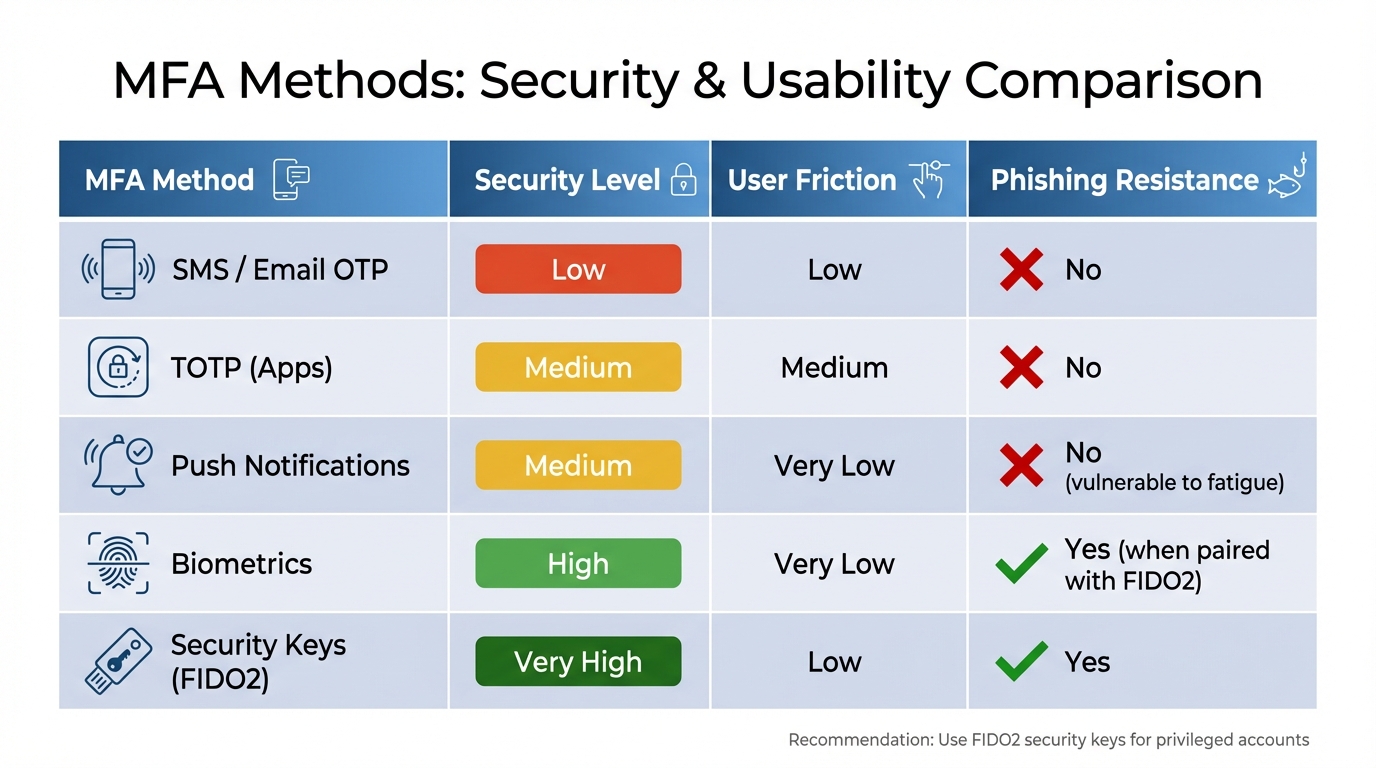
MFA Methods Comparison: Security Levels and Phishing Resistance
After restricting permissions, the next step is verifying every access request. Strong authentication works hand-in-hand with access controls to bolster security for cloud-native app development. Weak authentication is a major risk – 80% of web application attacks involve stolen credentials, and 40% of data breaches are tied to compromised passwords. Multi-factor authentication (MFA) is a powerful tool here, capable of preventing 99.9% of account takeovers. But not all authentication methods are equal, so selecting the right one is critical.
Enable Multi-Factor Authentication (MFA)
MFA adds an extra layer of verification beyond a password, making it harder for attackers to gain unauthorised access. As the Government of Canada highlights:
Implementation of multi-factor authentication (MFA) is an essential step towards significantly reducing the risk of account takeover and improving the GC’s overall security posture.
Centralising MFA at the identity provider (IdP) level ensures consistent application and simplifies audits. Start by rolling it out to high-priority accounts – like administrative users, senior management email, and accounts with access to production systems or sensitive data. For privileged users, avoid using SMS or email-based codes due to risks like SIM swapping. Instead, opt for phishing-resistant options such as FIDO2 security keys or WebAuthn. For general users, authenticator apps (TOTP) strike a solid balance between security and ease of use. Always enable hardware-based MFA (e.g., YubiKeys) for root accounts immediately upon creation.
To minimise disruptions while maintaining security, consider adaptive or context-aware MFA. This approach evaluates real-time risk factors – like device health, location, or behaviour – and triggers MFA only when risk levels rise. Integrating MFA with Single Sign-On (SSO) can also reduce "MFA fatigue" by letting users authenticate once for multiple applications. For CLI or SDK access, enforce MFA-authenticated credentials exchanged for temporary session tokens, such as through sts:GetSessionToken.
When setting up a new virtual MFA device, require users to input two consecutive TOTP codes to ensure proper syncing. Automate compliance checks with tools like AWS Config to flag and alert when IAM users are created without MFA enabled. Additionally, establish clear, secure procedures for MFA resets, and provide limited, one-time recovery codes that users must store safely.
| MFA Method | Security Level | User Friction | Phishing Resistance |
|---|---|---|---|
| SMS / Email OTP | Low | Low | No |
| TOTP (Apps) | Medium | Medium | No |
| Push Notifications | Medium | Very Low | No (vulnerable to fatigue) |
| Biometrics | High | Very Low | Yes (when paired with FIDO2) |
| Security Keys (FIDO2) | Very High | Low | Yes |
Use Biometric Authentication
While MFA enhances security by requiring multiple factors, biometric authentication adds another layer of identity verification. Biometrics – like fingerprints, facial recognition, or voice patterns – offer a way to confirm a user’s identity even if their credentials are compromised. Identity security incidents are widespread, with 43.6% involving stolen credentials.
Modern biometric systems use liveness detection to guard against spoofing attempts, like fake photos or AI-generated deepfakes. For instance, in March 2026, Oracle introduced "OCI IAM Identity Assurance", becoming the first major cloud provider to integrate biometric verification natively. This system employs AI-driven facial scans validated against government-issued IDs and includes liveness detection, ensuring the user is both real and who they claim to be. It also manages the process end-to-end – from enrolment to encrypted data storage – within the OCI IAM console. Jordan Acosta, Product Marketing Manager at Oracle, explained:
Identity Assurance offers biometric facial scans, validated against government-issued IDs, to verify a person is real and is who they claim to be, with routine checks that can be applied across the employee lifecycle.
When implementing biometrics, ensure data is stored as encrypted vector embeddings rather than raw images. This protects user privacy and reduces liability. Combine biometrics with risk-based signals to decide when a "step-up" verification is needed. During onboarding, validate biometric data (like selfies) against government-issued IDs to establish a secure identity link. This approach not only safeguards sensitive data but also offers a seamless login experience, balancing compliance with usability. Always provide backup authentication options in case biometric sensors fail.
Set Up Role-Based Access Control (RBAC)
Managing user actions through Role-Based Access Control (RBAC) is a critical step in strengthening security, especially when paired with solid authentication and least privilege principles. RBAC organizes access based on job roles rather than individual requests, allowing for a scalable and structured framework. It’s no surprise that 94.7% of organisations have implemented RBAC at some point, with 86.6% naming it their primary model for access control. However, mismanagement can lead to vulnerabilities, as 62% of data breaches are tied to the misuse of privileged credentials. This makes careful planning and execution of RBAC essential.
The key to effective RBAC lies in treating it as a design challenge, not just a configuration task. As LoginRadius aptly states:
Roles are abstractions. Permissions are reality.
This means starting with specific actions – like read, create, update, or delete – and mapping them to resources before grouping them into roles. By basing roles on actual needs, you avoid guessing and create a system that’s both logical and secure.
Define Roles and Permissions
Start by identifying specific actions and resources, then group them into roles that align with actual job responsibilities. For instance, roles like "Frontend Developer" or "FinOps Analyst" should reflect what tasks these individuals perform, rather than being vague titles.
To limit potential damage in case of breaches, apply the principle of least privilege: grant only the permissions necessary for a user’s tasks. Tools like resource tags (AWS), resource groups (Azure), or namespaces (Kubernetes) can help enforce this principle. For example, a QA tester might need vm/restart/action permissions in a staging environment but should not have access to production systems.
Segregating high-risk tasks among multiple people adds another layer of security. For instance, one person might create a vendor record, while another approves payments. To keep everything organized, build an access matrix that maps roles to actions, scopes, and justifications. Avoid using wildcards in policies, as they often grant overly broad access.
To prevent "role sprawl" – a situation where organisations end up with far more roles than needed – establish a governance framework. Create a cross-functional committee to oversee role creation, approval, and regular reviews. This is especially important since 40–60% of roles in many organisations are unnecessary. Additionally, only 23% of businesses automate access allocation, and even fewer – 35% – automate revocation processes. A structured governance approach can address these gaps.
Scale RBAC as Your Organization Grows
As your team grows, assigning roles to groups instead of individuals can significantly reduce administrative overhead. Using role templates ensures consistency across departments, while hierarchical RBAC – where senior roles inherit permissions from junior ones – reduces duplication and simplifies role management. In fact, consolidating roles this way can reduce the total number of roles by 20–30%.
Integrating RBAC with HR systems like Workday or BambooHR can automate provisioning and deprovisioning during employee onboarding or offboarding. Regular access reviews – ideally every quarter – help identify unused roles or permissions. For example, accounts or permissions inactive for 90 days should be reviewed and possibly disabled. Organisations that employ automated policy enforcement and machine learning-based risk scoring have seen a 70% drop in over-privileged accounts within just three months.
As CloudToggle highlights:
A mature RBAC implementation acts as a force multiplier. It allows you to delegate tasks confidently, knowing that guardrails are in place.
Adopt Zero Trust and Just-In-Time Access
After setting up Role-Based Access Control (RBAC), you can take security to the next level by adopting a Zero Trust approach and implementing Just-In-Time (JIT) access. These strategies eliminate unnecessary, long-term privileges, significantly lowering the risk of breaches. Zero Trust focuses on verifying every access request – no matter where it originates – while JIT access ensures permissions are granted only when needed and for a limited time.
The need for these measures is clear. Over 99.9% of compromised accounts lacked multi-factor authentication, and unmanaged or orphaned identities are linked to 45% of cloud-related breaches. Alarmingly, 78% of companies have at least one IAM role that hasn’t been used in the last 90 days.
Verify Every Access Request with Zero Trust
Zero Trust operates on the principle of "never trust, always verify." Every access attempt is assessed based on factors like identity, location, device health, and workload. For cloud-native environments, this means implementing micro-segmentation – dividing networks into smaller zones to limit lateral movement. Tools such as Identity-Aware Proxy (IAP) allow for granular access control by focusing on individual users and devices, eliminating the need for traditional VPNs.
For microservices, swap static credentials for workload identities. Technologies like SPIFFE or Istio enable services to use dynamic, short-lived identities. In Kubernetes, enforce a "default deny" network policy and only permit necessary service-to-service communications. Additionally, use mutual TLS (mTLS) to secure and authenticate service interactions.
To strengthen security further, enable Continuous Access Evaluation (CAE). This feature allows identity providers to revoke access tokens in real time if suspicious activity – like simultaneous logins from distant locations – is detected, or if a user account is disabled.
Once continuous verification is in place, transitioning to temporary permissions becomes a logical next step.
Grant Temporary Permissions with Just-In-Time Access
JIT access eliminates the risks tied to permanent elevated privileges by granting permissions only for the time needed to complete a task. Once the task is done, the privileges are automatically revoked. This creates a Zero Standing Access (ZSA) model, where no one retains permanent elevated access. Considering that non-human identities often outnumber human users, JIT is especially critical for managing these accounts.
Start by applying JIT to high-risk roles like Cloud Owner, Database Admin, and Security Admin. Set short time limits for elevated access – typically 30 to 60 minutes for regular tasks or up to two hours for maintenance. Every request should include a business justification or reference to a specific ticketing system like Jira or ServiceNow, ensuring a clear audit trail. Automate approvals for low-risk tasks, but require human review for sensitive data or production environments.
To make the process smoother, introduce self-service portals for JIT requests, reducing the administrative burden. Assign JIT eligibility to groups instead of individuals, simplifying updates when team members change. By adopting JIT, you can shrink the attack surface by up to 70% and ensure permissions are granted only when absolutely necessary. This approach is often referred to as Just-Enough Access (JEA).
Use Federated Identity Protocols
Federated identity protocols build upon the principles of Zero Trust and Just-In-Time access by simplifying user authentication across cloud-native applications. These protocols – like OAuth 2.0, OpenID Connect (OIDC), and SAML – enable a single Identity Provider (IdP) to authenticate users across various cloud platforms and SaaS tools. This approach not only eases the burden of managing multiple credentials but also establishes a unified system for identity management.
By consolidating credentials, you reduce complexity and security risks. Consider this: the average employee manages around 191 passwords, and over 80% of security incidents are tied to compromised credentials. Federation reduces this attack surface, enhancing both security and user experience. With organisations now handling an average of 371 SaaS applications, centralised identity management has become a necessity for maintaining control and visibility.
Benefits of Federated Identity
One of the standout advantages of federation is Single Sign-On (SSO), which allows users to log in once and access all authorised systems without repeatedly entering credentials. This reduces password fatigue while maintaining centralised access control. For cloud-native environments, Workload Identity Federation replaces long-term service account keys with short-lived tokens, eliminating a major security risk.
"IAM ensures the right entities (users, systems, or services) have the right level of access to the right resources at the right time – and nothing more." – Prayag Sangode
Federation also cuts operational costs by reducing the need for custom SSO solutions and lowering administrative tasks like password rotations. Modern protocols enhance security further by supporting adaptive authentication, which evaluates factors like device posture and location for every request. With AI-driven attacks surging by 4,000% since 2022, phishing-resistant federated authentication is becoming increasingly critical.
Select the Right Protocol
Choosing the right protocol is essential to fully benefit from federation. For cloud-native web and mobile apps, microservices, and APIs, OIDC is often the best choice. Its lightweight JSON/REST framework and support for JSON Web Tokens (JWTs) make it ideal for service-to-service communication, where microservices can independently validate authorisation.
SAML 2.0, on the other hand, remains a staple for enterprise-level integration with established SaaS platforms and legacy systems. While SAML is XML-based and more complex, it’s widely used for web SSO in large organisations. In fact, 72% of large enterprises use multiple SSO protocols to meet diverse application needs.
For mobile and single-page applications, OIDC with PKCE (Proof Key for Code Exchange) is the recommended approach to secure the authorisation code flow. When configuring federation, it’s important to map immutable attributes (e.g., google.subject) to a static internal ID rather than a changeable email address. For Workload Identity Federation, particularly with services like GitHub Actions or AWS Lambda, ensure tokens originate from trusted organisations by setting up attribute conditions. This prevents spoofing in multi-tenant environments and strengthens security.
At Digital Fractal Technologies Inc., federated identity protocols are central to delivering secure, scalable, and efficient cloud-native solutions tailored to Canadian businesses.
Automate IAM Policies with Infrastructure as Code (IaC)
Managing IAM policies manually can be tedious, error-prone, and challenging to scale. Infrastructure as Code (IaC) changes the game by treating access controls as code, making them version-controlled and automated. This approach ensures consistency across environments and speeds up deployment.
By defining IAM policies in code with tools like Terraform or AWS CloudFormation, you establish a single configuration baseline that can be applied uniformly across development, staging, and production. This eliminates configuration drift and ensures any changes are tracked for auditing and rollback purposes.
"IAM policy management with Terraform comes down to a few key habits: scope permissions narrowly, prefer roles over users, use permission boundaries as guardrails, and wrap patterns in reusable modules." – Nawaz Dhandala, Author, OneUptime
Using IaC also encourages collaboration. Peer reviews through pull requests allow team members to evaluate proposed IAM changes before deployment, catching potential security issues early and fostering knowledge sharing. For an added layer of protection, static analysis tools like Checkov can be integrated into CI/CD pipelines to flag overly permissive policies – like those using "Action": "*" – before they reach production.
Benefits of Policy Automation
Automating IAM policies offers clear advantages in both security and operations. Manual setups often lead to mistakes and inconsistencies, but IaC makes it easier to define detailed, precise policies that align with the Principle of Least Privilege.
Speed is another major benefit. APIs enable faster implementation compared to manual configurations. As organisations grow, managing IAM for thousands of identities manually becomes unmanageable. Wrapping common patterns – like service-specific roles – into reusable modules ensures consistency and simplifies IAM management for large teams.
Automation also addresses risks tied to long-lived credentials. Best practices now favour IAM roles with temporary, rotating credentials over static access keys. Codifying this approach in IaC templates helps prevent insecure configurations. Additionally, permissions boundaries can be defined in code to act as guardrails, setting a maximum permissions limit and reducing the risk of overly broad policies.
Common IaC Tools for IAM
Two popular tools for managing IAM as code are Terraform and AWS CloudFormation.
- Terraform (and its open-source fork, OpenTofu) supports multi-cloud environments and uses HashiCorp Configuration Language (HCL), which is easier to read and allows resource interpolation. For example, the
aws_iam_policy_documentdata source is preferred over raw JSON because it automatically checks for errors during theterraform applyprocess. Instead of hardcoding ARNs, you can reference AWS-managed policies, ensuring compatibility across regions like GovCloud and Commercial. - AWS CloudFormation is AWS’s native tool for provisioning IAM users, roles, and policies along with other resources. Regardless of the tool, it’s essential to store Terraform state files in a secure remote backend (like S3 with DynamoDB locking) that supports encryption at rest, as these files may contain sensitive metadata.
To enhance security, consider integrating policy-as-code tools into your workflow. Tools like Checkov can scan IaC templates to identify security misconfigurations and compliance issues before deployment. HashiCorp Sentinel offers governance features, such as enforcing tagging rules or restricting instance types, while Open Policy Agent (OPA) uses the Rego language to audit IAM configurations, ensuring organisational standards are met without embedding policies directly into applications.
Monitor and Audit IAM Activities
Once you’ve established automated IAM policies, the next step is ensuring they remain effective and secure. This is where monitoring and auditing come into play. In today’s cloud-first environments, identity has become the new security perimeter, replacing traditional network boundaries. By 2026, this shift will make continuous oversight of IAM activities absolutely essential to catch vulnerabilities before they spiral into larger issues.
Monitoring and auditing are the backbone of the "Accounting" component in the Authentication, Authorization, and Accounting (AAA) model. They provide the audit trails needed for security reviews and compliance. Regular checks can reveal unauthorized changes, such as granting "Owner" roles to external users or creating service account keys that could be exploited.
"Monitoring IAM policy changes in real time catches security issues while they are happening rather than after the damage is done." – Nawaz Dhandala, Author
The importance of monitoring goes beyond compliance. Since compromised credentials are one of the top causes of cloud breaches, keeping a close eye on IAM activities is non-negotiable. When paired with practices like least privilege and Just-In-Time access, continuous monitoring ensures your IAM system stays secure and responsive. Here’s how to effectively implement these practices.
Configure Continuous Monitoring
Start by enabling audit logging across your cloud environment. In Google Cloud Platform (GCP), Admin Activity logs are always on by default, but Data Access logs – which track who accessed what data – are often disabled because of their potential volume and cost. For sensitive services, you’ll need to manually turn these on.
Focus on critical IAM events that signal potential security risks. High-risk actions such as SetIamPolicy, CreateServiceAccountKey, and DeleteRole should trigger immediate scrutiny, especially when they involve high-privilege roles like "Owner" or "Editor".
| Critical IAM Method (GCP) | Security Concern |
|---|---|
SetIamPolicy |
Changes to access control policies |
CreateServiceAccountKey |
Creation of credentials that could be compromised |
CreateRole / UpdateRole |
Adjustments to custom permissions |
DeleteRole |
Possible attempts to disrupt services or hide actions |
Implement real-time alerts using log-based metrics and alerting policies. For example, configure alerts for events like adding external email addresses to internal policies. In AWS, set up mechanisms to notify security teams immediately if root user credentials are used, as these have unrestricted access to all resources.
To automate responses, route logs through systems like Amazon EventBridge or GCP Pub/Sub to trigger serverless functions (e.g., AWS Lambda or Cloud Functions) for real-time analysis and remediation. Centralize logs in storage solutions such as BigQuery, S3, or dedicated log buckets to support compliance and forensic investigations. GCP also allows custom retention periods for logs, ranging from 1 day to 10 years, depending on your compliance needs.
Finally, use dashboards to visualize IAM trends and highlight critical events. Setting up real-time monitoring for IAM changes typically takes just a couple of hours but provides ongoing value for your security operations.
Perform Regular Audits
While continuous monitoring addresses real-time threats, regular audits provide a structured way to review your IAM setup and ensure it aligns with best practices. Audits help enforce the Principle of Least Privilege, minimizing the potential damage from compromised identities.
"An audit gives you an opportunity to remove unneeded IAM users, roles, groups, and policies, and to make sure that your users and software don’t have excessive permissions." – AWS Identity and Access Management
During audits, review your IdP directory to ensure user data, roles, and group memberships are accurate and up to date. Identify and remove orphaned accounts, former employee access, and unused permissions by analysing "last accessed" data. AWS, for instance, recommends rotating long-term IAM access keys every 90 days to limit the risk of compromised credentials.
Trigger audits based on specific events, such as employee departures, new software deployments, or suspected unauthorized access. Pay special attention to policy elements with * in the Action or Resource fields, as they may grant overly broad permissions.
Tools like IAM Access Analyzer can help you create least-privilege policies by analysing actual access activity. Use policy simulators to test and understand the permissions granted by complex or overlapping policies. Supplement periodic audits with real-time alerts for high-risk actions, such as SetIamPolicy changes or the creation of administrative roles.
"Cloud IAM is not a one-time setup but an ongoing security discipline." – Kalp Systems
Looking ahead, Identity Threat Detection and Response (ITDR) will integrate IAM with Cloud Security Posture Management (CSPM) to provide real-time, identity-focused monitoring. Automated tools can further enhance manual reviews by flagging suspicious activities, such as multiple rapid requests for bucket policies that might indicate an account takeover.
Secure Service Accounts and Workload Identities
In cloud-native applications, securing non-human identities like service accounts and workload identities is critical. These credentials lack the safeguards of multi-factor authentication (MFA) and human oversight, making them a tempting target for attackers. Despite their importance, these identities are often overlooked, leaving a significant vulnerability in the system.
"Compromised service accounts are a common attack vector in Kubernetes." – Nawaz Dhandala, OneUptime
One common issue is that default service accounts are often granted excessive permissions, violating the principle of least privilege and creating avoidable risks. Fortunately, modern Kubernetes (version 1.22 and later) mitigates this by using short-lived, automatically rotating tokens through the TokenRequest API instead of relying on static secrets. These updates, alongside robust user identity controls, extend the principle of least privilege to non-human identities.
Limit Service Account Permissions
To reduce risk, avoid using default service accounts and instead create dedicated, single-purpose accounts. These accounts should have only the permissions they need, adhering to the principle of least privilege. Use fine-grained IAM policies and namespace-level RoleBindings rather than cluster-wide permissions. Additionally, disable automatic token mounting unless it is explicitly required.
Prevent privilege escalation by avoiding permissions such as *.setIamPolicy, which could allow service accounts to modify their own access or grant permissions to others. Organisation-level constraints, like constraints/iam.automaticIamGrantsForDefaultServiceAccounts, can also block default service accounts from being assigned powerful roles automatically. To maintain security hygiene, use service account insights to identify unused accounts – those inactive for over 90 days – and remove unnecessary permissions. Tools for role recommendations can further assist in auditing and revoking permissions that workloads no longer require.
Rotate Service Account Credentials
Static credentials pose a significant risk because they don’t expire and can be exploited if exposed. Modern Kubernetes addresses this by using bound tokens that are automatically refreshed, limiting their exposure.
"Static credentials are a ticking time bomb." – Nawaz Dhandala, OneUptime
In Kubernetes, the kubelet refreshes bound tokens when they reach 80% of their lifetime, with a default lifespan of 1 hour (3,600 seconds). Regular credential rotation is a vital part of reducing the window of opportunity for breaches.
For external workloads, replace static service account keys with Workload Identity Federation. For legacy systems that still depend on manual rotation, adopt a rotation schedule of at least every 90 days to minimise risk. The rotation process should include generating a new key, updating the application, disabling the old key during a monitoring period, and then deleting it to avoid service disruptions.
Ensure applications can detect and use updated token files without requiring a restart. Additionally, implement organisation policies like DISABLE_KEY for Service Account Key Exposure Response to automatically invalidate keys if they are found in public repositories. These measures reduce the chances of credential misuse and enhance overall security.
Review and Rotate Credentials Regularly
Rotating credentials on a regular basis is a key step in protecting against attackers who exploit stolen or exposed credentials. While service accounts often use short-lived tokens, other types of credentials – like API keys, database passwords, and OAuth tokens – can remain unchanged for long periods. These static secrets are at risk of being exposed through backups, logs, or developer machines.
"Cloud IAM password rotation policies are the thin line between a hardened security posture and a headline-making disaster." – Hoop.dev
Set rotation intervals based on risk levels – standard accounts might follow a 90-day schedule, while sensitive accounts should rotate every 30 days. If there’s any indication of a compromise, rotate credentials immediately. Regular updates disrupt brute-force attempts and reduce the potential damage if a secret is exposed. As part of securing service accounts, rotating all credentials is essential to minimize attack opportunities.
Create Credential Rotation Policies
Adopt the "Remove, Replace, Rotate" method for credential management. Start by removing any unnecessary credentials. Then, replace long-term keys with temporary options like IAM roles or execution roles. Finally, automate the rotation of any static secrets that remain by implementing workflow automation effectively.
Using automated secret management tools can simplify the entire credential lifecycle – handling everything from creation and secure storage to distribution, activation, and eventual revocation.
To prevent downtime during rotations, consider a blue/green rotation strategy. This involves deploying the new credential alongside the old one, verifying that connections work as expected, and only retiring the old credential after validation. Monitor for any application issues during the transition before permanently removing outdated credentials.
Store Credentials Securely
Once rotation policies are in place, the next step is to ensure credentials are stored safely. Avoid keeping static secrets whenever possible by leveraging purpose-built vaults like AWS Secrets Manager, HashiCorp Vault, or Google Secret Manager. These tools offer advanced access controls and auditing features that manual methods can’t match.
"The most secure credential is one that you do not have to store, manage, or handle." – AWS Well-Architected Framework
For cloud-native applications, focus on identity-based access. Solutions like AWS IAM Roles, Azure Managed Identities, or Google Cloud Workload Identity can generate temporary tokens on demand, eliminating the need for static credentials. If static secrets are unavoidable – such as database passwords or API keys – store them in a vault and enable automated rotation to reduce the chance of human error.
Additionally, tools like Amazon CodeGuru, git-secrets, or GitHub Secret Scanner can help identify and block secrets from being committed to code repositories. Enable continuous logging with services like AWS CloudTrail or Google Cloud Audit Logs to track secret access. In production environments, always specify secret versions explicitly during deployments instead of using generic aliases like "latest." This can help prevent widespread outages caused by deploying incorrect secrets.
Integrate Authorization Policy Engines
To streamline access controls across cloud-native web applications, integrating an authorization policy engine is a smart move. Tools like Open Policy Agent (OPA) help you separate access control logic from your application code. Instead of embedding permission checks into individual services, you can define centralized policies to enforce access control across Kubernetes clusters, CI/CD pipelines, and API gateways.
"The basic tenet of OPA is that access policies should be decoupled from business logic, and that policies should never be hard-coded in a service." – Aqua Security
OPA uses a declarative language called Rego to evaluate conditions such as JWT claims, request attributes, and time-based rules. It delivers "allow" or "deny" decisions with sub-millisecond latency. When a request is received, your application (acting as the Policy Enforcement Point) queries OPA for a decision. Since OPA stores policies and data in memory, it ensures fast performance and creates a unified audit trail for all authorization decisions. This setup also supports centralized policy management, which we’ll discuss further below.
Benefits of Policy Engines
Policy engines like OPA centralize authorization logic, making it easier to maintain and update access rules. This approach allows you to adjust permissions in real time without the need to rebuild or redeploy services. This flexibility is especially important in fast-paced cloud-native environments, where applications scale quickly and teams often use a mix of programming languages.
Originally developed by Styra, OPA has grown into a mature and widely adopted tool, now recognized as a graduated project within the Cloud Native Computing Foundation (CNCF).
Add Open Policy Agent to Cloud-Native Apps
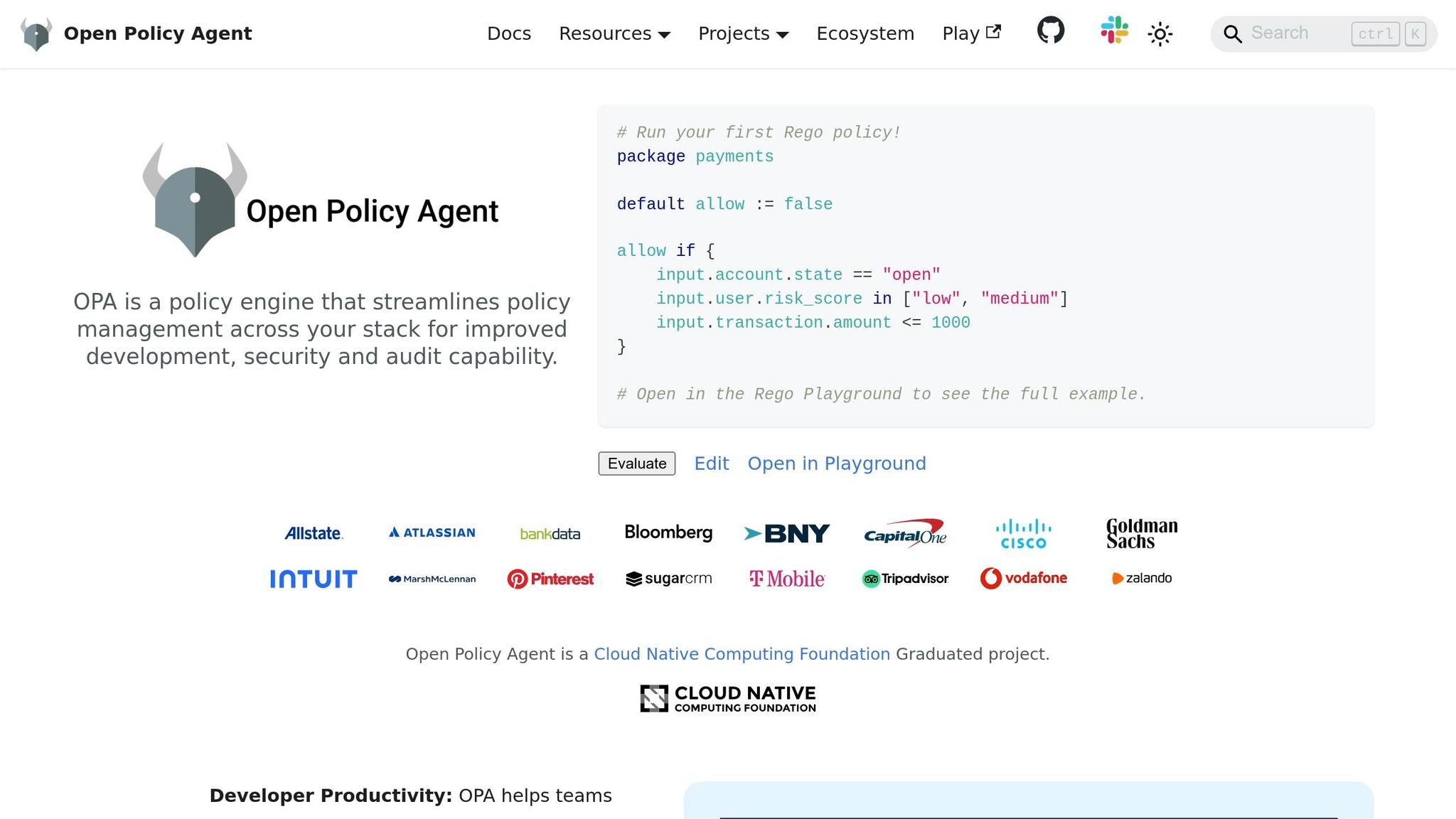
Start by choosing a deployment method that fits your architecture. For low-latency needs, deploy OPA as a sidecar container within the application pod. This configuration typically adds just 1–3ms of overhead per request. Alternatively, for setups where slight network latency is acceptable, run OPA as a centralized service shared across multiple applications.
To secure the OPA agent, configure TLS/HTTPS and enforce authentication using Bearer tokens or mutual TLS certificates. Additionally, limit sensitive built-in functions like http.send or net.lookup_ip_addr in your OPA configuration to reduce the risk of data leaks.
Store your Rego policies in Git repositories to enable version control, collaborative reviews, and automated deployment through CI/CD pipelines. Use OPA’s built-in testing framework (opa test) to validate policies before pushing them to production. These practices align with the broader goal of achieving consistent and automated identity and access management (IAM).
For organizations managing several OPA instances, consider using a control plane to distribute policy updates, aggregate logs, and monitor agent health. Tools like OPAL can help by enabling event-driven updates, pushing real-time policy changes to OPA agents. This ensures your access policies remain up-to-date and effective.
Conclusion
Cloud-native applications demand a shift in how we approach security. The traditional network perimeter no longer exists, making identity the primary defence. Consider this: 80% of web application attacks involve stolen credentials, and 40% of data breaches stem from compromised credentials. Even a straightforward measure like multi-factor authentication (MFA) can block 99% of identity-based attacks.
For Canadian businesses, these identity and access management (IAM) practices go beyond being just security protocols – they’re strategic necessities. With the average cost of a data breach in Canada hitting $5.6 million CAD, the financial risks are undeniable. Companies adopting default security settings in their identity systems see 80% fewer compromises, and automating IAM processes can cut administrative tasks by approximately 40%.
The practices outlined earlier – such as least privilege access, zero trust principles, policy automation, and continuous monitoring – come together to form a strong, adaptive security framework. These aren’t just best practices; they’re essential for aligning with compliance requirements like Quebec’s Law 25 and the Consumer Privacy Protection Act. For Canadian organizations, building a robust IAM framework is both a security and compliance priority.
To get started, focus on centralizing your identity provider and enforcing phishing-resistant MFA for privileged accounts. Automate lifecycle management to clean up orphaned credentials, perform quarterly access reviews, and use policy engines like Open Policy Agent (OPA) to ensure your security evolves with your applications. Cloud IAM isn’t a one-time setup – it’s an ongoing discipline that safeguards your organization while supporting the flexibility and innovation cloud-native environments offer.
FAQs
Where should I start with IAM for a cloud-native app?
Start by positioning identity as the core of your security strategy and adopting a Zero Trust approach. Prioritise protecting identities using tools like multi-factor authentication (MFA), conditional access, and single sign-on (SSO). For hybrid environments, centralize identity management to streamline oversight and strengthen control. Additionally, enforce the principle of least privilege (PoLP) – only granting users the permissions they absolutely need. This reduces exposure to risks and establishes a solid security base for your cloud-native application.
How do I enforce phishing-resistant MFA without hurting UX?
To implement phishing-resistant MFA without compromising user experience, opt for reliable and straightforward methods like FIDO2 and WebAuthn. These technologies rely on hardware authenticators, such as security keys, which are both easy to use and resistant to phishing attempts.
You can also incorporate adaptive MFA to reduce redundant prompts, making the process smoother for users. Providing clear and concise onboarding instructions will further help ensure the transition is hassle-free.
How can I safely remove unused permissions?
To safely clean up unused permissions, leverage tools such as IAM Access Analyzer or IAM Recommender. These tools help pinpoint and adjust any excess permissions effectively. Make it a habit to routinely review and remove unused IAM users, roles, and policies to minimise security vulnerabilities. Additionally, adopt continuous permission reviews and automated solutions to uphold a secure, least-privilege access model.