
Top Tools for Cross-Platform App Performance Testing | Digital Fractal

Cross-platform app performance testing is essential to ensure your app runs smoothly on various devices and operating systems. This article explores the best tools available for developers to test and optimize their apps. Here’s a quick rundown of the tools covered:
- Appium: Open-source, supports iOS/Android, ideal for functional and synthetic testing, integrates with CI/CD pipelines, and allows parallel testing.
- Apache JMeter: Open-source, excels in load and stress testing, supports mobile/web/API testing, and integrates with CI/CD workflows.
- BrowserStack: Focuses on testing with real devices and network conditions, supports iOS/Android, integrates with CI/CD, and offers cloud-based scalability.
- BlazeMeter: Cloud-based, specializes in large-scale load testing, supports mobile/web/API testing, and integrates with CI/CD tools.
- Microsoft App Center Test: Cloud-based, supports iOS/Android, provides automated UI and performance testing, and integrates seamlessly with Microsoft tools.
- New Relic Mobile: Tracks real-time app performance, supports iOS/Android, monitors crash rates and network performance, and scales for high-traffic scenarios.
- Apptim: Focuses on client-side performance metrics like battery and memory usage, supports iOS/Android, and integrates into CI/CD pipelines.
- TestGrid: Cloud-based, supports automated and manual testing on real devices, integrates with CI/CD tools, and scales for diverse testing needs.
- Dynatrace: Enterprise-level monitoring with AI-driven analytics, supports iOS/Android/web, offers load and synthetic testing, and integrates with CI/CD.
Each tool has unique strengths, from load testing to real-device monitoring. Your choice depends on your app’s needs, team expertise, and budget.
Quick Comparison
| Tool | Platform Support | Testing Types | CI/CD Integration | Scalability | Cost |
|---|---|---|---|---|---|
| Appium | iOS, Android, Windows | Functional, Synthetic | Yes | Parallel testing | Free |
| Apache JMeter | Mobile, Web, APIs | Load, Stress | Manual setup | Customizable scenarios | Free |
| BrowserStack | iOS, Android, Web | Real-device, Network tests | Yes | Cloud-based | CAD $50–500+/month |
| BlazeMeter | Mobile, Web, APIs | Load, Stress | Yes | Large-scale virtual users | CAD $100–1,000+/month |
| Microsoft App Center Test | iOS, Android, React Native, Flutter | UI, Performance | Yes | Multiple device configurations | Varies by usage |
| New Relic Mobile | iOS, Android, Web | Monitoring, Crash Analysis | Yes | Enterprise-grade | CAD $100–1,000+/month |
| Apptim | iOS, Android | Client-side Performance | Yes | Real-time insights | Varies by plan |
| TestGrid | iOS, Android | Automated, Manual | Yes | Cloud-based | CAD $100–500+/month |
| Dynatrace | iOS, Android, Web | Load, Monitoring, Synthetic | Yes | Large-scale user sessions | Enterprise pricing |
Choose tools based on your app’s testing needs – whether it’s functional testing, load testing, or monitoring app behaviour in live environments.
Testing Mobile Applications: Best Practices You Need For DevOps
1. Appium
Appium is an open-source tool designed for mobile testing. It’s a popular option for cross-platform performance testing, compatible with both iOS and Android. With Appium, development teams can write a single set of test scripts in familiar programming languages like Java or Python and deploy them across multiple platforms – no need to rewrite code for each operating system.
Platform Support (iOS/Android)
Appium supports both iOS and Android applications, whether on real devices or emulators/simulators. Testing on real devices provides accurate performance metrics, while emulators and simulators allow for faster testing during development. It also integrates seamlessly with Selenium WebDriver, enabling teams to reuse their existing Selenium knowledge and tools. This flexibility makes Appium a powerful choice for diverse testing scenarios.
Testing Type (Functional and Synthetic Testing)
Appium is well-suited for functional performance testing and synthetic testing scenarios. Teams can create custom scripts to mimic various user actions and edge cases. These simulations help evaluate app start-up times, UI responsiveness, and resource usage. While Appium doesn’t include built-in performance dashboards, it can be paired with external monitoring tools to collect detailed performance data, such as launch times and resource consumption.
CI/CD Integration Capabilities
Appium works effortlessly with tools like Jenkins, GitLab CI, and GitHub Actions, making it easy to automate tests. This integration helps catch regressions early and ensures consistent app quality, fitting perfectly into automated testing pipelines.
Scalability for High-Traffic Testing Scenarios
Appium supports parallel testing, allowing teams to simulate multiple users and evaluate app performance under heavy traffic. This is especially useful for stress testing in high-demand scenarios. By combining Appium with cloud-based tools, teams can scale their testing efforts efficiently. As an open-source solution with no licensing costs, Appium is an attractive option for startups and mid-sized businesses looking for cost-effective testing tools.
2. Apache JMeter
Apache JMeter is a widely used open-source tool, particularly known for its ability to handle load testing. It’s also a strong option for mobile app performance testing. What sets JMeter apart is its ability to simulate peak loads, helping teams understand how their apps perform during traffic surges. Let’s take a closer look at the types of testing it supports and why it’s a go-to choice for cross-platform performance evaluation.
Testing Type (Load Testing and Synthetic)
JMeter shines when it comes to load and synthetic testing – two critical methods for evaluating how mobile apps handle stress and high-traffic conditions. With JMeter, developers can simulate real-world traffic loads to uncover bottlenecks that might degrade user experiences. This flexibility allows teams to test their applications under various conditions, ensuring they remain responsive even during high-demand periods.
The tool’s synthetic testing feature is another strong point. It lets teams create custom scenarios that mimic specific user behaviours or workflows. This is particularly helpful for evaluating backend services and APIs that mobile apps rely on, rather than just focusing on the app’s interface. By simulating diverse traffic patterns and user loads, developers can catch performance issues early, before they affect end users.
Platform Support (iOS/Android)
JMeter supports performance testing for mobile apps, web applications, and APIs. Its protocol support enables teams to assess various components of an app, from API calls to backend services that power both iOS and Android versions. This comprehensive testing approach ensures that any performance bottlenecks across the entire application stack – not just the mobile front end – are identified and addressed.
CI/CD Integration Capabilities
JMeter goes beyond simple load simulation by integrating into modern development workflows. It can be incorporated into CI/CD pipelines, allowing teams to monitor performance continuously and catch regressions early in the development cycle. While setting up JMeter for CI/CD may require more manual effort compared to some other tools, the payoff is significant. Automated performance testing ensures that new code doesn’t negatively affect app performance, making it a critical part of maintaining high standards throughout the development lifecycle.
Scalability for High-Traffic Testing Scenarios
JMeter is highly scalable, making it ideal for simulating heavy user loads. Teams can customize test scenarios to reflect their app’s unique usage patterns, whether it’s gradual increases in traffic or sudden spikes during events like product launches or promotions. The tool’s detailed reporting features make it easier to interpret test results, identify bottlenecks, and make informed decisions about performance improvements.
The reports, featuring clear graphical representations, allow both technical and non-technical stakeholders to understand the results. This makes it simpler to track performance over time and communicate findings effectively across teams.
As an open-source tool, JMeter is free to use, making it a cost-effective choice for Canadian organizations. However, teams should factor in additional costs, such as infrastructure for running tests and training personnel. For organizations needing large-scale testing across distributed environments, JMeter offers the flexibility and power to thoroughly evaluate mobile app performance – without the burden of licensing fees.
3. BrowserStack
BrowserStack takes a hands-on approach to app testing, focusing on real-world scenarios instead of relying solely on simulations. This method helps you see how your app actually performs across different devices, network conditions, and locations. For Canadian developers catering to users from Vancouver to Halifax, this real-world insight goes far beyond what synthetic tests can offer. It also lays the groundwork for robust monitoring and smooth integration with CI/CD pipelines.
Testing Type (Real-World Monitoring)
BrowserStack excels in real-world performance testing by replicating actual user conditions, such as diverse network types and IP geolocations. For example, you can test how your app responds on 4G in rural Saskatchewan versus 5G in downtown Toronto. The platform mimics a variety of network scenarios – from lightning-fast Wi-Fi to slower mobile connections – making it a valuable tool for tackling connectivity challenges. Plus, its ability to benchmark app performance against set standards ensures that any performance dips are caught early, keeping your app consistent throughout its development lifecycle.
Platform Support (iOS/Android)
BrowserStack’s strength lies in its comprehensive support for testing mobile apps on iOS and Android devices. Instead of relying solely on emulators, it grants access to real devices, ensuring that the performance data mirrors actual user experiences. Whether you’re testing on the latest flagship smartphones or older models still in use, this broad device coverage helps Canadian developers validate their apps for a wide audience.
CI/CD Integration Capabilities
To streamline workflows, BrowserStack integrates seamlessly with CI/CD pipelines, enabling continuous performance testing with every code change. Automated performance tests can be run alongside development, and the platform supports concurrent testing, allowing multiple tests to run simultaneously. This speeds up the feedback process, helping developers identify and resolve issues faster.
Scalability for High-Traffic Testing Scenarios
BrowserStack’s ability to handle concurrent testing also makes it ideal for simulating high-traffic scenarios. This feature is crucial for apps expecting heavy user loads, as it provides detailed performance metrics and analytics to identify bottlenecks and guide improvements. With its capability to test under varied network conditions and geolocations, the platform ensures your app performs reliably, whether users are in a bustling city or a remote area.
4. BlazeMeter
BlazeMeter takes the well-known Apache JMeter and enhances it with cloud-based scalability and advanced analytics. It’s tailored for teams aiming to push their applications to the extreme, simulating heavy user loads to assess how cross-platform apps hold up under high-traffic conditions. For Canadian developers, its ability to mimic large-scale user interactions makes it an essential tool for rigorous testing.
Testing Type: Load Testing
BlazeMeter is all about load and stress testing. It enables teams to simulate millions of concurrent users, providing real-time analytics as tests are conducted. With instant feedback on metrics like response times, throughput, and error rates, teams can pinpoint bottlenecks and fine-tune performance thresholds during demanding scenarios.
Platform Support: Mobile and Web Applications
BlazeMeter supports both mobile and web applications, along with API testing. It works seamlessly with frameworks like JMeter, Selenium, and Appium, allowing teams to reuse existing scripts and easily transition to a cloud-based testing environment. This flexibility aligns well with modern development workflows.
CI/CD Integration
The platform integrates smoothly into CI/CD pipelines, embedding performance testing directly into the development process. This automated setup helps teams identify and address performance issues early, maintaining consistent quality throughout the development lifecycle.
Scalable for High-Traffic Scenarios
BlazeMeter’s cloud infrastructure scales effortlessly to handle tests involving millions of virtual users. This makes it ideal for handling high-traffic events like product launches or seasonal surges. For Canadian organisations, the platform delivers enterprise-grade testing capabilities with a flexible, pay-as-you-go model.
5. Microsoft App Center Test
Microsoft App Center Test offers a cloud-based solution for automated mobile app testing, eliminating the need for physical device labs. For Canadian developers already working with Visual Studio or Azure DevOps, this tool integrates smoothly into existing workflows, making it a convenient choice for validating cross-platform app performance. Let’s dive into its platform support and key features.
Platform Support: iOS and Android
Microsoft App Center Test supports both iOS and Android, covering the major mobile operating systems essential for cross-platform development. It’s particularly beneficial for teams building apps with ** less conventional frameworks like React Native or Flutter. These frameworks are natively supported, simplifying the process of setting up and running tests.
One standout feature is its access to real devices hosted on Microsoft’s cloud infrastructure. This eliminates the need for costly physical device labs, allowing teams to test apps on a variety of devices, including different manufacturers, screen sizes, and OS versions. This broad device coverage ensures that performance testing reflects real-world conditions.
Testing Type: Automated UI and Performance Validation
The tool specializes in automated UI testing and performance validation on real devices. By running tests on actual hardware, it identifies issues like device-specific resource limitations, network latency, and user interaction patterns that might otherwise go unnoticed.
Another useful feature is its ability to simulate various network conditions, such as 4G, 5G, and WiFi. This is particularly valuable for Canadian developers serving users across provinces or internationally, ensuring that apps perform well regardless of location or network quality. This adaptability is critical for maintaining a consistent user experience across diverse environments.
CI/CD Integration Capabilities
Microsoft App Center Test integrates seamlessly with CI/CD pipelines through tools like Azure DevOps and GitHub Actions. This allows teams to incorporate automated testing into their development workflows, triggering tests automatically whenever new code is committed. By catching performance issues early in the development cycle, teams can avoid costly fixes later on.
The platform also features integrated dashboards that provide detailed metrics, helping developers correlate performance changes with specific code commits. This kind of insight is invaluable for maintaining high performance standards across Canadian user bases.
Scalability Considerations
While Microsoft App Center Test is excellent for testing on a wide range of devices, it’s not designed for simulating high volumes of concurrent users. For load testing or infrastructure scalability, teams may need to supplement it with other specialized tools. However, its cloud-based execution on Microsoft’s Azure infrastructure ensures reliable performance.
For Canadian organizations already using Microsoft 365, Azure, or Visual Studio, the service is often available at a reduced cost in CAD through Azure’s standard billing, making it an affordable and effective option for most development teams.
sbb-itb-fd1fcab
6. New Relic Mobile
New Relic Mobile focuses on monitoring how your app performs in the real world, giving you a clear picture of the actual user experience. Instead of relying on simulated conditions or automated tests, it tracks real user interactions and provides real-time analytics. For Canadian teams, this means understanding app performance across diverse conditions, from urban 5G networks to rural connectivity.
Platform Support: iOS and Android
New Relic Mobile offers unified monitoring for both iOS and Android platforms. This cross-platform capability is incredibly useful when you need to compare app performance on different operating systems or pinpoint platform-specific issues that only show up under real-world conditions.
By viewing iOS and Android metrics side by side, teams can quickly identify discrepancies. For example, you might notice that network response times are slower on Android devices in specific regions or that crashes spike on certain iOS versions. This kind of comparative analysis helps ensure a consistent user experience, no matter which platform your audience prefers.
Testing Type: Real-World Monitoring
New Relic Mobile goes beyond pre-release testing by monitoring your app in production. It tracks key metrics like crash rates, error occurrences, user interaction times, and network performance in real-time. Dashboards provide immediate insights into how your app behaves under genuine user conditions.
This approach captures data that synthetic tests might overlook. For instance, you’ll see how your app handles unexpected network interruptions, performs on older devices, or reacts to varying user behaviours. For Canadian teams, this means understanding how performance might differ between users in Toronto’s busy urban areas and those in remote regions.
Real-time monitoring ensures you can detect and address issues immediately – before they escalate. If a new deployment causes a spike in error rates or slows down network response times, you’ll know right away and can fix the problem before it affects a significant portion of your user base.
CI/CD Integration Capabilities
Although New Relic Mobile is primarily a monitoring tool, it integrates seamlessly into development workflows, linking performance data to deployments. This allows teams to track how code changes impact performance.
For instance, if you notice slower user interaction times following an update, New Relic Mobile makes it easy to connect that change to specific code commits. This visibility is especially valuable for Canadian teams working in distributed environments, ensuring everyone stays aligned on performance trends and potential issues.
Scalability for High-Traffic Testing Scenarios
New Relic Mobile is built to handle large-scale monitoring, tracking millions of sessions during peak usage periods. Whether it’s a holiday shopping rush or the launch of a major feature, the platform ensures performance data remains accessible and actionable, even under heavy loads.
While tools like Appium handle automated UI testing and Apache JMeter simulates high-traffic scenarios during development, New Relic Mobile focuses on validating performance in production. By combining these tools into a layered testing strategy, you can catch issues at every stage – from development to live deployment. This approach provides confidence that your app will perform reliably, even during the busiest times.
7. Apptim

Apptim zeroes in on client-side mobile app performance, focusing on how your app behaves on the actual devices your users rely on. It measures key factors like battery usage, memory consumption, and responsiveness – elements that directly influence whether users stick with your app or decide to uninstall it. This client-side perspective complements the broader performance testing approaches discussed earlier.
A major advantage of Apptim is its ease of use. There’s no need for SDK installations or additional libraries, so you can start testing without altering your codebase. This streamlined setup eliminates unnecessary complexity and enables teams to quickly gather actionable insights.
Platform Support: iOS and Android
Apptim supports testing on both iOS and Android, ensuring your app performs reliably across the two dominant mobile platforms. You can test on both emulators and real devices, offering flexibility based on your testing needs.
Real-device testing is particularly useful for capturing details that emulators might overlook, such as how your app operates on older hardware or handles varying screen sizes. By testing on both platforms with a single tool, you can address platform-specific issues without juggling multiple solutions.
Testing Type: Real-World Client-Side Monitoring
Apptim specializes in monitoring your app’s performance from the user’s perspective during development and pre-release stages. It tracks critical metrics like CPU usage, memory consumption, battery drain, launch times, FPS, and crash data. This gives you a clear picture of how your app performs across different devices and configurations.
The platform generates in-depth reports with actionable insights, helping you pinpoint issues and identify solutions. For example, if your app drains too much battery on specific Android devices, Apptim will flag the issue and suggest ways to address it.
With real-time feedback during testing, developers can quickly identify and resolve performance bottlenecks. If a new feature causes a spike in memory usage or a drop in frame rates, you’ll catch it during testing rather than after the app is live.
CI/CD Integration Capabilities
Apptim offers tools for both manual and automated testing, making it versatile for various workflows. Its desktop application simplifies manual testing, allowing even non-technical team members to participate in performance analysis. For automation, the CLI tool integrates seamlessly into CI/CD pipelines, enabling performance checks on both emulators and real devices.
By embedding Apptim into your CI/CD processes, you can detect performance issues early, ensuring each build meets your benchmarks before release. For Canadian teams spread across multiple time zones, this automation ensures consistent performance validation without the need for constant manual coordination.
Scalability for Targeted Performance Analysis
While Apptim isn’t designed for large-scale load testing – that’s where tools like Apache JMeter or BlazeMeter come in – it excels at providing detailed, client-side insights. These insights are crucial for optimizing the end-user experience, particularly across diverse device configurations.
For a comprehensive testing strategy, Apptim pairs well with other tools focused on load and UI regression testing. Canadian teams aiming to deliver high-quality mobile apps can integrate Apptim into their broader framework to ensure consistent performance across platforms and devices.
8. TestGrid

Let’s take a closer look at TestGrid, a tool designed for mobile app performance testing across platforms using a cloud-based setup. While details about its specific features are somewhat scarce – such as the supported operating systems, testing capabilities, CI/CD integration, and scalability – it could still be worth exploring. For Canadian teams, particularly those dealing with challenges like device fragmentation in diverse markets or managing remote testing across provinces, it’s a good idea to check the most up-to-date vendor documentation or arrange a product demo. This will help determine if TestGrid aligns with your specific needs. Even with the limited information available, TestGrid might serve as a useful addition to your testing toolkit, working alongside the other tools we’ve covered.
9. Dynatrace
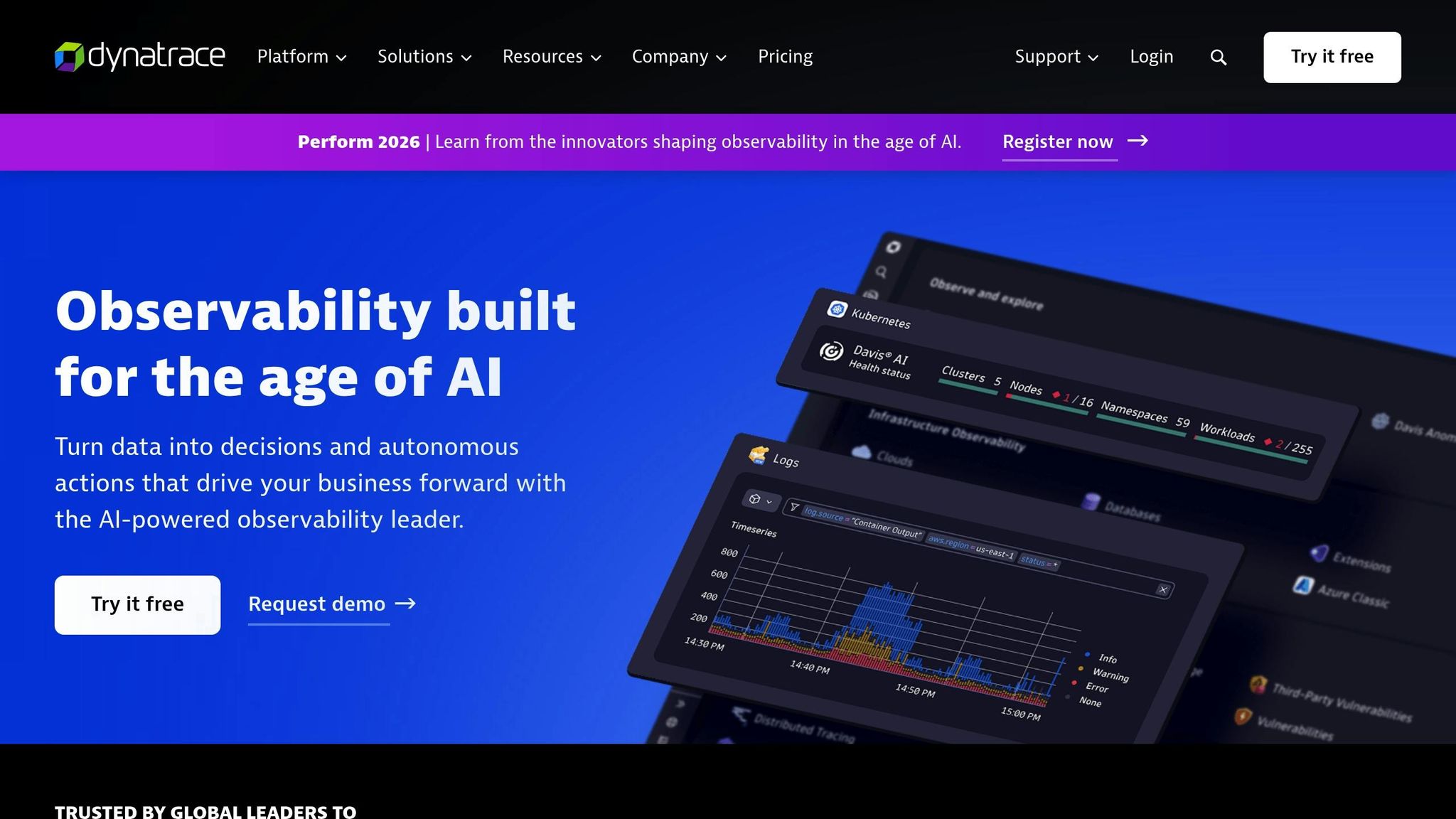
Dynatrace is a robust APM and observability platform designed for enterprise-level needs. It provides detailed performance insights across platforms, using AI-driven analytics to help teams pinpoint bottlenecks, understand the impact of performance on user experience, and optimize applications – whether native, hybrid, or web-based.
For Canadian teams aiming to deliver smooth performance across various devices, Dynatrace offers a comprehensive solution. It monitors application performance throughout the entire development lifecycle, from initial coding to production, ensuring consistent results.
Platform Support (iOS/Android/web)
Dynatrace supports iOS, Android, and web applications, providing unified monitoring and performance analysis across all platforms. This is particularly useful for Canadian developers building apps that need to function seamlessly across different operating systems.
The platform allows teams to create performance tests and monitoring configurations once and apply them across multiple platforms, saving time and reducing repetitive work. Whether your users are in Toronto, Vancouver, or anywhere else in Canada, this unified approach ensures a consistent experience, no matter the device or operating system. This cross-platform compatibility ties directly into Dynatrace’s flexible testing options.
Testing Type (Load Testing, Real-World Monitoring, Synthetic)
Dynatrace offers a range of testing methods, including load testing, real-world monitoring (RUM), and synthetic testing, giving teams a complete view of application performance.
Real-world monitoring tracks actual user interactions and measures performance in live environments, capturing data that reflects how your app behaves under real-world conditions across Canada’s varied network infrastructure.
A standout feature of Dynatrace is its AI-powered anomaly detection. By learning the normal behaviour of your application, it automatically identifies performance issues and alerts teams to potential problems. This reduces the need for manual threshold settings and allows for quicker, more proactive optimization.
CI/CD Integration Capabilities
Dynatrace integrates seamlessly into CI/CD pipelines, enabling continuous performance testing with every code update. Automated tests can be run alongside development, and the platform supports running multiple tests at the same time. This speeds up the feedback loop, helping developers catch and address issues more efficiently.
Scalability for High-Traffic Testing Scenarios
With its cloud-based infrastructure, Dynatrace easily scales to handle monitoring for millions of user sessions, making it a great choice for Canadian companies expecting high traffic during peak times. The platform provides detailed analytics and performance metrics to identify bottlenecks, ensuring your app remains reliable and responsive, no matter the traffic load.
Tool Comparison Table
This table highlights the main features and differences among the tools reviewed, helping Canadian development teams make informed decisions based on their specific needs, expertise, and budget.
| Tool | Platform Support | Testing Types | CI/CD Integration | Scalability | Deployment Model | Cost Structure |
|---|---|---|---|---|---|---|
| Appium | Android, iOS, Windows | UI automation, parallel testing | Jenkins, GitLab, Bamboo | Parallel testing support | Open-source | Free |
| Apache JMeter | Mobile, web, APIs | Load, stress, performance | Manual setup required | Customizable based on scenarios | Open-source | Free |
| BrowserStack | Android, iOS, web | Real-device testing, network simulation | Native support | Cloud-based scaling | Cloud subscription | CAD $50–500+/month |
| BlazeMeter | Mobile, web, APIs | Load testing, large-scale simulations | Multiple frameworks | Millions of virtual users | Cloud subscription | CAD $100–1,000+/month |
| Microsoft App Center Test | Android, iOS, React Native, Flutter | Cross-platform performance | Microsoft ecosystem | Multiple device configurations | Cloud subscription | Varies by usage |
| New Relic Mobile | Android, iOS, web | Real-time monitoring, crash analysis | Native support | Enterprise-grade | Cloud subscription | CAD $100–1,000+/month |
| Apptim | Android, iOS | CPU, memory, battery monitoring | Development pipeline support | Real-time insights | Cloud/on-premise | Varies by plan |
| TestGrid | Android, iOS | Automated, manual, real-device testing | Jenkins, GitLab, CI/CD | Cloud-based real devices | Cloud subscription | CAD $100–500+/month |
| Dynatrace | Android, iOS, web | Load, RUM, synthetic, AI-driven | Seamless CI/CD integration | Millions of user sessions | Cloud subscription | Enterprise pricing |
Key Takeaways
Each tool offers unique platform support and testing capabilities. For instance, Appium supports Android, iOS, and Windows through a single codebase, while BrowserStack provides real-device testing across multiple global locations, although its iOS profiling requires a paid upgrade. TestGrid leverages real devices hosted in the cloud to ensure compatibility across various devices.
When it comes to testing types, BlazeMeter excels in large-scale load testing and user simulations, while JMeter is tailored for stress testing to pinpoint bottlenecks. New Relic Mobile focuses on real-time monitoring, offering dashboards that track crash analysis, error rates, and network performance. Meanwhile, Apptim delivers insights into CPU, memory, and battery usage, complete with actionable recommendations.
All tools integrate with CI/CD pipelines to some extent. For example, Appium works seamlessly with Jenkins, GitLab, and Bamboo for automated testing during builds, while TestGrid supports popular CI/CD systems for agile workflows. On the other hand, JMeter requires more manual configuration but compensates with detailed performance reporting.
Scalability is another critical factor. Cloud-based tools like BlazeMeter, BrowserStack, and TestGrid enable flexible scaling without needing physical infrastructure. Appium supports parallel testing, making it a good choice for scalable scenarios. These cloud-based solutions typically follow pay-as-you-go pricing models, ranging from CAD $50 to $500+ per month.
For teams looking to minimize costs, open-source options like Appium and JMeter are attractive, though they require technical expertise. In contrast, commercial tools such as BrowserStack, BlazeMeter, New Relic Mobile, and Dynatrace offer managed infrastructure and comprehensive support, making them appealing to larger enterprises.
Each tool has its strengths. Appium is ideal for technical teams experienced with languages like Java, Python, or JavaScript. BrowserStack provides an intuitive dashboard with minimal setup, while Microsoft App Center Test integrates smoothly into Microsoft development ecosystems. For real-world testing, BrowserStack evaluates apps under actual user conditions, including diverse network types and geographic locations. TestGrid offers real-device testing with built-in monitoring for CPU, memory, and battery usage. For synthetic testing, BlazeMeter can simulate millions of virtual users.
Use the table above to match your app’s testing requirements with the right tool for your team.
Conclusion
Choosing the right performance testing tools plays a key role in ensuring your app’s stability, responsiveness, and overall user satisfaction across platforms. Issues like slow load times, excessive CPU usage, or lagging network responsiveness can quickly lead to negative reviews, higher uninstall rates, and lower engagement. Poor performance is a surefire way to lose users, which is why thorough performance testing is non-negotiable.
Each tool brings something different to the table. Open-source options like Appium and Apache JMeter are budget-friendly and cater to technically skilled teams. Platforms like BrowserStack and TestGrid excel in real-device testing under diverse network conditions, while enterprise solutions like BlazeMeter and Dynatrace offer advanced load testing backed by AI-driven analytics.
Before settling on a tool, consider a few key factors: platform compatibility, the type of testing required (e.g., load testing or real-device monitoring), integration with CI/CD pipelines, scalability for larger user bases, and cost. Tailor your approach to your app’s specific needs. For instance, gaming apps should prioritize metrics like FPS and rendering performance, while utility apps might focus on fast launch times and minimal battery drain. Testing across various devices, network conditions, and locations is vital to establish reliable baselines.
The payoff for integrating these tools is undeniable. Performance testing helps lower crash rates, improve app ratings, reduce the volume of support tickets, and increase session durations. Addressing performance issues early is far more efficient – and less expensive – than scrambling to fix problems after launch.
FAQs
What should you consider when selecting a tool for cross-platform app performance testing?
When selecting a tool for testing cross-platform app performance, it’s essential to focus on features that match your app’s specific requirements. Prioritise tools that work seamlessly across different operating systems, provide real-time performance tracking, and deliver in-depth analytics to pinpoint performance issues. It’s also important to choose a tool that can adapt to increasing user loads as your app scales.
You’ll also want to evaluate how easily the tool integrates with your current development setup, whether it allows for customisable testing scenarios, and its ability to mimic real-world usage conditions. Tools that generate detailed reports and offer practical insights can empower you to make informed decisions to enhance your app’s performance. Lastly, ensure the tool aligns with your budget and your team’s technical capabilities to get the most out of your investment.
What is the difference between real-device testing and synthetic testing, and why are both essential for evaluating app performance?
Real-device testing involves running an app on actual physical devices to see how it performs in real-world conditions. This approach takes into account factors like hardware capabilities, network fluctuations, and user interactions, giving developers a clear picture of how the app behaves when used by actual people.
On the flip side, synthetic testing relies on simulated environments to evaluate performance. It’s particularly useful for testing specific scenarios, such as heavy user traffic or network interruptions, in a controlled setting. While it doesn’t fully mimic real-world conditions, it’s a great way to spot potential issues early in the development process.
Both methods play a crucial role. Real-device testing ensures the app works smoothly for users in everyday situations, while synthetic testing helps fine-tune performance and catch problems before they escalate. Together, they create a well-rounded approach to app evaluation, ensuring a consistent and reliable user experience across the board.
Can performance testing tools be integrated into existing CI/CD pipelines, and what advantages does this bring to app development?
Yes, most performance testing tools can be easily integrated into existing CI/CD pipelines. This setup allows developers to automate performance testing, making it possible to catch and address issues early in the development process. By embedding these tools directly into the pipeline, teams can ensure consistent application quality across platforms while streamlining their workflow.
Some key advantages of this integration include quicker release cycles, less reliance on manual testing, and the ability to identify performance bottlenecks before they affect users. Ultimately, this approach boosts efficiency and helps deliver apps that are more reliable and responsive.